
The Low End Mac Mailbag
Debian Recommended for Older Macs, Stunned by No G5 in Snow Leopard, and Unsupported Leopard
Dan Knight - 2008.07.10 - Tip Jar
- Debian Linux a Good Option for Low End PowerBooks
- Linux Can Replace OS X on Older Macs
- Stunned if No Snow Leopard on G5s
- Unsupported Leopard on Dual 800 MHz G4
Debian Linux a Good Option for Low End PowerBooks
From José Prisco Palma-Nicolas:
Dear Dan,
Although Mac OS 8-9.x is very nice, even today in the age of Mac OS X (Leopard), a major drawback for the use of "classic" Mac OS in our low-end Macs is the obsolescence of web browsers like Microsoft Explorer, Netscape, Mozilla, etc. In this scenario, the use of some Linux "distros" has been suggested in LEM.
Linux is a modern operating system, and some distros like Yellow Dog are "customized" for Apple hardware. Other highly recommended distributions for PPC hardware are Mandrake, Fedora, Ubuntu, SUSE, OpenSUSE, and Debian. In contrast with the today-obsolete web browsers for "classic" Mac OS, development of Konqueror or Nautilus are up-to-date, and their respective desktop environments (KDE or GNOME) are intuitive, easy-to-use, and almost as modern as the Mac OS X Desktop. Availability of tons of free software for productivity (OpenOffice, GIMP, etc.) makes a plus for ancient and some OS X-unsupported Apple hardware and encourages me to try some Linux distros on my small collection of Apple PowerBooks.
The PowerBook 1400 is one of the best Apple laptops, I think. Its ancient 603e PPC processor daughter card can be feasibly upgraded with 466 MHz G3 cards, it can go wirelessly with any Orinoco 802.11b PCMCIA card, and file transfer to PC boxes can be done using a Compact Flash card + PCMCIA Compact Flash adapter. The upgraded hardware I have is a PowerBook 1400c, 64 MB RAM, 20 GB HD (Toshiba, 4200 rpm), original 6x CD-ROM (also I use a TEAC CD-224E 24x CD-ROM in Mac OS 8-9.x), and the major upgrade is the 333 MHz G3 daughter card from Sonnet. Also I have an 802.11b Orinoco Gold PCMCIA Card for wireless networking, which is fine in Mac OS 9.x with the Orinoco driver.
This machine is an "Old World" and "NuBus" in architecture, so I try the recommended installation using the MkLinux Booter. First I installed Mac OS 9.1 in an Apple_HFS partition, and then MkLinux in a 2.0 GB Apple_UNIX_SVR2 for root (/) and 128 MB for the "swap" partition. In this "Old World" machine there is no need for "/boot" partition. After install (30-45 min), the window server was auto configured correctly, and I logged in into the "new" X-system.
MkLinux was very responsive in the PowerBook 1400, but a major drawback was the ancient and out-to-dated distro (R1), so I moved to Debian Sarge using the same MkLinux booter, the latest NuBus-supported kernel (2.4.27), and the 14 CD set for the 3.1r8 version of Debian ("Sarge"). Installation was very easy using the customized MiBoot ISO image including the Debian Sarge installer (thanks Tobias Netzel!). This can be downloaded from http://sourceforge.net
After restart, I added some kernel arguments in lilo.conf as follows:
rootdev=/dev/hdaX # where X= the partition number for /
mach_options= ramdisk=8192 keyboard_sends_linux_keycodes=1 video=nbpmacfb
Once I launched Sarge in my PowerBook 1400c, I have a minimal system without X-system installed, so I used Apt to install the X-window-server (apt-get install X-window-system-core), the display manager (apt-get install xdm), and the desktop "gnome" (apt-get install gnome-core). After a manual modification in the XF86-Config-4 file (in /etc/X11) for the correct "fbdev" video driver and default depth to "15" (800 x 600), I have an X-system running on my OS X-unsupported PowerBook 1400c. The Orinoco 80211.b wireless card was correctly autoconfigurated during setup.
I was able to use OpenOffice, GIMP, and the Nautilus web browser (versions for Sarge release) in this ancient hardware. System performance was 7/10, but I will try a 5400 rpm drive in order to have a little more efficient old system.
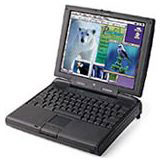 Also I try Sarge in a
PowerBook 3400c and the
original PowerBook G3
(Kanga), but I was not able to setup the X-window correctly for the
Chips and Technology 65554 video card, and the Yellow Dog Linux 3.0
installation I have completed correctly in such PowerBooks supports 256
colors only.
Also I try Sarge in a
PowerBook 3400c and the
original PowerBook G3
(Kanga), but I was not able to setup the X-window correctly for the
Chips and Technology 65554 video card, and the Yellow Dog Linux 3.0
installation I have completed correctly in such PowerBooks supports 256
colors only.
In my PowerBook G3 Series II "WallStreet" (512 MB RAM, and 500 MHz processor upgrade card) I have installed YDL 3.1 and Mandrake 9.0 without any issues using the BootX bootloader in this "Old World" machine from the OS 9.2.2 side, and in my "New World" Pismo PowerBook (500 MHz/1.0 GB RAM) the best Linux distro I have in use is the latest and "stable" Debian distro: "etch" (4.0r3). Etch is perfect for my Pismo, although I need to reconfigure the X-window server after first log in (dpkg-reconfigure x-window-system) to correctly launch the graphics. Also I have Tiger (10.4.8) installed in this multi-OS machine.
In the WallStreet, both Linux distros have better performance than Mac OS X 10.2.8 (I prefer Mandrake over YDL 3.1), but in the Pismo, Debian "etch" was a bit slower than OS X 10.4.8 Tiger. Other distro I try in the Pismo was Xubuntu (v6.06.1), with same system performance as Tiger, but it is outdated and unsupported to use in very useful Apple hardware like the Pismo G3 PowerBook. Actually, my 867 MHz Titanium PowerBook is running Tiger (10.4.11) only because the ATI Mobility Radeon 9000 Video card is unsupported by the latest Linux kernel.
My hardware for daily use is the PowerBook G4 1.67 GHz/2.0 GB RAM/HiRes, which runs Leopard perfectly. Of course, I have KDE as secondary Desktop on the top of Darwin, besides Aqua. It was perfectly installed through FINK.
I think the best Linux distro for our low-end Macs is Debian. The latest release (etch) for PPC hardware includes more than 15,000 precompiled packages in the 4 DVD set, for free!
Linux is not as easy-to-install as Mac OS X, but is an option for old PPC hardware.
José Prisco Palma-Nicolas
José,
Thanks for all the information. My Linux testbed is a 400 MHz CD-ROM iMac, and I've had mixed luck with various Ubuntu versions. The most recent I've been able to install was 6.x. I did have Debian on it at one time, and I'm in the process of reinstalling it. (It's nice to have a spare computer for projects like this. I can keep working on my Power Mac while the installer runs on the iMac.)
I'm sure others will find your recommendations helpful as they choose a distro to try on their older Macs, especially older PowerBooks. Thanks again!
Dan
Linux Can Replace OS X on Older Macs
From Timothy Sipples:
Carl Nygren's latest report [Can Linux Replace OS X on Older Macs?] is quite useful. I agree that Ubuntu Linux is polished and productive.
Memory is the most critical element, and the 192 MB RAM on Carl's iBook G3 is a bit tight. Adding memory can keep older Macs more relevant. All iBook G3s are expandable to at least 544 MB of RAM, which is plenty for running even current Linux distributions with reasonable performance.
That said, even the 192 MB RAM should be sufficient for mainstream use (Web browser, email, light office suite) with some careful installation choices. Carl's complaint about the Xfce desktop has some merit: it's not the most sophisticated desktop. But it is more frugal in its memory consumption than KDE or GNOME. There are other "light" desktop choices: Fluxbox, Enlightenment, Blackbox, Openbox, Afterstep, FVWM, and WindowMaker. Web addresses are here:
- http://fluxbox.sourceforge.net/
- http://www.enlightenment.org/
- http://blackboxwm.sourceforge.net/
- http://icculus.org/openbox/
- http://www.afterstep.org/
- http://www.fvwm.org/
- http://www.windowmaker.info/
Most Linux distributions offer most of these desktop choices in their software repositories for easy installation. Do keep in mind that choosing a desktop theme may be more important than choosing a desktop. There are even Mac OS X lookalike themes.
It's also worth pointing out that openSUSE 11.0 is now available for PowerPC, and this is another excellent Linux distribution. openSUSE even works on Macs that can only read CDs, as long as they have a network connection to download what they need to install. The network installation is particularly handy for memory-challenged Macs. And like Ubuntu, Firefox 3 is available for openSUSE. Firefox 3 actually uses less memory than Firefox 2.
Finally, if you do use GNOME, you can turn off some of the "eye candy" to reduce resource consumption. Use the GNOME Configuration Editor and navigate to apps > metacity > general. There is a "reduced_resources" checkbox. Check the box and restart GNOME.
Please keep up the interesting Linux reporting with older Macs.
Timothy Sipples
Timothy,
Thanks for the information. The world of Linux is very different from that of Windows or the Mac - so many distributions, so many desktop choices, so much free software. I'm learning a bit as I go, currently getting Debian up and running on my 400 MHz iMac.
The biggest problem for me is that I've been a Mac user since 1991 or so and have never really used Windows, so Linux desktops, which tend to work more like Windows than Macs, confuse me as much as Windows does. Of course, I'm not looking for a Linux setup as my production environment, more as a tool for seeing how feasible Linux is on older hardware and maybe a way to set up a private web server and do some experimenting.
Dan
Stunned if No Snow Leopard on G5s
From Jeffrey Kafer:
Dan,
I must admit that I was surprised, unpleasantly surprised, that there is already reports/rumors that Snow Leopard could be/might be/will be? Intel only. Now, it's not that I expect PowerPCs to have infinite life. It's not that I haven't seen the downside of supporting a machine too long. I have run Mac OS 9.1 on a Duo 2300c with 56 MB of RAM, OS 9.1 on a Power Mac 6100/60 with maxed RAM, and System 7.5.5 on a Mac Plus with 4 MB of RAM, and none of those was a pretty sight. Progress should not be stifled just to support older hardware. So I can't help but agree, let the Mac OS evolve!
In my experience, the machines were too old and too slow to do the latest Mac OS justice. In these cases, Apple worked hard to support old hardware with their flagship operating system, and anyone who owned such machines and purchased an OS upgrade was disappointed with the results. That's my opinion, and I am strongly sticking to it.
But why cut off the G5s so soon? I firmly believe that there will be a large number of G5 machines with large amounts of RAM, fast graphics cards, more capable than a Core Solo Mac mini, and more capable in most respects than a MacBook that should be able to run (not walk, not crawl, I mean run) the next generation of the Mac OS better than these Intel-based machines. I cannot imagine that a future Mac OS that feels acceptably fast on an early model MacBook would be unacceptably slow on a 2.1 GHz iMac G5, let alone a dual processor or dual-core G5. A G5 Quad is still an extremely competent machine. So a cut-off of these machines, in my mind, doesn't appear to be driven by a need to match hardware capability with OS demands.
Has Apple done this (cut off hardware that was still up to the task, so to speak) before? Well, I was always curious just how well the fastest 68040 machines would have run OS 8.6. However, my gut feel is that 8.1 was an appropriate stopping point for the 68K family. I did try to run 8.1 on a fast 68030 machine, but in the end I decided that 7.6 worked better. I had both 500 and 600 MHz G3 machines that I felt were not really fast enough for 10.4, and so I am skeptical that any stock Apple G3 really would have been up to the task of running Leopard.
The only case that I can think of were Apple chose not to support something that, in my opinion, was more than adequate for the task, was the 867 MHz cut-off for G4s in Leopard. I find that my 2x800 MHz Quicksilver (1.5 GB RAM, Radeon 9000 graphics) runs Leopard, whereas my 867 MHz TiBook kinda walks briskly. The only reason I am not outraged by Apple's "premature" discontinuation of the Quicksilver is because there are numerous methods by which I can run Leopard on my Quicksilver, albeit unsupported.
If Apple goes the route of making the next OS incompatible with G5s yet it runs on "lesser" Intel machines, I will be surprised, unpleasantly surprised. I do not mind a company that rationally chooses to discontinue support for hardware that is too old or too limiting to reasonably run the state of the art. But why should I tolerate, let alone support, a company that prematurely terminates support for it's otherwise excellent products?
Jeffrey
Jeffrey,
There are a lot of ways to frame this, but raw computing power isn't the reason Apple appears to be dropping PowerPC support in Snow Leopard. Mac OS X 10.6 will use technologies present in Intel's Core architecture that simply don't exist in PowerPC Macs - not even the G5 Quad.
By creating a version of OS X that only supports Intel Macs, Apple can remove the extra code required for universal binary support and focus on getting the most out of the Intel CPUs. I don't expect to see Snow Leopard before next January's Macworld Expo, which will be the third anniversary of the first Intel Macs.
Also, you're making the assumption that Mac OS X 10.5 will no longer be developed once the Intel-only 10.6 ships. I don't think that's warranted. Apple knows there are millions of Mac users with high-end G4 Macs as well as G5 models, and I believe there will be a period of overlapping development after Snow Leopard comes to market. Best of all, we won't have to pay for a new version of OS X to benefit from those improvements that are rolled into Leopard.
If Snow Tiger is Intel-only, it's going to support at least 75% of the Macs in use when it ships and give modern Macs another leg up on Microsoft. If that means G4 and G5 Macs are "stuck" with regular Leopard, I don't see that as a big problem. My six-year-old Power Mac G4 shipped with Mac OS 9.2 and OS X 10.2. It can also run 10.5.4 decently.
The last new G5 Macs were introduced in October 2005, four months after Apple announced that it would transition to Intel in 2006. They originally ran Mac OS X 10.4.2 and may now be running 10.5.4. They'll be able to run any future version of 10.5, and my guess is that it will be well over three years since their introduction before a version of OS X is released that won't run on them.
We saw a big leap in performance with the first Core Duo Macs, and things have only improved since then. With Snow Leopard, Apple will be able to fully unleash the potential of the Core architecture, but to do that it's going to have features that PowerPC Macs can't support. That's the price of progress.
Dan
Unsupported Leopard on Dual 800 MHz G4
From Philip Budziszyn:
Hey,
I've successfuly installed Leopard on a Dual 800 MHz Power Mac G4 with the stock processor - not truly "unsupported", but kinda, because I believe it wouldn't install. I didn't actually put the disk into the Mac, I used a supported 1.5 GHz PowerBook G4 with Target Disk Mode to install it.
The PowerMac has 896 MB of RAM and a slightly upgraded GeForce 4 MX 64MB graphics card.
So far, from my experience, with my upgraded graphics card everything works except for Screen Sharing. I heard that it isn't supported on both the PowerBook and the PowerMac because of the processor, but it does work on an iMac G5.
Time Machine, Spaces, and everything else pretty much works fine. Speed is excellent - no major slowdowns, and the multitasking is in some cases better with Leopard installed. Spaces is kind of choppy when switching but works perfectly fine. Time Machine works and backs up files, and I can get to the "spacey" part of Time Machine and am able to scroll through windows at a good frame rate.
DVD Player works perfectly fine; it isn't choppy even in full screen mode.
So yeah, to summarize it, "It just works, and works well."
Hope this helps,
Philip
Philip,
Thanks for sharing your findings. The dual 800 MHz Quicksilver is the most powerful Mac not officially supported by the Leopard installer, and by all reports it runs Leopard very, very well.
Dan
Join us on Facebook, follow us on Twitter or Google+, or subscribe to our RSS news feed
Dan Knight has been publishing Low End Mac since April 1997. Mailbag columns come from email responses to his Mac Musings, Mac Daniel, Online Tech Journal, and other columns on the site.
Today's Links
- Mac of the Day: Performa 5200, introduced 1995.04. The first PowerPC all-in-one was also one of the worst Macs ever made.
- Support Low End Mac
Recent Content
About LEM Support Usage Privacy Contact
Follow Low End Mac on Twitter
Join Low End Mac on Facebook
Favorite Sites
MacSurfer
Cult of Mac
Shrine of Apple
MacInTouch
MyAppleMenu
InfoMac
The Mac Observer
Accelerate Your Mac
RetroMacCast
The Vintage Mac Museum
Deal Brothers
DealMac
Mac2Sell
Mac Driver Museum
JAG's House
System 6 Heaven
System 7 Today
the pickle's Low-End Mac FAQ
Affiliates
Amazon.com
The iTunes Store
PC Connection Express
Macgo Blu-ray Player
Parallels Desktop for Mac
eBay

