
Best Tools for the Job
Cross-Platform Computing: Better Than It's Ever Been
- 2007.11.13 - Tip Jar
Mac users used to be the nonconformists of the computer-using public, stubbornly sticking to a minority platform and forced to use arcane tools to share their data with the PC-using masses. The first time I tried a Mac, back around 1985, I wasn't able to move any of the reports I'd written in WordPerfect over - and even if I had been, it would not have been so easy to open, edit, or send that data back to the PC.
Sharing Files
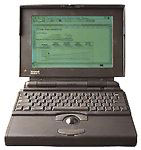 By the time I bought my first
Mac in 1993, a PowerBook 145b, things had
improved considerably - but still were not perfect. For old-fashioned
"Sneaker Net" connections, Apple provided PC format floppy disk
compatibility using the Apple File
Exchange program in System 7, taking care of the physical movement
of data. Moving data over a network was still problematic in those
days, though products like PC MacLan and Dave made it possible
for a PC or a Mac to integrate with the opposition platform with
varying levels of seamlessness.
By the time I bought my first
Mac in 1993, a PowerBook 145b, things had
improved considerably - but still were not perfect. For old-fashioned
"Sneaker Net" connections, Apple provided PC format floppy disk
compatibility using the Apple File
Exchange program in System 7, taking care of the physical movement
of data. Moving data over a network was still problematic in those
days, though products like PC MacLan and Dave made it possible
for a PC or a Mac to integrate with the opposition platform with
varying levels of seamlessness.
Even when disk formats and networking issues were fully integrated into Mac OS X (I've used 10.3 "Panther" and up, but never bothered with 10.0 "Cheetah" through 10.1 " Jaguar") and Mac services were made available on Windows servers, all was not solved. Even today, using the latest OS X Macs on a Windows share or physical disk will leave arcane files behind that, while harmless, do add clutter and confusion to IT and regular users who aren't familiar with Macs.
File Compatibility
More difficult, and the remaining issue, is not movement of data, but rather the format of that data. This is where things have improved the most in the last few years - and where Microsoft has really let the Mac community down since the release of Office 2007 for Windows earlier this year.
Most major applications today have both Mac and Windows versions, and most of those use the same file format for both. This doesn't matter much if all of your work goes straight to print or if you save everything as a PDF to prevent modification, but for workgroups, study groups, or anyone else who wants to move data across platforms and manipulate it freely on either side, using the same file format on both platforms is essential.
Cross Platform Apps
There are three ways to do this. The first is to simply choose an application that exists on both platforms with the same file format. I've been doing this for years with Microsoft Word and Excel, AppleWorks, Photoshop, and others. Be careful, because sometimes even sharing a file format isn't enough, as different versions of the same program may force the deletion of formatting when moved to an older or different version.
Later versions of Word are good at this, as they allow you to specify a minimum compatibility level. For example, in Word 2004 for Mac, Word 2003 for Windows, and the new Word 2007 for Windows, you can specify Word 2000 as your compatibility level (assuming Word 2000 is the oldest version of Word that you still have in use anywhere). If your oldest computer is running Word 98 for Mac, you could select Word 97 as your default compatibility level. You may lose out on some arcane formatting or annotating feature that newer versions offer, but I've never once noticed anything missing or unavailable on account of the older file format.
File Translation
The next method is to use an application on one platform that supports the file format of its equivalent application on the other platform. A good example is using OpenOffice.org on Linux to handle Word documents. The old MacLink translators took this a step farther by allowing two completely format-incompatible applications to work together, opening AppleWorks documents in WordPerfect for example. There is a lot left up to chance with this approach, with simple documents usually working perfectly but complex formatting often getting lost or broken as it is translated. The more translation a file goes through and the more complex formatting in the document, the more likely that something will get broken along the way.
Emulation
The final method - and I believe best one - is emulation. Windows computers cannot run OS X in emulation (yet), but Macs do a great job running Windows in emulation, natively, or through Crossover, running Windows applications natively in OS X. I'll lump all of these together as "emulation", even though that is technically incorrect for native Windows and Crossover. This is by far the best method of maintaining file accuracy, as you can use equivalent applications that use the same file format - and you can use the exact same application via emulation.
I've standardized on Word 2003 file format for my law practice and actually have Office 2007 testing on one of my computers, but even on that machine, when its time to create court filings, I do so natively in Word 2003. My Macs, running Parallels, also go into Word 2003 for court filings, despite my preference for Word for Mac 2004 and those two applications sharing their file format.
Running a Windows version of Word is easy on Linux as well, though I only have one Linux box to try it on. That machine, a PC running Ubuntu 6.10, has Office 2000 installed through WINE, a Windows API layer that is the basis for Crossover Mac. Office 2000 is fully supported by WINE, while Office 2003 is known to have issues. For that reason, I use 2000, though I did install Word 2003 (without the rest of the office suite). It works, but I don't use this setup for court filings, just in case.
The Best It's Ever Been
The fact that I can have PCs running three versions of Windows (2000, XP, and Vista), Macs running three versions of the Mac OS (7.5, 10.3, and 10.4), and a Linux PC (Ubuntu 6.10), controlled by a Windows server (Small Business Server 2003), sharing files, printers, and the Internet without the need to ever use file format translation is a testament to how far we have come since I started trying to make Macs and PCs play nice over two decades ago. With web-based applications running in a browser, it's possible to take compatibility to even higher levels, though I'm not ready to make that leap yet.
As for this little article, here is its story: I wrote a few paragraphs on a 68K Mac using Nisus Writer 5.4, which saves as RTF and saved onto a network share. I next opened it in OpenOffice.org on my Linux box and added a bit more. I added a bit more in Word 2004 on a Mac running Tiger and finished up with Word 2007 on a PC running Vista.
Just to make sure my RTF was still clean, I opened it in WordPad on
Windows XP and again in Nisus Writer on
the 68K Mac, with everything looking perfect. Had this been a complex
document, such as legal pleadings, Word 2003 would have been the only
application to ever touch it, and the 68K Mac would have been left out
of the party, but everything else would still have full access and zero
formatting loss. Not bad. 
Andrew J Fishkin, Esq, is a laptop using attorney in Los Angeles, CA.
Today's Links
- Mac of the Day: PowerBook 500 Series, introduced 1994.05.16. 'Blackbird' includes a 25 to 33 MHz 68040 along with smart batteries and grayscale or color displays.
- Support Low End Mac
Recent Content
About LEM Support Usage Privacy Contact
Follow Low End Mac on Twitter
Join Low End Mac on Facebook
Favorite Sites
MacSurfer
Cult of Mac
Shrine of Apple
MacInTouch
MyAppleMenu
InfoMac
The Mac Observer
Accelerate Your Mac
RetroMacCast
The Vintage Mac Museum
Deal Brothers
DealMac
Mac2Sell
Mac Driver Museum
JAG's House
System 6 Heaven
System 7 Today
the pickle's Low-End Mac FAQ
Affiliates
Amazon.com
The iTunes Store
PC Connection Express
Macgo Blu-ray Player
Parallels Desktop for Mac
eBay

