
Charles Moore's Mailbag
G4 Upgrades for G3 'Books, Lap Desks, OS X on Early iMacs, Emergency Boot CD Problem, and More
Charles Moore - 2005.04.26 - Tip Jar
- CPU Upgrade for Pismo?
- Lapinator or LapBottom: Good Buys?
- Microphone for Mac
- Digitrex 1300 Driver
- Tray-loading iMacs and OS X
- Overloaded in Cookies: Unable to Use Yahoo Mail
- OnyX on Emergency Boot CD
- OS X Boot CD Problem
- Best Mac Keyboard?
CPU Upgrade for Pismo?
From Benjamin Funk
Charles,
I hope you don't mind questions from 'Book Review fans, and I've been reading the site for a while. I have a question for you: I recently bought a Pismo 500 MHz, and I'm looking to get the most out of Panther and OS 9 with it. I know the AltiVec unit helps with OS X, but I was thinking that maybe brute force would make the PowerLogix G3 attractive. My apps in OS X include MS Office, web browsing with Safari, MSN Messenger, etc. I also play the random game here and there. I'm using OS 9 for my music apps, like Geniesoft Score Writer 2 (notation/scoring software). I have OS X versions of everything, and performance is acceptable, but I want to get the most for my money. I have 320 MB of RAM (which I'm planning on upgrading to at least 512) and I've also replaced the 6 GB hard drive with a 30 GB Toshiba. Which CPU upgrade would you go with?
Thanks,
Ben Funk
Hi Ben,
The short answer is the one I did go with for my Pismo - a 550 MHz
G4 upgrade from Daystar. I would guesstimate that I'm getting
20%-30% better performance than with the 500 MHz G3, and of course
way more than that for AltiVec optimized stuff.
You can read my
full review on Mac Opinion.
It depends on what you do with the 'Book. For AltiVec optimized
software, the slower G4 is likely to dust the faster G3.
I know that my 550 MHz G4 upgraded Pismo is significantly faster
pretty much overall than my 700 MHz G3 iBook even though the latter
has twice as much video RAM and supports OS X Quartz Extreme, which
the Pismo does not.
I've heard some reports from satisfied customers of the Blue Chip,
but also more complaints than about other Pismo upgrades. Caveat
emptor.
You should also consider the G4 upgrades available from Daystar
(which I have), FastMac, Newer Tech, and Wegener Media. Compare
specs and prices and decide which is best for you.
Thanks for reading.
Charles
Lapinator or LapBottom: Good Buys?
From Gene Osburn
Hi Charles,
Just went mobile again and bought a 266 MHz Series II WallStreet. I'm trying to decide which accessory to buy for laptop use. NewerTech's LapBottom and the new Lapinator both look pretty good to me. Have you tried either of them and if so, what are your impressions? Any info at all appreciated.
TIA,
Gene, a.k.a. G-Man
Friends don't let friends do Windows
Hi Gene,
I've reviewed a lot of different laptop stands and lap desk
products, but unfortunately not the LapBottom or Lapinator. Based
on the website descriptions, they both look like good
products.
Charles
Editor's note: I've had a LapBottom for years, but until recently I've rarely used my PowerBook G4 on my lap. LapBottom impoves airflow beneath the computer, keeps my lap cooler, and is pretty slip resistant as well. dk
Re: Lapinator or LapBottom: Good Buys?
From: Gene Osburn
Hi Charles,
Thanks for the response. Which lap desk product do you use on the go? BTW, are you still getting good use out of your WallStreet? I'm mighty tempted to pick up one of Wegener Media's new G3/400 Avanti upgrades soon; $100 is certainly more reasonable than the prices for most PB processor upgrades!
Thanks again,
Gene, a.k.a. G-Man
Hi Gene,
The laptop desk product I keep in my iBook backpack and also use
around the house is the LapWorks
LapTop Desk Ultralite. It's compact, light, and
portable.
I also use the Laptop Laidback stand extensively at home for
reclined computing.
And yes, I use my WallStreet typically 2-3 hours a day. It works
great in OS 9.2.2 even with its old 233 MHz processor.
Charles
Microphone for Mac
From James Hanley
Charles
I have a G4 and have recently signed up for Skype so I can use my computer to telephone people
I had - with good success - been using an Andrea NC-71 anti-noise microphone.headset that came with ViaVoice, but it seems to have quit. Not sure if an internal wire or the solenoid or whatever is broken. And no cheap way to get it looked at.
So yesterday I went to Future Shop and bought a $30 headset/mic, only to discover that it doesn't work. The audio-in pin is too short (or as I read on the columns, the Mac pin is the exception in that it is longer)
I saw your column in 2000 about the Griffin NE Mic and wonder what "surplus mail-order house" you bought it from "for Can $3.99 (that's about US $2.60)" - and if that is still a good way to go and keep my new purchase.
At the regular price, it is almost worth my while returning it and going to a USB mic/headset, that would also work on my iBook
What do you use now?
Mac user since may 1980!!
Jim Hanley
Hi Jim,
I've found the Andrea mics to be
good performers, but I don't think they're the most robust of
products. I'm guessing that the one you have came with Classic
ViaVoice, so it would be a PlainTalk mic, which is the now-defunct
Apple type that used a longer jack.
The workaround used to be Griffin's ME Mic adapter, which allowed
you to use PC-style non-amplified computer mics through a PlainTalk
jack, but this products seems to have been discontinued. You might
be able to find one on eBay
or at a reseller with old
stock.
I didn't get the NE MIC from the surplus house, but rather the
PC-style mic that I used with it. Apologies for any lack of clarity
on that.
The company is Princess
Auto in Winnipeg. They often have interesting computer
bits, but it's whatever is available at the time.
Personally, I'm now using an excellent
iParrott stereo headset/mic (also now regrettably
discontinued) with my machines that support PlainTalk, and the
MicFlex and a USB Andrea headset with my iBook.
I still have an actual Apple PlainTalk mic that works with iListen.
The best alternative for you may be to go USB, although recent
PowerBooks have regular non-amplified analog mic jacks as
well.
Charles
Digitrex 1300 Driver
From Anne Pinkey
I recently bought a Digitrex 1300 digital camera on eBay. The specs said USB, system 9. The instruction book online said the same, but there were not any drivers for it - all Macs should recognize the camera as a mass storage device, like a hard drive?
I have a beige 266 G3, system 9.2, with a Keyspan USB board installed. I used the board in a 7300, and then moved it to the G3 about 6 months or more ago. My Canon S520 printer and JamCam (with installation disk) have worked fine on it.
When I plug the Digitrex onto the USB cable, the computer tells me it needs a driver. When I check the system profiler, it knows the camera is hooked up and what kind of camera it is, but unknown drivers. When I reported my problems to the seller, he did not exactly volunteer to take the camera back. I have not found anything on the Web about troubles with the Digitrex and Macs.
I also checked the camera on my G4 System X (Jaguar) at work - again the computer wants a driver. Any suggestions?
Anne
Hi Anne,
DriverRequest.com
may be able to help, as may Drivers
Headquarters. Possibly DriverGuide as well,
although you have to sign up to get info.
There's some in Digital
Camera Support for UNIX, Linux and BSD, although it is
OS X oriented.
Have you tried contacting the camera's manufacturer?
Charles
Tray-loading iMacs and OS X
From Owen Strawn
I don't want to minimize the cool factor of the G4 upgrade, but I have to take exception to your statement: "The original iMac CPU was simply not powerful enough to run any version of Mac OS X."
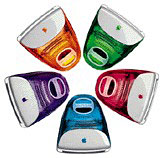 I've been running 10.3 on my tangerine iMac quite happily for
several months. Sure, it jams when I try to load several Web pages
at once, but in general it seems a lot speedier than the browsers I
was limited to by OS 8.6. I've upgraded to 512 MB RAM and a 7200
RPM 40 GB drive, but I still have the original "speedy" 266 MHz G3
CPU in it.
I've been running 10.3 on my tangerine iMac quite happily for
several months. Sure, it jams when I try to load several Web pages
at once, but in general it seems a lot speedier than the browsers I
was limited to by OS 8.6. I've upgraded to 512 MB RAM and a 7200
RPM 40 GB drive, but I still have the original "speedy" 266 MHz G3
CPU in it.
I never tried to run 10.1 or 10.2 on this machine, but I just had to testify that 10.3 runs very effectively at 266 MHz. I was very disappointed to find out 10.4 won't be compatible with my machine; I suspect it would run even faster.
Thanks!
Owen Strawn
Hi Owen,
These evaluations are essentially subjective. I found Jaguar
annoyingly doggy on my 500 MHz
Pismo PowerBook with 640 MB of RAM. Panther was a substantial
improvement, although still barely tolerable IMHO. Upgrading to a
550 MHz G4 eliminated my complaints with OS X
performance.
My personal threshold for acceptable Panther performance would be a
500 MHz G3, but I acknowledge that many people are happy running
OS X on slower machines. It depends on your tolerance
level.
And I agree with you about OS X browser performance - one of
the most compelling reasons for upgrading to X.
Charles
Overloaded in Cookies: Unable to Use Yahoo Mail
From James Borton
Help!
I am drowning in cookies and have know there must be an easier way to delete than one at a time. I have a PowerBook G4 OS 9.2 and have never deleted any of my cookies.
I use Yahoo mail and cannot send any mail or use attachments. Is there a shortcut to delete cookies. I have had to go to Preferences and attempt to delete one at a time. There are thousands there well at least hundreds and hundreds.
Please advise; urgent spring cleaning required today.
Thanks.
James
Hi James,
Cookies are browser items, and the browser usually has a
preferences category for clearing them. You didn't say which
browser you're using.
For example, in Firefox, you
open the Privacy pane and click on the Cookies Clear button. Your
browser seems to have a much more cumbersome method. If you can
determine where the cookies are being stored on your hard drive,
you could delete the folder.
One way to start with a clean slate cookies-wise, albeit
temporarily, is to switch to another browser.
Unfortunately, browser choices are now limited for OS 9. The
only browser still being actively developed for the Classic Mac OS
is iCab, and the WaMCom
folks have an updated version of Mozilla 1.3, which, IMHO, would be
a better choice than Internet Explorer (if that's what you're using
now). (Download
WaMCom here.)
Charles
OnyX on Emergency Boot CD
From Edward Baptist
I created a boot CD as you described on 1/26/05 and included Onyx as you suggested. However, Onyx will not launch, as it reports "Onyx will only work in an 'admin' account". System preferences reports that I am logged in as an administrator named root. Did you encounter this problem?
Thanks,
Ed Baptist
Micro Medic
Hi Ed,
Yes, I did - unfortunately after the article was posted.
I've used OnyX routinely enough that I should have clued in that it
wouldn't work because of the authentication issue.
There may be other system maintenance utilities that would not have
this limitation, but I haven't gotten around to checking them
out.
Another example of why an external hard drive is better than a CD
for emergency/troubleshooting booting.
Charles
OS X Boot CD Problem
From James Bush
Very interesting that you put Onyx on your boot CD. I did the same, but I got an error message that would not allow me to run it. Cocktail did the same thing. Would love to know how you got Onyx to work.
Thanks!
James
Hi James,
The answer is that it doesn't, which I didn't discover (although I
should have known - duh!) until after the article was posted.
Charles
Best Mac Keyboard?
From Tom Dickson
I am currently talking to Unisys about getting a new Model-M like keyboard.
I may be able to convince them to make a few -keycaps to replace the Windows key.
I'll let you know if I get one.
-Tom
Hi Tom,
Interesting. Please do.
Charles
Letters sent may be published at our discretion. Email addresses will not be published unless requested. If you prefer that your message not be published, mark it "not for publication." Letters may be edited for length, context, and to match house style.
Join us on Facebook, follow us on Twitter or Google+, or subscribe to our RSS news feed
Charles Moore has been a freelance journalist since 1987 and began writing for Mac websites in May 1998. His The Road Warrior column was a regular feature on MacOpinion, he is news editor at Applelinks.com and a columnist at MacPrices.net. If you find his articles helpful, please consider making a donation to his tip jar.
Links for the Day
- Mac of the Day: Performa 5200, introduced 1995.04. The first PowerPC all-in-one was also one of the worst Macs ever made.
- Support Low End Mac
Recent Content
About LEM Support Usage Privacy Contact
Follow Low End Mac on Twitter
Join Low End Mac on Facebook
Favorite Sites
MacSurfer
Cult of Mac
Shrine of Apple
MacInTouch
MyAppleMenu
InfoMac
The Mac Observer
Accelerate Your Mac
RetroMacCast
The Vintage Mac Museum
Deal Brothers
DealMac
Mac2Sell
Mac Driver Museum
JAG's House
System 6 Heaven
System 7 Today
the pickle's Low-End Mac FAQ
Affiliates
Amazon.com
The iTunes Store
PC Connection Express
Macgo Blu-ray Player
Parallels Desktop for Mac
eBay

