
Best Tools for the Job
Migrating My Law Office from Windows to Macintosh
- 2008.10.08 -Tip Jar
In my previous installment,I compared the costs of buying a new Mac Pro configured as a server withupgrading my existing Windows server to modern specifications andoperating system. While the upgrade option was considerably cheaper,I'm leaning strongly toward the Mac.
No Longer Tied to Windows
What I didn't mentioned is that regardless of which server option Itake, the technology is now such that I can easily migrate all of myclient computers to Mac OS X. Whether I use Leopard Server andApple's built-in productivity applications (Mail, iCal, Address Book)or continue to use Exchange with Microsoft Entourage 2008, I no longeram forced to use Windows for calendar sharing as I was three yearsago.
Also as previously mentioned, my current system makes it difficultto access shared folders on the Windows server remotely from a Macusing VPN. Thereare options to do this - either hiring an experienced Mac consultant tomake it work, or adding third party software to do the job.
The decision on the server side, while important for me as theperson who administers the network, means little for the end users, whojust need access to their documents and everyone's calendars, which cannow be accomplished as easily on either a Mac or a PC.
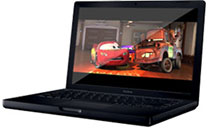 Which brings me to the current state of ournetwork. I use a previous-generation MacBook (2.2 GHz Core 2 DuoBlack) upgraded to 4 GB of RAM. This system is fast, and withMicrosoft Office 2008 and RIM's updated version of PocketMacBlackBerry, I no longer have any Exchange or synchronization issueswhatsoever.
Everything just works smoothly - except for remote access to sharedfolders. I even have a temporary workaround for that, using a programcalled Chronosync to maintain a synchronized copy of my server shares thatI update before I leave the office and again when I return. It's notreal-time, but it's adequate.
Macs for Everyone?
My office manager works part-time in the office and part-time fromher home. She also has a previous-generation MacBook, this one anentry-level white Core 2 Duo at 2 GHz with 1 GB of RAM. Shepreviously accessed corporate functions using Windows XP Professionalrun natively in Boot Camp with Microsoft Office 2003 and Windows'included VPN client.
This worked smoothly and well, but I plan on moving her to Office2008 for Mac and running everything natively in OS X. She willneed the Mac version of QuickBooks 2007, which is her primaryapplication, as well as shared calendar access in Entourage 2008. Hercomputer is modern and fast, and a simple RAM upgrade to 2 GB shouldsuffice for everything she does.
Our legal secretary works only from the office, so no VPN access isrequired. Currently she uses a one-year-old HP desktop PC runningWindows XP Professional and Microsoft Office 2003. Since her computerwill be on the same local network, file sharing (even with the Windowsserver) is not an issue, and likewise this PC could remain compatiblewhen we move to a Mac server, though she would have to move fromMicrosoft Outlook to an iCal Server compatible calendar program, mostlikely Mozilla Thunderbird with theLightningplugin.
I do not, however, plan to keep this PC in active service. Rather, Iwill move it to the back office for use by temps, which we bring inonce in a while for case-specific work. This PC is not very old andnormally would have another year or two before a regular upgrade.
Since the secretary sits in the front-office and is the face of thecompany when people walk in, I'm leaning toward a new 20" iMac or, d if I can find onerefurbished from Apple, the last-generation white iMac, which has amatte screen that would be better in the office.
Whether new or refurbished, an iMac is ideal, as it would not onlyoffer enough power, but also would reduce the cable clutter associatedwith a separate monitor. Depending on budget, a Mac mini is also a viable option, asgraphics requirements are low, and even though its architecture is oldand uses slow and small laptop hard drives, the mini is more thanadequate for a front-office machine that will rarely be used foranything more demanding than word processing and creating PDFs. Still,the iMac presents a much more elegant appearance and is what I amleaning toward.
A Special Case
My paralegal travels between two offices and currently uses an IBM(pre-Lenovo) ThinkPad T42 with a docking station, 19" SXGA monitor,keyboard, and mouse at each of her desks. In the main office sheaccesses shared folders directly over the LAN and has full access tothe shared calendar and Exchange email using Outlook 2003. In thesub-office, which is 120 miles away, she connects using the built-inWindows VPN client and again has full access to Exchange and all sharedfolders, albeit with a speed penalty.
Another nice feature of Windows for that role is the built-inoffline folder function, which automatically synchronizes the servershares whenever she logs on or off of Windows and can also be activatedmanually, such as when she establishes a VPN connection.
This laptop is almost four years old and is slightly overdue for myregular upgrade cycle. It has a Pentium M processor at 1.7 GHz that isroughly equivalent to a CoreSolo Mac mini in power, has 1 GB of RAM (maximum 2 GB) and a small40 GB hard drive. The PC is very reliable from a hardware standpoint,but I probably spend more time solving software problems with thisparticular computer, by nature of its multiple location use, than allof my other client computers combined. With a RAM and hard driveupgrade, it is powerful enough for Windows Vista, but like the HPdesktop, I will probably keep this one in reserve for temp employee useor as a backup in case another computer goes down.
For this user, a MacBook makes perfect sense, and I will probablygive her my current MacBook. The one complaint about the MacBook forher role is the lack of sophisticated docking for Apple portables. TheThinkPad hardware is ideal for this use, with a terrific dockingstation that has its own power button, making it easy to just connectthe laptop to the dock and then power it on in lid-closed mode.
With a MacBook, she will have to plug in the AC adapter, mini-DVIconnector, and USB for the keyboard and mouse. Where it gets tricky islid-closed mode, which works well and which I use in the office on myMacBook, but it is a bit tricky for a nontechnical user. There are docks available, but they are nowhere near as wellintegrated as the ThinkPad docks.
Another option for this user is a MacBook Pro on alaptop stand, requiring only the attachment of the AC adapter and oneUSB cable for keyboard and mouse, and using the (elevated) MacBook Prodisplay instead of an external monitor. My only reluctance is that thisuser moves back and forth between offices a few times per week, andafter looking at all of the smudges on her ThinkPad, I think that aMacBook Pro will end up dented and battered in no time - not to mentionthat the wide 15" or 17" laptop screen isn't as well suited to documentproduction as the non-wide 19" monitors she uses now. Also, thegraphics power of the MacBook Pro is overkill for document work in Wordand Adobe Acrobat.
The 13" MacBook on a stand, connected also to the 19" monitorthrough DVI and used in dual monitor configuration is perhaps the bestoption. She gets the big 19" monitor for documents and can use theMacBook's 13" monitor for email, calendar, and toolbars in her variousapplications without bothering with the complexities (and high heat) ofusing the MacBook in lid-closed mode.
Pushing my MacBook down to my paralegal leaves me with only my old12" PowerBook, whichI've been using for the last few days while my paralegal has beenlearning the Mac on my MacBook. The PowerBook, maxed out with 1.25 GBof RAM, simply doesn't have the muscle to run Word 2008, Entourage2008, Acrobat Professional, and Safari at the same time without slowingto a crawl from time to time. I originally thought of giving thisPowerBook to my paralegal, but those same performance limitations arewhy she is currently using my MacBook.
The PowerBook still does a decent job within its limitations, and Ican use it for a few weeks longer until Apple's new productannouncement, which is rumored for October14. That is when I will buy my next Apple laptop, either a newmodel, depending on whether I am sufficiently blown-away by Apple'slatest to ignore my own anti-Rev. A bias, or a newly discountedMacBook Air or possiblyeven a MacBook Pro.
For my use, the choice is always a difficult balance betweenportability and power. I like to play games on my computer when Itravel, and for that a MacBook Pro, either the current model or thenext generation, would be ideal. I also fly a lot, and while I've seenpeople using 15" MacBook Pro and PowerBook laptops in coach, it isn't agood fit.
A MacBook Air for Me?
For travel, a MacBook Air would be ideal, and that model will likelybe moving to Rev. B at that time.
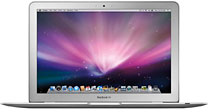 The MacBookAir is perfect for me in terms of size and weight, though its lack ofuser-changeable batteries is a serious concern. Other than that, I canlive with the external DVD drive, which can live on my desk at home andride in my check-in bag on longer trips, allowing me to play thosegames that the Air's vampirevideo can handle, but letting me travel light when running fromgate to gate.
Except for games, which my current MacBook is just as limiting for,a MacBook Air is more than up to everything I do with a computer. With2 GB of RAM and even its current 80 GB drive (I expect a 120 GBRev. B model to be announced), I can carry enough of my musiccollection, games, and movies to keep me entertained on a long flightand still have plenty of room for all of my productivity software.
I know this because my 12" PowerBook has the exact same drivecapacity, and fully loaded (as I have it now), it has 18 GB free - andcould have more if I better manage my movie folder. With a MacBook Air,I would likely rely on an external hard drive to keep my moviecollection and only put what I anticipate watching onto the internalhard drive prior to a trip. Right now I have 13 GB of video on myPowerBook, which could easily be cut down to about 6. The same formusic: I could easily carry 6 or 7 GB on a MacBook Air and keepthe rest on an external drive. I've also got a 6 GB synchronizedfolder of my server shares that I will be able to eliminate (or atleast greatly reduce) once I get VPN working on the Mac.
A MacBook Pro, while uncomfortable in flight, would of course negateall of the restrictions of the Air, allowing a massive hard drive, lotsof memory, and the power to run the latest games for quite some time.Likewise, another MacBook would give me the massive storage and superbbattery life (not to mention spares) that I enjoy now, though with thesame restrictions on gaming graphics as the MacBook Air.
This is a difficult decision that, thankfully, I do not need to maketoday. One thing I already know, given the experience I had with thefirst generation MacBook, whatever I do buy will have AppleCare addedright from the start. 
Andrew J Fishkin, Esq, is a laptop using attorney in Los Angeles, CA.
Today's Links
- Mac of the Day: PowerBook 500 Series, introduced 1994.05.16. 'Blackbird' includes a 25 to 33 MHz 68040 along with smart batteries and grayscale or color displays.
- Support Low End Mac
Recent Content
About LEM Support Usage Privacy Contact
Follow Low End Mac on Twitter
Join Low End Mac on Facebook
Favorite Sites
MacSurfer
Cult of Mac
Shrine of Apple
MacInTouch
MyAppleMenu
InfoMac
The Mac Observer
Accelerate Your Mac
RetroMacCast
The Vintage Mac Museum
Deal Brothers
DealMac
Mac2Sell
Mac Driver Museum
JAG's House
System 6 Heaven
System 7 Today
the pickle's Low-End Mac FAQ
Affiliates
Amazon.com
The iTunes Store
PC Connection Express
Macgo Blu-ray Player
Parallels Desktop for Mac
eBay

