Mac Musings
Merely Adequate: Why You Want to Avoid Integrated Graphics
Daniel Knight - 2007.11.20
When Michelle Klein-Häss wrote about integrated graphics in her column on our short-lived Low End PC site, she used the term "vampire video", which was new to me as a Mac user. She attributed the label to Chad Page, a friend of hers:
"Chad coined a great term for it: Vampire Video. Vampire Video not only sucks up RAM you could use elsewhere, but it also yields video performance that, frankly, sucks. Or bites, if that's what you prefer. Either way, it bogs computers that use the onboard video down far enough to where the 'Road Apple' badge applies. We need a similar term for lousy PCs. Suggestions are welcomed."
It wasn't that long ago that Apple looked upon Windows PCs with integrated video with disdain. Before Apple adopted Intel graphics for the Mac mini, MacBook, and low-end iMac, the company had this to say when promoting the G4 Mac mini:
"Go ahead, just try to play Halo on a budget PC. Most say they're good for 2D games only. That's because an 'integrated Intel graphics' chip steals power from the CPU and siphons off memory from system-level RAM. You'd have to buy an extra card to get the graphics performance of Mac mini, and some cheaper PCs don't even have an open slot to let you add one."
Just How Bad Is Vampire Video?
When Macworld reviewed the first generation Intel Mac mini, they did the usual Unreal Tournament 2004 test at 1024 x 768 resolution with everything set to maximum. The old 1.25 GHz G4 Mac mini scored 13.9 frames per second (fps), the 1.42 GHz achieved 14.5 fps. The 1.5 GHz Intel Core Solo with "integrated Intel video"? 10.4 fps. And the 1.66 GHz Core Duo, an unimpressive 12.2 fps. By comparisons, the 1.83 GHz iMac with a dedicated graphics processor came in at 50.2 fps.
The big difference between the MacBook and MacBook Pro hardware is the graphics processor. Comparing Intel models, Bare Feats pitted the 13" Intel graphics iMac with the 15" MacBook Pro, which has the Radeon X1600 graphics. Here are the results as 1024 x 768:
- Quake 4, 11 fps for the Intel graphics vs. 48 for ATI.
- Doom 3, 9 fps vs. 44.
- Unreal Tournament 2004 flyby, 20 fps vs. 86
- Unreal Tournament 2004 botmatch, 13 fps vs. 54
- World of Warcraft, 12 fps vs. 16
Macworld recently introduced SpeedMark 5, the latest version of its benchmark. The 1.5 GHz Mac mini Core Solo scores 19.2 fps with Unreal Tournament 2004 and was unable to run Quake 4. The 1.83 GHz Core 2 Duo model reaches 23.6 fps with UT2004 and 5.6 fps with Quake 4, which is pretty hopeless performance. The 2 GHz MacBook Core 2 Duo, 18.5 and 4.5 fps. The new "Santa Rosa" MacBook with the improved Intel X3100 graphics, 25.4 and 7.8 fps.
The worst performance for a Mac with dedicated (rather than integrated) graphics is the 2.4 GHz MacBook Pro at 69.9 and 39.1 fps.
Of course, that's 3D gaming, and it's not something all of us do. What about more common tasks, like the user interface?
That's one of the things Xbench, a Mac only benchmark program, measures. Xbench breaks graphics tests down into three areas: Quartz graphics, OpenGL graphics, and user interface. Here are the results for some recent Macs:
Model/OS version                      Quartz   OpenGL    UI
1.5 GHz G4 Mac mini/10.4.9              62.2     76.1     39.5
1.5 GHz Core Solo Mac mini/10.4.10      87.0    183.2     99.8
2.0 GHz Core 2 Mac mini/10.4.10         143.1    242.8    379.9
1.83 GHz Core Duo iMac-GMA/10.4.10      91.2    101.6    186.3
1.83 GHz Core Duo iMac-X1600/10.4.8    106.9    141.0    239.8
1.83 GHz Core Duo MacBook/10.4.7        99.8    200.3    226.7
2.0 GHz Core Duo MacBook/10.4.10        96.5    225.2    201.3
2.16 GHz Core Duo MacBook Pro/10.4.8   104.1    159.9    218.8
2.16 GHz Core 2 MacBook Pro/10.4.8      120.1    164.2    308.5
2.33 GHz Core 2 MacBook Pro/10/4/8      139.6    186.8    304.9
2.4 GHz Core 2 MacBook Pro/10.4.9       158.5    139.8    409.6
Some interesting things emerge. Under Xbench, the 1.5 GHz Core Solo Mac mini appears to have better graphics than the 1.5 GHz G4 Mac mini, yet the Core Solo model is slower when it comes to 3D gaming and users report it feels sluggish.
There are two versions of the 1.83 GHz Core Duo iMac, one with Intel GMA graphics and one with Radeon X1600 graphics. The iMac with dedicated graphics scores 15-40% higher under Xbench.
Very curiously, the MacBooks outperform the MacBook Pros in the OpenGL benchmark, while the Pro 'Books win on the Quartz and UI tests.
The Big Question
The big question, for which we have no answer at present, is Why is vampire video generally such a poor performer?
One explanation is that it comes from sharing system memory, but if that's the case, why would it score higher than dedicated graphics in some tests?
The other explanation is that it's not the shared memory that causes the problem. Instead, it's because computers with "vampire video" are designed to be inexpensive, thus they use a less powerful and less costly graphics processor and avoid the cost of dedicated graphics memory.
I'm inclined toward the second explanation. Macs have used vampire video on and off since the first Macintosh, which dedicated 21 KB of its 128 KB of RAM to the screen.
The Mac IIci was the first Mac with color support to use vampire video, and it was anything but a low-end computer. In the age before accelerated video cards, this computer's integrated video (on a 25 MHz system bus) was nearly twice as fast as a NuBus video card (on a 10 MHz bus). What you gained with the NuBus card was a bit more system memory (onboard video used 32-320 KB of RAM) and about 8% better CPU performance, since it didn't have to suspend memory access during screen updates. And accelerated video cards, which came a bit later, could outperform the IIci's onboard video.
It's interesting that the first low cost color Mac, the LC, introduced a year after the IIci, didn't use vampire video. Apple made several compromises to keep the cost of the LC low, but it did provide the computer with 256 KB of dedicated video memory (expandable to 512 KB).
So integrated video doesn't have to be a bad thing, it's just that today it's usually found on entry-level computers that want to avoid the expense of dedicated video memory and a really good graphics processor. Instead they settle for an adequate GPU that can share system memory and make the computer more affordable.
Yet another factor is access to system memory. Some Intel Macs, such as the Mac mini and MacBook, are designed to use matched memory, and when they have matched memory, it can be accessed more quickly. This could be a factor in the MacBook, which works this way, beating the MacBook Pro, which doesn't assume matched memory modules. Just speculation, but a distinct possibility.
In the end, it really depends on what you do on your Mac. If you do 3D gaming, avoid integrated graphics at all costs - the frame rates are abysmal. For regular work, however, it's not so bad - and it probably shaves at least $100 from the price of your computer. Unfortunately, it also eats up 80 MB of RAM (GMA 950) or 144 MB of RAM (X3100), which means you'll want to add more RAM to your computer, increasing your costs.
Unfortunately, we don't have anything like the Mac IIci these days, a Mac with integrated video that also has the ability to use a dedicated graphics card. Nor do we see the GPUs used with vampire video showing up on dedicated graphics cards, which would be another way to measure performance differences between shared and dedicated memory.
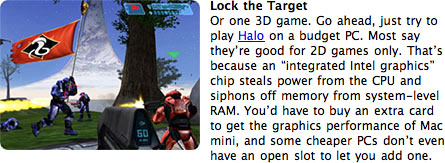
This is how Apple denigrated integrated graphics two years ago.
In the end, as Apple noted when promoting the G4 Mac mini, "integrated Intel graphics" uses precious system memory, steals power from the CPU, does poorly with 3D graphics, keeps costs down, and is generally adequate. Of course, the real question is, Do you just want adequate?
It wouldn't be so bad if you could buy a Mac with integrated graphics and upgrade to dedicated graphics if you found yourself unhappy with performance, but there's no way to add a dedicated video card to the Mac mini or the MacBook - you're stuck with the power sucking vampire video until you replace the computer.
As Apple noted, at least some of the low-end Windows PCs with vampire video have an expansion slot, making it possible to get better graphics performance. Too bad no low-end Mac provides that option.