
Mac USB & FireWire
Kensington Mouse-in-a-Box Optical
Dan Knight - 2001.01.26
My wonderful Contour UniMouse simply wore out after two years of heavy use. Although Contour Design makes an optical mouse, it's their small MiniPro. It sold me on optical (see Make mine optical). It's a nice mouse for use with a laptop, but I wanted a full-sized mouse on my desk.
I've used the Kensington Mouse (their two-button mouse), Mouse-in-a-Box (one-button), and Mouse-in-a-Box PS2/USB. I've also seen good online reviews of the Kensington optical line, so I figured I really couldn't go wrong for US$25.
I ordered the Kensington Mouse-in-a-Box Optical from Outpost.com on Tuesday; it was waiting for me when I got home from work on Wednesday. I plugged it into my Pertec hub, then went to configure the MouseWorks drivers.
Oops, the old copy of MouseWorks installed on my SuperMac thought this was a trackball. Off to Kensington's site in search of new drivers. I downloaded MouseWorks 5.50, rebooted, and configured the drivers to my liking (single-click for the left button, double-click for the right). After some experimentation with the scrollwheel, which I've never taken a liking to, I decided to disable that feature completely.
The Mouse-in-a-Box Optical is quite a bit lighter then the
Mouse-in-a-Box PS2/USB - almost too light. But as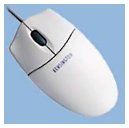 I used the mouse, I discovered
that it doesn't need to be heavy. In fact, it moves very smoothly with
just the least bit of effort. I like that.
I used the mouse, I discovered
that it doesn't need to be heavy. In fact, it moves very smoothly with
just the least bit of effort. I like that.
The shape is quite comfortable, as is the lightly textured finish. The buttons have a light, comfortable action. It's a good match for the gray of my older computer, keyboard, and monitor.
However, I do miss my UniMouse, especially the third button where the Kensington has its scroll wheel. The scroll wheel on the Kensington can be used as a button, but that requires a good deal more pressure than the buttons. That means I'm ignoring the scroll wheel completely - but my finger wants to push it for double-click, a trained action from two years with the UniMouse.
There's another learned behavior I've acquired over the years, something I was not conscious of until now. Because traditional mice tend to stick, I've developed a tendency to jiggle the mouse to move the cursor just a pixel or two. The older the mouse, the greater the need to nudge and jiggle - but not so with the Kensington Optical or the Contour MiniPro. I really like that; the optical mouse tracks flawlessly.
Overall, I'm very pleased with this purchase. Not only is this an excellent mouse, it's quite economical at US$25.
Update: Continued use has discovered a problem with the Mouse-in-a-Box Optical - clicking once sometimes results in the computer registering two or more clicks. Newer drivers seem to minimize the problem, but it doesn't go away.
Manufacturers and distributors: Interested in having your product reviewed? Please read our review policy.
About LEM Support Usage Privacy Contact
Follow Low End Mac on Twitter
Join Low End Mac on Facebook
Favorite Sites
MacSurfer
Cult of Mac
Shrine of Apple
MacInTouch
MyAppleMenu
InfoMac
The Mac Observer
Accelerate Your Mac
RetroMacCast
The Vintage Mac Museum
Deal Brothers
DealMac
Mac2Sell
Mac Driver Museum
JAG's House
System 6 Heaven
System 7 Today
the pickle's Low-End Mac FAQ
Affiliates
Amazon.com
The iTunes Store
PC Connection Express
Macgo Blu-ray Player
Parallels Desktop for Mac
eBay

