

My iBook, Part 2
Eric Schwarz - 2002.03.08
In the first installment of this series, I was waiting for FedEx to arrive with my iBook. Right after that article was published, my iBook showed up (go figure!).
First Experiences
My experiences with the iBook were just about the same as every other review on the Web, so I will point out things that weren't already covered by other reviews (Mac UK's Dirk Pilat even did a series on his new iBook).
The iBook is a really small computer. It had the same footprint as my 540c, but it's about half as thick. The polycarbonate casing is really cool, not only to look at, but it also feels durable (my 540c seemed to have weak spots on the plastic).
I really love the power adapter on this iBook (as opposed to the
yo-yo found on the first iceBooks and the 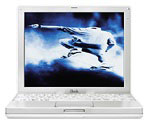 early TiBooks). It's a really intelligent design (Charles W.
Moore talked about these in a previous 'Book Review article).
early TiBooks). It's a really intelligent design (Charles W.
Moore talked about these in a previous 'Book Review article).
Included were a rather thin manual, a blank CD-R, CDs for software restore, a Mac OS 9.2.1 CD, a Mac OS X CD, a VGA cable, a phone cord, and the other usual Apple paraphernalia.
The first screen I was greeted with when I started up the 'Book was a registration screen (powered by OS X), so I followed the steps which not only sent my info to Apple, but also configured my clock (to my time zone), my ISP (I had to enter in some information), and various other settings that you wouldn't expect something like this to do.
Then, it was time to play with OS X.
OS X: A Second Look
Back in September, I wrote a rather negative article about OS X. Most of it was misinformed, but it was written regarding version 10.0.x, and lots of Mac users felt the same way I did. Fortunately Mac OS X 10.1.2 has everything in order.
Running OS X on this iBook seems rather snappy, and I haven't crashed it (or caused a kernel panic) yet - simply amazing. This version of OS X has fixed all of my gripes and seems to be a very respectable replacement for OS 9.x. My goal is not to have to use Classic Mode or OS 9 yet, and I haven't regretted that at all. I downloaded carbon versions of my favorite apps and started moving my documents over from my 540c.
Ethernet Troubles
I hooked up an ethernet crossover cable and turned on File Sharing (on both Macs). I tried everything I could think of to connect (tried connecting to the iBook with the 540c and vice-versa). I even consulted the book I had picked up, Mac OS X: The Missing Manual by David Pogue, and still had no luck.
Eventually what I did was simple - boot the iBook up with OS 9 and copy files the old way. That worked, so I put the files where they belonged and rebooted into OS X.
None of my apps had trouble opening the files made with their classic counterparts. My mail showed up in Eudora (the built in Mail app seems kinda clunky), my favorites showed up in iCab, and my AOL IM information showed up in there.
No Regrets So Far
My iBook hasn't had any of the problems listed by owners of the earlier models (sound cutting in and out, slowness, etc.). It does get rather warm (not as bad as TiBooks, I'm sure), but much warmer than the 603e-based 540c I'm used to.
Tune in next time for my thoughts on the included software (iApps)
and all the peripherals. 
About LEM Support Usage Privacy Contact
Follow Low End Mac on Twitter
Join Low End Mac on Facebook
Favorite Sites
MacSurfer
Cult of Mac
Shrine of Apple
MacInTouch
MyAppleMenu
InfoMac
The Mac Observer
Accelerate Your Mac
RetroMacCast
The Vintage Mac Museum
Deal Brothers
DealMac
Mac2Sell
Mac Driver Museum
JAG's House
System 6 Heaven
System 7 Today
the pickle's Low-End Mac FAQ
Affiliates
Amazon.com
The iTunes Store
PC Connection Express
Macgo Blu-ray Player
Parallels Desktop for Mac
eBay

