
Charles Moore's Mailbag
Lombard/Pismo Battery Replacement, Webmail Problems with OS X, OS X on an iBook 300, and More
Charles Moore - 2005.01.11 - Tip Jar
- Lombard/Pismo Battery
- Yahoo Mail, Hotmail Problems with OS X
- iBook and OS X
- Adding FireWire to a G4?
- Re: Recalcitrant B&W
- Rodney Lain
- Email Hosting on a Classic II?
- DigiTools 1.2
- Thanks for Differentiating 'News' from 'PR'
Lombard/Pismo Battery
From Michael Bearpark
Hi,
You mentioned the Newer Tech replacement batteries for Lombard/Pismo PowerBooks in a recent column...
I've used one of these batteries in a Lombard for a few months, and my impression is that it lasts almost twice as long as the stock battery ever did. Highly recommended. Worth buying one of these older PowerBooks to install this battery if you need long life between charges at times.
Best wishes,
Mike Bearpark
- Thanks for the report, Mike.
I need a new battery for my Pismo and you've helped shorten the list of candidates.
Charles
Yahoo Mail, Hotmail Problems with OS X
From Steve Eberly
Hello Charles,
I have scoured the Net and gone thru all your Miscellaneous Ramblings in search of an answer to my problem. Nothing seems to deal with my situation. I assume it is so simple that I can't see it easily.
I have happily been running my [PowerBook] 3400 and [Power Mac] 7300 with OS 8.1 Last month, my son gave me a tangerine iMac/333 with OS X installed. I cannot open either my Yahoo mail or my Hotmail with it regardless of what browser I use. I have tried IE 5, iCab 2.9.8, Mozilla, and now I just downloaded Camino (which is nice). I can always open to the log in page with no problems, but once I try to log in I get a drop down message telling me the document (my mailbox) has no data.
If I go over to the 3400, everything is fine. I have thought that this iMac, which was from a corporate clearance sale, may have some things blocked to prevent employees from doing personal mail.
OS X is OK for me, although I like Classic lots more and don't need OS X as such. Is it the system, the browser, or me? Thanks so much for your thoughts. I truly enjoy your columns.
regards,
Steve
- Hi Steve,
It's not the browsers. It's not OS X per se. My son uses Hotmail (with a hacked Umax SuperMac S900 and OS X 10.3) and has mentioned no problems.
It may be the particular installation of OS X on your iMac. The potential cure would be to do a clean system reinstall from a regular install disk.
Either that or just use OS 9.x since you like it better anyway.
Charles
iBook and OS X
 From Jamie Saunders
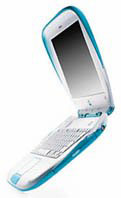
I have an original iBook (no FW) with 364 MB RAM. Will it run OS X at a decent speed? I didn't know who else to ask and I did a search.
Jamie Saunders
- Hi Jamie,
It will run, but "decent speed" is a value judgment. It will be a lot slower than OS 9 on that machine. My son ran OS X on a 333 MHz Lombard PowerBook for a couple of years, and the current owner of that machine continues to do so.
My personal view is that I wouldn't want to use OS X on anything less than a 500 MHz G3 or 400 MHz G4 with 640 MB of RAM, and consequently I run OS 9 on my 233 MHz WallStreet. Many would disagree with me.
Charles
Editor's note: I've used OS X on an overclocked beige G3, iMac 333, iBook 333, my 400 MHz PowerBook G4, and some faster Macs. "Decent speed" is a personal call, but even with lots of memory, the G3/333 machines feel slow. The 400 MHz G4 is comfortably fast. dk
Adding FireWire to a G4?
From wen
Hello
My [Power Mac] G4/533 in 2001 and got the extra 1 gig of RAM, I had no idea that I would need FireWire when I bought Final Cut Pro.
How do I get the FireWire now so I can use last years version on F.C. Pro?
Thank You.
Wen
- Hi Wen,
What sort of G4 has no FireWire? [Editor's note: None.]
However, if you have PCI expansion slots, it's a simple matter to add a FireWire upgrade card, and they're relatively cheap.
Charles
Re: Recalcitrant B&W
From Gahanna
Both hard disks I have are at least OS 9, although both are HFS (not +).
Now, I'm not too sure about the memory speed. It's Kingston, so I know it's good. Also, how would this Mac take to 133 memory? A local store has 133 cheaper than 100. Any problems you know of?
Hi G.
- To the best of my knowledge (although I make no claim to being
an expert) it won't work.
Best to stick with PC100.
Charles
Rodney Lain
From Jason Walsh
Below is the link to my latest piece in the Guardian. It mentions Rodney Lain, so I though it might interest you. The links at the bottom weren't supplied by me (if they were, then LEM would be among them).
http://www.guardian.co.uk/online/story/0,,1383609,00.html
All the best,
Jason Walsh
Freelance journalist
Email Hosting on a Classic II?
From Jeff Hewitt
Hi.
I recall reading an article on Low End Mac about a fellow who ran an ISP with email off of Mac Classics. I was wondering if anyone out there might know of the software he would have used to do so? I have a mint condition Mac Classic II that I'm interested in trying this on. Thanks in advance for any help.
-Jeff Hewitt
- Can anyone out there help Jeff out?
Charles
DigiTools 1.2
From Joshua Coventry
Charles,
Thank you for writing an article about my program, DigiTools 1.2. Your article has seemed to to get the word across to even more people.
I can verify your curiosity over why DigiTools doesn't have a spell checker or a link to the Mac OS X spell checker. DigiTools is written using REALbasic and is a Carbon application (not Cocoa), therefore I do not have access to the Cocoa Mac OS X spell checker seen in TextEdit. But after intense research on the topic I may be able to get access to the Cocoa Mac OS X spell checker and also the Font panel (cmd+T in TextEdit).
In an upcoming release of yet another but this time completely rewritten DigiTools you can look forward to hopefully seeing a spell checker and a bug-free word processor, along with new features such as line spacing, preset styles, and insert date/time in the word processor.
Thanks again!
Joshua Coventry
Founder & Manager, MegaWorks
http://www.megaworks.co.uk
- Hi Joshua,
Thanks for your note.
I look forward to checking out the next DigiTools update.
Charles
Thanks for Differentiating 'News' from 'PR'
From Ed Hurtley
I just wanted to write to thank you for now differentiating what is a straight reprint of a press release - and what isn't - in your 'Book Review column. Makes it much easier to ignore self-promoting hype. :-)
Ed Hurtley
- Hi Ed,
We aim to please.
Charles
Letters sent may be published at our discretion. Email addresses will not be published unless requested. If you prefer that your message not be published, mark it "not for publication." Letters may be edited for length, context, and to match house style.
Join us on Facebook, follow us on Twitter or Google+, or subscribe to our RSS news feed
Charles Moore has been a freelance journalist since 1987 and began writing for Mac websites in May 1998. His The Road Warrior column was a regular feature on MacOpinion, he is news editor at Applelinks.com and a columnist at MacPrices.net. If you find his articles helpful, please consider making a donation to his tip jar.
Links for the Day
- Mac of the Day: PowerBook 500 Series, introduced 1994.05.16. 'Blackbird' includes a 25 to 33 MHz 68040 along with smart batteries and grayscale or color displays.
- Support Low End Mac

