
Mac Daniel's Advice
More Ways to Share a USB Printer with Multiple Macs
Dan Knight - 2003.01.30
Last week I suggested two ways to share a USB printer between a pair of PowerBooks that didn't support USB from the factory.
The less costly solution was to buy a single USB PC Card.
Because PC Cards are hot swappable (just like USB itself), the
owners 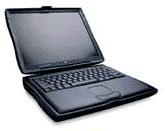 of the pair of vintage
WallStreet PowerBooks could simply move the card between the two
computers. Or, with an inexpensive crossover ethernet cable, they
could create a network and, if they are running Mac OS 9.x, use
USB Printer Sharing so both machines
could share the printer.
of the pair of vintage
WallStreet PowerBooks could simply move the card between the two
computers. Or, with an inexpensive crossover ethernet cable, they
could create a network and, if they are running Mac OS 9.x, use
USB Printer Sharing so both machines
could share the printer.
The more costly solution involved an AirPort Extreme hub, a pair of 802.11g PC Cards, and Mac OS X. That was much more costly, and I probably should not have suggested it for 'Books as old as the 1998-99 PowerBook G3s.
Leave it to readers to come up with other alternatives that can be used with older Macs, PowerBooks included.
Mac Print Server
One suggestion was to set up an older Mac as a print server. I didn't suggest this, as I thought it was overly complex for a couple of people using low-end G3 laptops - and because I think it's a bit silly to set up another Mac just so two people can share a printer.
Because USB Printer Sharing requires Mac OS 9 and a USB card, the cheapest thing to set up would probably be a Power Mac 7200/75, which often sells for well under US$100 these days. With 48-64 MB of memory, a USB card, OS 9.x, and a small ethernet network, you can probably do this for under US$200 including a used monitor.
Unless the low-end PCI Power Mac is also going to be used for something else - even if it's just as a file server using File Sharing - it's an overkill solution.
On the other hand, if you have two or more Macs including a desktop that can be left on 24/7, using an existing Mac as a USB print server could be a very low-cost solution. This is especially true if you already have a Mac set up to act as a file server or router for an existing Mac network.
Hardware Print Servers
The other suggestion was a hardware print server, which connects to an ethernet network and supports a single USB or parallel port printer. Most of these can support both Mac and Windows users.
Again, this requires a full-fledged network, not simply using a crossover cable to link two machines, but hubs are cheap. Your net cost for a small hub, ethernet cables, and a print server would fall somewhere between US$100 and US$200.
Some hubs, routers, and wireless hubs also include printer support, so there may be alternatives to Apple's AirPort Extreme hub which could be used wirelessly - if that's one of your goals.
I honestly didn't suggest this because I have no experience with hardware print servers. I'm so used to networked printers and printers only used by a single person that I had never explored this option.
Of the four 802.11g hubs mentioned in last week's Extreme Wireless for Older Macs, none mentions working as a print server, but some of the older 802.11b hubs do have the ability to function as print server.
A further benefit of a hardware print server is that it need not
require Mac OS 9 or later (needed for USB Printer Sharing) or
OS X 10.2.x (needed for AirPort Extreme). And if you already
have an ethernet network, you can add a USB print server for
US$50-100. 
Join us on Facebook, follow us on Twitter or Google+, or subscribe to our RSS news feed
Not sure if you should upgrade your old Mac or replace it? Check the Mac Daniel index to see if we've already addressed your problem.
Today's Links
- Mac of the Day: Performa 5200, introduced 1995.04. The first PowerPC all-in-one was also one of the worst Macs ever made.
- Support Low End Mac
Recent Content
About LEM Support Usage Privacy Contact
Follow Low End Mac on Twitter
Join Low End Mac on Facebook
Favorite Sites
MacSurfer
Cult of Mac
Shrine of Apple
MacInTouch
MyAppleMenu
InfoMac
The Mac Observer
Accelerate Your Mac
RetroMacCast
The Vintage Mac Museum
Deal Brothers
DealMac
Mac2Sell
Mac Driver Museum
JAG's House
System 6 Heaven
System 7 Today
the pickle's Low-End Mac FAQ
Affiliates
Amazon.com
The iTunes Store
PC Connection Express
Macgo Blu-ray Player
Parallels Desktop for Mac
eBay

