
Mac Daniel's Advice
Using a USB Printer with Older PowerBooks
Dan Knight - 2003.01.23
Q. My wife and I both have five year old G3 (233 MHz) PowerBooks, and to date have not had a need to print from either of them. Now we want to. Our G3s have a nine pin receptacle designated for a printer cable, however, my printers all have USB. Our G3s are box stock except for memory upgrades. Any help will be appreciated.
A. Ah, the joy of low-end Macs. ;-)
Seriously, switching from Apple's own high-speed serial port to
USB back in 1998 was a great move in terms 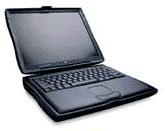 of
having a lot of new hardware available for future Mac users - but
it's something of a bear for Mac users who need a new printer to
use with their old Mac.
of
having a lot of new hardware available for future Mac users - but
it's something of a bear for Mac users who need a new printer to
use with their old Mac.
At this point, the last thing you want to do is pick up an old used StyleWriter, DeskWriter, or other ancient printer with a Mac serial port. USB is definitely the way to go, and recent versions of the Mac OS even include USB printer sharing, so if you network your two PowerBooks, you can share a single printer.
The old WallStreet was a champ and has two PC Card slots on the left side. You can use one to add a wireless network card or a USB card to your 'Book.
USB
The least costly solution is putting a USB card in at least one of your PowerBooks. This will allow you to connect your USB printer directly to the computer. Because USB and PC Cards are both plug-and-play, you can even share the card and printer among both 'Books.
To expand upon this option, you can network your Macs together with a crossover ethernet cable or two regular ethernet cables plus a hub. Hubs have become a commodity these days, and you can probably buy a cheap 4-port 10Base-T ethernet hub and a pair of cables for under US$50.
That will make it easy for you to share files between your computers - and share the printer via USB Printer Sharing, assuming you have Mac OS 9.0 or later. (See USB Printer Sharing: GrayShare 2000 for more on that subject.)
AirPort Extreme
Another option which is just becoming available is AirPort Extreme. Both of Apple's AirPort Extreme wireless networking hubs include a USB port. Any printer connected to this port can be used by any printer on your network, whether connected via ethernet or radio waves.
This isn't an inexpensive solution at US$200-250 for the hub (the more expensive one includes a modem). Add to this one or two Belkin 802.11g networking cards at $70-80 each and classic Mac OS drivers (expected in February),* and you can share a printer, an Internet connection, and files on both computers without being tethered to wires.
- * Since writing this, I've been told that you must have Mac OS X 10.2.3 or later to use the USB port on the AirPort Extreme hub, since it requires Rendezvous, not AppleTalk or TCP/IP. Jaguar on a WallStreet could be a very expensive proposition in terms of having enough memory and a large enough, fast enough hard drive for decent performance. Others have told me since then that Rendezvous is not required. dk
It's not a low cost solution, but it's something to think about
if you like the freedom your PowerBook gives you to work anywhere
in or near the home. (For more on 802.11g, see Extreme Wireless for Older Macs.)

Join us on Facebook, follow us on Twitter or Google+, or subscribe to our RSS news feed
Not sure if you should upgrade your old Mac or replace it? Check the Mac Daniel index to see if we've already addressed your problem.
Today's Links
- Mac of the Day: PowerBook 1400, introduced 1996.10.01. Considered by many the best pre-G3 PowerBook with a small footprint and great keyboard.
- Support Low End Mac
Recent Content
About LEM Support Usage Privacy Contact
Follow Low End Mac on Twitter
Join Low End Mac on Facebook
Favorite Sites
MacSurfer
Cult of Mac
Shrine of Apple
MacInTouch
MyAppleMenu
InfoMac
The Mac Observer
Accelerate Your Mac
RetroMacCast
The Vintage Mac Museum
Deal Brothers
DealMac
Mac2Sell
Mac Driver Museum
JAG's House
System 6 Heaven
System 7 Today
the pickle's Low-End Mac FAQ
Affiliates
Amazon.com
The iTunes Store
PC Connection Express
Macgo Blu-ray Player
Parallels Desktop for Mac
eBay

