
Vintage Mac Living
30 Days of Old School Computing
A Partnership and Weird Network Problems
- 2006.09.08
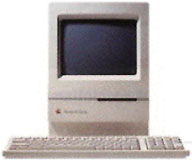
The day after I set up the Classic II for myself, I talked to Gerardo, one of my managers at McDonald's. I told him how I was starting a new project, one where I would only use Macs that display 1-bit color (which is, of course, black & white).
 He was
wondering how I was going to get any real work done using such old
machines.
He was
wondering how I was going to get any real work done using such old
machines.
Need vs. Want
I told him it would be simple: I already had several machines that I could use as well as access to old versions of software. I gave him a list of modern programs and features that I like (but don't need) and a list of programs that I need to get my work done.
Here are those lists:
- Modern programs I that I like (but don't need): iPhoto, iTunes, iChat AV, QuickTime, Safari, Firefox, Photoshop, Remote Desktop, Macintosh Manager.
- Modern features that I like (but don't need): Fast User Switching (and the rotating cube effect), Exposé, Speech, Speech Recognition, and so on. (There's more, but I cannot think of everything right now.)
- Programs I most need: AIM, WannaBe, MacLynx, Eudora Lite, Word, Excel, and ClarisWorks.
- Features I most need: File Sharing, an Internet connection (yes, I consider a connection to the Net on these old machines a feature), and a screen saver (After Dark 2 and Moire 4 do a nice job).
I talked to my mom's friend, a graphic designer who started out on a Mac 512K back in the 80s, and asked her if she had any old software on floppies that she could give me. She said she might, so I may have some "new" software like Photoshop 1 and PageMaker 1 to run on my old Macs.
You can do a lot with old Macs, more than most people would have ever thought possible.
I'm telling you what I told Gerardo: You can do a lot with old Macs, more than most people would have ever thought possible.
My old Macs need the aid of my Power Mac G3, which is acting as a MacIP router using IPNetRouter, and my Power Mac 8600, which is set up as a LocalTalk Bridge. (I could have the old Macs dial up using my old modem, but that would tie up the phone line - and I can't have that.)
A Partnership
Anyway, Gerardo was so intrigued by the whole thing that he asked if he could join me in my 30 day project.
When he asked me, I was shocked that he would be interested in doing such a thing. He's in school working on his degree in Automotive Engineering, so he uses AutoCAD.
I don't know if there's a really old version of AutoCAD for the Mac, but if there is, and you have a copy that you could give him, please email me (or him at gerardogarcia(at)nerdshack.com).
Anyway, I gave him an old 8 MHz Classic with 1 MB of RAM a few months back so he could play some old shareware games, and now he wants to do more.
You can't get away with doing too much on a machine with only 1 MB RAM and an 800K floppy drive (yes, it has an 800K drive in it; it won't read 1.4 MB disks for some reason), so I decided to set up another machine for him.
Replacing the Classic
But which one? I had just set up the 16 MHz Classic II for myself, so I decided I would set up my Classic II for Gerardo. I figured it would be better if I ran my SE/30 instead.
The analog board on my SE/30 was going out, so I decided to pull out the SE/30's logic board and stick it in an SE case. It worked fine, and I proceeded to install AIM and WannaBe on it's hard drive.
That worked fine, and I was soon using it online.
Then I decided to go ahead and set up my old PowerBook 170 for use with AIM. I already had everything else installed on it, so it wasn't hard to do.
Disaster
Then came September 4th, and disaster struck. All of a sudden, I couldn't send emails.
I restarted the Power Mac 9600, and it started working again. And then my Internet connection went down.
I restarted the 8600 (which at the time was the IP router), and it started working again.
The connection kept going down, and restarting the machines seemed to help. The problem seemed to have fixed itself (for a few hours anyway).
When I decided to write my first article about this project, everything was working fine. An hour later, when I finished writing and was about to send it to Dan at Low End Mac, the SE/30 couldn't find the 9600 on the network to send the email.
So I restarted the 9600 and waited. It took the 9600 about 5 minutes to start up. That seemed like a long time.
Yes, the hard drive was connected to the external SCSI bus, but it had never started up that slowly in the past.
So, I decided to hook up a monitor, and look at the Server Admin program. It loaded, but once I logged into the system, it took 3 minutes to show what services were running.
It had been two years since I first installed installed OS X Server on it, and the only times it had been turned off was when there had been power failures - and we've had a lot of those lately.
So I decided it was time to reinstall Mac OS X Server. Instead of reinstalling it on the current drive, I decided to grab an old 9.1 GB SCSI-3 drive I had and put it in the 9600.
I installed OS X Server on the new drive. It didn't take too long to set everything back up, because all of the shared files were on the old 4 GB hard drive that still had Mac OS 9.1 and AppleShare IP 6.3 on it.
Anyway, after a few hours installing OS X Server and making sure everything was set up right, I decided to try sending the article again.
Success! It sent the email.
Then I tried to send a copy of the article to a friend of mine.
Guess what? It didn't work.
Well, it was 3 a.m., and I was tired. I thought maybe if I went to sleep, by the time I got up in the morning the problem would have fixed itself.
I was wrong. Not only had the problem not gone away, it got worse. I couldn't connect to the Net, I couldn't send email, and I couldn't access anything with my Macs using LocalTalk.
So I restarted the 8600 again. No good.
It looked like everything was fine on the 8600, so I figured it must be the 9600. I didn't think the freshly installed OS could have got messed up so quickly, so I figured I must have forgotten to do something somewhere when I set it up the night before.
Weird Hardware?
I spent about two hours going through everything over and over, but I couldn't find anything wrong. It turns out there wasn't anything wrong with the 9600 after all. The 8600 was the culprit.
I looked at IPNetRouter, and everything seemed fine. Then I tried to get into the 9600, and the problem showed itself.
I could not access the 9600, or any other local machine, via IP. However, I could get to websites.
So I decided to trash the TCP/IP preferences, the AppleTalk preferences, the IPNetRouter preferences - all of it. Nothing worked.
Time to wipe the drive and start over with it, and that's what I did.
I reinstalled everything on that machine, but I kept getting the same problem.
What the hell was going on here?
All of a sudden I was able to log in to machines via IP. But then IPNetRouter decided it didn't want to stay open; it unexpectedly quit.
After that, every time I tried to start IPNetRouter on that machine, it would unexpectedly quit.
Aha! The Solution
I still had access to the other machines via IP, so I thought, "Why not put the 8600 in the G3's place as the LocalTalk bridge, and the G3 in the 8600's place as the IP router?"
That's what I did, and as soon as the 8600 was set up to do the G3's job, and vice versa, everything started to work normally again!
Finally, by 5 p.m. on September 5th, I was able to get back online
and check my email for the first time in 14 hours.

Join us on Facebook, follow us on Twitter or Google+, or subscribe to our RSS news feed
Today's Links
- Mac of the Day: Power Mac G5 (Early 2005), (2005.04.27. At 2.7 GHz, the fastest G5 CPU Apple ever used, also 16x SuperDrive and it shipped with OS X 10.4 Tiger.)
- Support Low End Mac
Recent Content
About LEM Support Usage Privacy Contact
Follow Low End Mac on Twitter
Join Low End Mac on Facebook
Favorite Sites
MacSurfer
Cult of Mac
Shrine of Apple
MacInTouch
MyAppleMenu
InfoMac
The Mac Observer
Accelerate Your Mac
RetroMacCast
The Vintage Mac Museum
Deal Brothers
DealMac
Mac2Sell
Mac Driver Museum
JAG's House
System 6 Heaven
System 7 Today
the pickle's Low-End Mac FAQ
Affiliates
Amazon.com
The iTunes Store
PC Connection Express
Macgo Blu-ray Player
Parallels Desktop for Mac
eBay

