
Low End Mac Reviews
Better Screen Captures in OS X with Free Screenshot Helper
Dan Knight - 2007.08.03
Rating: 
One task we do a lot at Low End Mac is make screen captures to use with our articles.
One drawback to Mac OS X is that, pretty as it looks, it creates busy backgrounds, and translucent windows make things even worse.
One solution is to forego the neat desktop images in favor of a plain background and hide everything except the active program, but you still have the problem with icons on the desktop showing up.
There's a better way of doing things. A brilliantly simple program called Screenshot Helper creates a single colored "tablecloth" that covers everything behind it: applications and the Finder. And you get to pick the color of the tablecloth.
To simplify things, mine is white. When I need to capture an application window, I launch Screenshot Helper, choose the application in the Dock to bring it to the foreground (put it on the tablecloth), and then type cmd-shift-3 to capture the whole screen or, more likely, cmd-shift-4 to select the part of the screen I want to capture.
From there it's a simple matter to open the PNG file in Preview, save it as a Photoshop file, double-click that, and work on it in Photoshop Elements 3. (At Low End Mac, we tend to avoid buying software that does more than we need, and we stick with what works until we outgrow it.)
Here's what a screen shot of Name Munger looks like with all the other apps hidden:
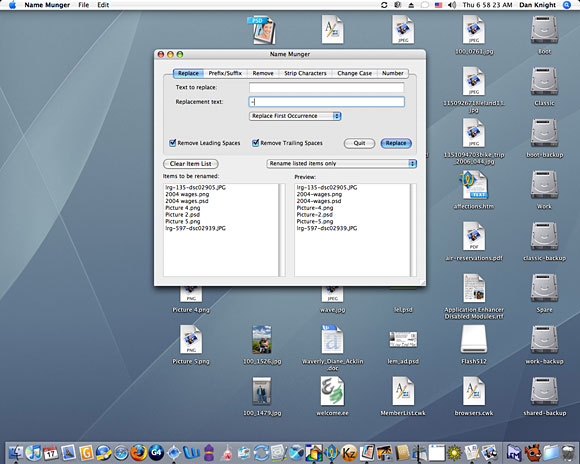
As you can see, it's busy. But when I launch Screenshot Helper and then bring Name Munger to the front, it's much cleaner:
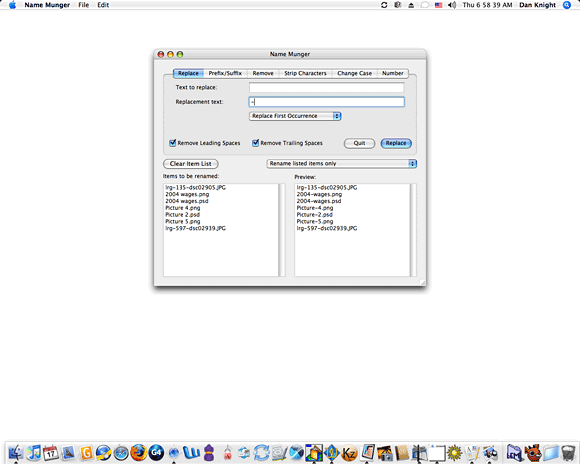
Not only is that less cluttered, it's also a smaller file that loads more quickly, reducing the load on our server and the amount of time you have to wait to see the image. In this case, the bottom image is less than half the size of the top one.
There are lesser savings when we crop to just the window we want to show you, but I'm sure you'll agree that this:
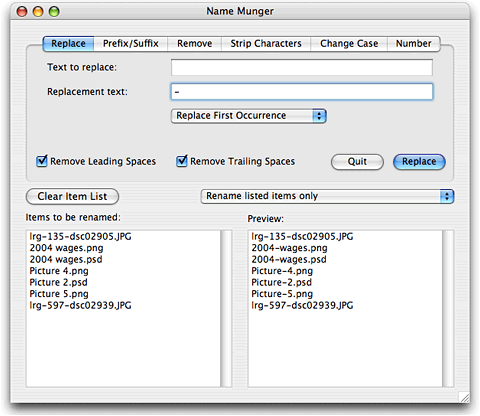
looks nicer than this:
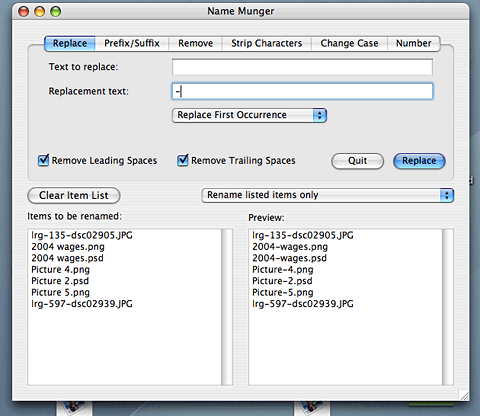
Again, the image with Screenshot Helper acting as a tablecoth is smaller (by about 6 KB) than the one with the Finder in the background.
If you have to do screen captures for the Web, for publication, or for presentations, you owe it to your audience to download Screenshot Helper and give it a try. (If you want an image hiding your apps and the Finder, Screenshot Helper can do that too.)
Best of all, this useful program is absolutely free. 
Link: Screenshot Helper
Manufacturers and distributors: Interested in having your product reviewed? Please read our review policy.
Join us on Facebook, follow us on Twitter or Google+, or subscribe to our RSS news feed
Today's Links
- Mac of the Day: PowerBook 1400, introduced 1996.10.01. Considered by many the best pre-G3 PowerBook with a small footprint and great keyboard.
- Support Low End Mac
Recent Content
About LEM Support Usage Privacy Contact
Follow Low End Mac on Twitter
Join Low End Mac on Facebook
Favorite Sites
MacSurfer
Cult of Mac
Shrine of Apple
MacInTouch
MyAppleMenu
InfoMac
The Mac Observer
Accelerate Your Mac
RetroMacCast
The Vintage Mac Museum
Deal Brothers
DealMac
Mac2Sell
Mac Driver Museum
JAG's House
System 6 Heaven
System 7 Today
the pickle's Low-End Mac FAQ
Affiliates
Amazon.com
The iTunes Store
PC Connection Express
Macgo Blu-ray Player
Parallels Desktop for Mac
eBay

