

Rocket Science 101
A Lesson in Xtreme Mac'age and Global Community
b.b., MacArchaeologist - 2000.10.30
My Turn is Low End Mac's column for reader-submitted articles. It's your turn to share your thoughts on all things Mac (or iPhone, iPod, etc.) and write for the Mac web. Email your submission to Dan Knight .
In the not quite two years that I've been in the throes of rampant Macoholism (see A Love of Simple Elegance, b.b's "My First Mac" story), I've been lucky enough to find (or have given to me) some of the more choice (nay, legendary!) goodies of MacYears-gone-by to play with: Dove's "MacSnap" SCSI and RAM upgrades on an original 1984 Mac, DayStar Turbo 040 accelerators, a Radius Color Pivot monitor, Apple Two-Page and Portrait Displays, a Logitech handheld "ScanMan," etc.
I suppose that's one of the payoffs of being a "late bloomer" here in this Mac game: what was once a $6,000 toy for the privileged few may now be a $3.95 thrift store item, which translates into an empowering tool for someone else. [Aside: Macs have only now truly become "the computer for the rest of us" - they have always been "the computer for those who can afford them"!] What makes me giddy about all this is that (for mere pennies, really) I'm getting to play with (and pass on) utterly useable toys that I never could have afforded had I been a MacHead "back in the day" and certainly couldn't afford now if they sold for their original "retail" price.
Nowadays, financially challenged MacHeads can take heart that these things are set out by curbs by the compassionate and tossed into dumpsters by the unconcerned on a regular basis. More often than not they end up on thrift store shelves for basically nothing. Latest case in point: getting to play with a pair of those most legendary of Mac accelerators, a couple of Radius Rocket 33's, in a Mac IIci.
Before this little crash course in Rocket Science, I really didn't know anything about them, and I figured that they were basically an '040 accelerator like the DayStar Turbo 040 series, meaning they simply "replaced" that poky '030 IIci or IIcx processor with a screamin' 33 MHz of Real Quad Power.
That's all accelerators do, right?
Different
 I was
about to find out different. I was in the midst of getting a big bunch
of Mac goodies in the mail: I'd just found the aforementioned Color
Pivot monitor for $12 and was in the process of getting video cards and
cables from far-flung buddies on the
Vintage Macs list. William Ahearn was sending the Color Pivot
Interface Card and his faithful old IIsi from New York, and Ken
(Harbourmaster) in Hawaii was sending the cable to get the Pivot
working. As a surprise bonus, Ken tossed in a toy he'd recently gotten
to play with, a Radius Rocket, along with a few disks of software for
it. I buckled down to the task of getting the Color Pivot working in a
dual-monitor setup in the IIsi for some friends, and I left the Rocket
in its box to play with later, when I could spare a slot and partially
behead the
Fearsome Four-Headed Turbo IIci.
I was
about to find out different. I was in the midst of getting a big bunch
of Mac goodies in the mail: I'd just found the aforementioned Color
Pivot monitor for $12 and was in the process of getting video cards and
cables from far-flung buddies on the
Vintage Macs list. William Ahearn was sending the Color Pivot
Interface Card and his faithful old IIsi from New York, and Ken
(Harbourmaster) in Hawaii was sending the cable to get the Pivot
working. As a surprise bonus, Ken tossed in a toy he'd recently gotten
to play with, a Radius Rocket, along with a few disks of software for
it. I buckled down to the task of getting the Color Pivot working in a
dual-monitor setup in the IIsi for some friends, and I left the Rocket
in its box to play with later, when I could spare a slot and partially
behead the
Fearsome Four-Headed Turbo IIci.
 In a flurry of
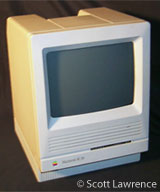
thrift store visits a couple of days later, I found yet another IIci
for about six bucks. I was really on the lookout for 4 MB
SIMMs that I could toss in the SE/30 I'd gotten from Kyle Hansen in
California and figured I could stand another IIci in the house for
about the price of one SIMM! I lifted the lid on the IIci, only to find
inside a full-size NuBus card with RAM SIMMs on it in the first NuBus
slot - a Radius Rocket! Well, that cinched the deal. Plopped down my
six bucks, got home and started looking at my new prize.
In a flurry of
thrift store visits a couple of days later, I found yet another IIci
for about six bucks. I was really on the lookout for 4 MB
SIMMs that I could toss in the SE/30 I'd gotten from Kyle Hansen in
California and figured I could stand another IIci in the house for
about the price of one SIMM! I lifted the lid on the IIci, only to find
inside a full-size NuBus card with RAM SIMMs on it in the first NuBus
slot - a Radius Rocket! Well, that cinched the deal. Plopped down my
six bucks, got home and started looking at my new prize.
Yep, those were 4 MB SIMMs on Bank 1 of both the mobo and the card! I booted it up, got a second boot, and then saw a cool Rocket splash-screen and heard an excellent "whoooooosh!" launching sound. I was a happy boy! Houston, we have liftoff!
Having had the DayStar Turbo 040 in The Terrible Three Headed Turbo IIci (before it grew its last head), I knew how "fast" it felt. This Rocket was rated at 33 MHz, the same speed as the DayStar, but it just felt speedier and smoother. Very nice!
I couldn't figure out why the "About This Macintosh" screen claimed 19 MB of RAM, when I was certain there were 20 MB on the mobo and 20 MB on the card itself. More info was obviously required. A web search turned up little good operational info, but I did find a reference to the original retail price: $2,499 per Rocket. I had a fit of giggles trying to work out what my total "discount" off the retail price of a IIci and a Rocket was! In exploring the hard drive, I discovered that this IIci had passed through the hands of jag, resident MacHead of the Goodwill ComputerWorks here in Austin, fellow LEM listie.
Not really knowing how the Rockets worked, I turned to the Vintage Macs list for some hints. After getting to look like a complete and utter newbie one more time, I finally found out what made Rockets so special. With the RocketWare software, they functioned as plain old accelerators, but with another software package called RocketShare, they gained the ability to be booted as a completely separate Mac (a Quadra 950, to be precise) within the host Mac.
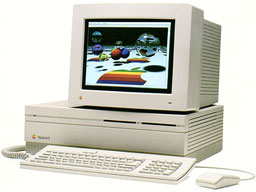 You could,
theoretically at least, have as many Rockets as you had NuBus slots.
This was mind boggling: You could have up to four Macs in one box
with a IIci and (gasp!) six Macs-in-one with a IIfx!
You could,
theoretically at least, have as many Rockets as you had NuBus slots.
This was mind boggling: You could have up to four Macs in one box
with a IIci and (gasp!) six Macs-in-one with a IIfx!
The implications, as John in London said, "Impressive, but what good is it? What do you do with it?" One could be batch-processing images in Photoshop, another could be crunching big numbers, and you could be cruising the web and doing email with the third. Now that would rock - true "multitasking" on an eleven-year-old machine! Who needs multiprocessor G4s anyway?
A IIci with a pair of Rockets would kick serious vintage Mac butt. A IIci with a pair of Rockets and a DayStar Turbo 040 (in the cache-card slot) would kick even more. Suddenly I'm 17 again, back in the garage, tryin' to tune those damned triple carburetors on a '64 GTO. Of course, the parallels between hot rod cars and hot rod Macs were fully explored over the next few days on the Vintage Macs list and even spawned a few new/old hit songs: the inevitable molding of the Beach Boys-era "car songs" to fit our twisted MacGeek purposes: William penned a great little number (to be sung to the tune of "Little GTO" by Ronnie & the Daytonas) in honor of my Rocket-powered IIci - look for the album soon.
The new IIci was quickly dusted out, spruced up with some GooGone, and dubbed "Apollo." It seemed only appropriate. I dug the second Rocket and the RocketShare disks out of the box from Hawaii, stuck the Rocket into a free NuBus slot, and installed the software. The main application you work with in the RocketShare software is called "Mission Control". The whole Rocket theme is carried out quite well throughout the design of the software. The main "Equipment" window shows your main CPU and however many Rockets you happen to have installed, which are initially referred to as "so-and-so's Rocket 33-1" and "so-and-so's Rocket 33-2," using whatever owner's name is in your Sharing Setup Control Panel (see screenshot).
From the Equipment window, you can launch or test your Rockets, as well as perform other tasks, such as creating/assigning "RocketDisks" (soft partitions on your hard drive with System 7.1 System Folders on them) to boot your Rockets with, set the resolution and color depth of each Rocket's desktop, set disk cache performance, and adjust other preferences. There is a "Programmers Mode" that, if invoked, will provide you with an onscreen reset and interrupt button for each Rocket, and the ability to zap the PRAM and call up MacsBug, if it is installed.
As I played with the setup and read more of the excellent on-line help within Mission Control, I learned that the Rockets are essentially "AppleTalking" to your main computer thru the NuBus slots. You can even rename the Rockets with the Sharing Setup control panels in their respective System Folders. Of course, in keeping with the Rocket theme, and taking into account antiquity (mine, the Mac's and the Rockets') these two Rockets had to be dubbed "Sputnik" and "Telstar."
As you "launch" each Rocket, a separate desktop window opens up for it. This is a complete Macintosh desktop in a smaller window on your regular desktop. Each Rocket gets its own separate window, complete with menu bar and Trash. If you choose "About This Macintosh" from the Apple Menu of one of the Rocket windows, you find that it does, indeed, think it's a Quadra 950 (see screenshot).
All in all, the whole RocketShare package is impressive. A click brings either of the two Rocket desktops, or the Mac's, to the foreground. The Mission Control app is very slick and gives you plenty of options as far as interfacing with the Rocket desktops. In theory, the whole RocketShare idea is an absolute knockout. In actual practice, trying to get two Rockets to behave equally well in a IIci was an entirely different matter.
Aside from the odd hang upon launch, the two Rockets essentially performed as advertised: I had two separate Quadra 950's inside the Turbo 040 equipped IIci - Three Quadras in One Box! Vrooom-vrooom, rev-rev. It's just that one of those three carburetors sputtered a bit. Okay, not just a bit, a lot.
While one Rocket behaved quite well, and opened/closed windows and launched apps like a true second Mac, faster than the one I was using, the other suffered from painfully slow general response and agonizingly slow screen draws. The window-opening and closing animations took a full three seconds, in which you saw every "frame" of the animation in slow-motion, while the cursor flickered between the spinning beach ball and the pointer. Add to this some odd artifacts that were left in the wake of any movement of the mouse (pixels that were the wrong color/shade in patterns that resembled items in windows that were either behind the one open or that had just closed), and it was an excruciating experience just opening a folder. Everything else on the "slow" Rocket seemed to function, but the heinously slow response was screaming that something was wrong. Meanwhile, the other Rocket and the Turbo IIci were just hummin' right along.
The final result of trying to solve this problem was quite a learning experience for me, as has been just about every adventure into MacLand so far.
At first, I thought it was because of a jumper setting (there are three jumpers on each Rocket, only one of which we came up with a purpose for) or a difference in the amount of RAM on the two Rockets: one of them had 20 MB and the other had 8 MB. Bumping the second Rocket to 20 MB made no difference. The online help alluringly refers to a section in the User Manual on curing sluggish video performance. Having no manual, I tried logical troubleshooting procedures on each Rocket to see if it was something "standard" - trim extensions/control panels to a bare minimum (and discover in the process that you need the networking extensions, of course), zap the PRAM, rebuild desktops, reduce number of colors within each Rocket's desktop, do clean installs of System 7.1 (the preferred System for Rockets) on all the RocketDisks, fresh install on the Mac - no dice. Then it was a test to see if it was specifically one of the Rockets malfunctioning: switch slots.
Here's where the root of the problem was finally found. Whichever Rocket was in the outermost NuBus slot did great; whichever one was in the slot closest to the cache card slot suffered.
Several thousand posts to Vintage Macs and one MacFixIt Forum Topic later, and it was conceded that the NuBus slots on the IIci do not get equal "juice," and whichever Rocket was unlucky enough to be placed in an "inner" NuBus slot suffered a dramatic handicap in performance due to the uneven NuBus power inherent to the IIci. Benjamin Koh had pointed out earlier that the Rockets demand more than the IIci power supply can provide. In other words, Apollo, Sputnik, Telstar, and I weren't gonna fly together happily ever after into MacSpace after all (sigh) unless I was willing to put up with the lousy performance. I decided I wasn't.
Undaunted, I tried it with just one Rocket and was pleasantly surprised. A single Rocket in the outermost NuBus slot will function beautifully (if a tad jerky, visually) with RocketShare on a IIci. In practice it was a hoot. I fired up AppleWorks and did a silly graphic on the IIci. Clicking to the Rocket, I launched Photoshop, pulled the graphic to the Rocket, and played with it a bit. I saved the final doc as a JPEG, closed Photoshop, and dragged a folder full of images over the BigPicture icon, hit "cmd-A," and started a slide show on the Rocket. Clicking to the Mac desktop, I started a new doc in a small window in SimpleText. The slide show continued without a hitch on the Rocket desktop, dimmed in the background. Clicking between the two was a bit jerky, but it was pretty easy to get the hang of working with multiple Mac desktops at the same time. Several other "real-life" situations were run, and the total system performed great. Two Macs-in-one worked quite nice enough.
I could see that if it were implemented right, this idea would've been revolutionary. A side experiment where I put the two Rockets into a IIcx, though, was pretty laughable - both Rockets choked! The IIcx NuBus can't deal with the demands of the Rockets in a much worse way than the IIci! One of the respondents to the MacFixIt Forum Topic didn't mince words, declaring the Rockets to be "pieces of s***," saying he and his colleagues had tossed theirs off a building.
My experience of them was like most everything else I've found about Macs so far: work within the limitations, and you're pleased as punch. Push them too far, and you'll be reaching for that reset button far too often to call your user experience a success.
For now the dream of "Three Quads in a Box" is on hold, especially since I have decided to try the two Rockets for a while in the Power Mac 7100/66 that I'm getting ready for my niece. I haven't had much chance to push them, but initial indications are that, while there is still a slight difference in performance between the two Rockets, they are on a much more even keel, so to speak, with the 7100's NuBus slots. The level of "handicap" is much more acceptable, and both Rockets respond well. More details as I get to work with them more. Of course, this 7100 has got to move on eventually, and I'll be looking for a Quadra 840AV or 950 to try these pups in.
A Google search turned up a reference to a page on the AppleFritter site that made me drool: a Seventies-boy's MacHeaven! A true Holy Grail to pursue! You must understand that turning information like this loose to a bunch of crazed Vintage MacHeadz is dangerous: remember, we're talking about people who have planned road trips to Utah landfills to dig up the Lisas!
SkyLab
"As far as Mac Prototypes go, one of the most glorious I ever saw was the Radius 'SkyLab.' That was the development name for the project we were working on. Radius at that time was an early Mac peripheral manufacturer. We had made a Mac II accelerator called the Radius Rocket.
"The SkyLab was a server with 14 NuBus slots and a power supply so huge you could do arc welding on the side with it. It also had fifteen 3-1/2" drive bays, and four 5-1/4" drive bays (for CD ROMs or optical drives).
"The idea was for it to be a dedicated Image RIPer for graphic houses. It never happened.
"I was a Radius employee from 1988 to 1997. The SkyLab box was just as I described: power supply, drive bays and slots. The processors were the Radius Rocket Accelerators. Each Radius Rocket contained its own 68040 Processor and six 72-pin SIMM sockets. The concept was that it would operate as a distributed processor. A render farm. Your computer would have a plug-in that would break down your tasks and divide it amongst the Rocket Processors.
"At the Time of development, we didn't have an agreement with Apple. Only after showing SkyLab to Apple did they have us sign a Licensing agreement. (This was before the PowerPC clones.) An interesting result of the licensing agreement allowed us to use the actual Mac ROMs, but we were forbidden to include a boot floppy. Which was fine, since the whole thing ran from a console application anyway. So we had a Mac SE/30 as the console, but it would run with almost any '020 Mac.
"Another stipulation of the agreement was that we could not actually come out and say we were using the Mac ROMs. This was because at the time DayStar Digital and a few others were working on accelerators, and Apple didn't want to look as if they were playing favorites.
"From what I remember it was possible to boot the whole shebang from a floppy, but for fear of God and Apple it was not pursued or ever mentioned ever again. Using the SE/30 or a Mac IIcx, the whole thing was run like a headless server. The ROM issue was handled by us loading the ROM image into RAM. I forget why we did that, but just another aspect of the goofiness."
-by Anonymous Former Radius Engineer
Dangerous info, that. Even worse, a few days later we were all teased with the possibility that one of these might still exist. VMac'er Gregg Eshelman made contact with one "JFK" who claimed to have seen a SkyLab at his workplace - "stuffed with Radius Rockets"! Holy Grail, indeed!
Back to Rockets
Throughout the troubleshooting/learning process of trying to get the Rockets working in the IIci, a lot of things were observed (coming soon to a FAQ near you). Here are some of the observations made by me and other folks on the Vintage Macs list:
- Rockets are quirky - deal with it.
- A single Rocket with the standard RocketWare software is a quite stable and speedy "traditional" accelerator for a IIci or IIcx.
- A single Rocket with RocketShare performs as a separate Quadra 950 in a IIci quite well, as long as it is placed in the outermost (left-hand-side) NuBus slot, furthest away from the cache card slot.
- The RocketShare software won't install onto a System that has Open Transport. The installer says that it cannot "replace the item 'Network'. No Installation may take place." A clean install of 7.1 with "classic" networking on the IIci, and RocketShare installed just fine. It installs its own version of AppleShare, so I'm assuming that it won't install if it detects that the version of AppleShare on the "host" Mac is later than the one it is installing.
- While using RocketShare, having the cache-card slot be empty, filled with Apple cache card, or of with a DayStar Turbo 040 card had no effect on Rocket performance: any performance difference was due to NuBus slot placement.
- You should remove jumper J2 on the Rocket 33 only if you are using 120 ns RAM on the Rocket itself.
- Stage II Rockets (a later model that sported a full 40 MHz '040) do not exhibit this sensitivity to NuBus slot placement. Perhaps the Stage II Rocket's design was vastly improved in the energy-usage department, enabling the host Mac to handle them more gracefully.
- A mix of Stage II and Rocket 33's seems to run stable, also.
I would really like to get in contact with some of these Radius folks from back-when who worked on the Rockets or the RocketShare software and ask some questions! (In fact, if any of you original Rocketeers might chance to read this, please email me!)
As I get a chance to work with the Rockets in this Power Mac 7100, I'll definitely have the chance to "push the envelope" and see just what they're made of with a much more solid NuBus foundation than on the IIci.
"G4s? We still don' need no stinkin' G4s!"
Further Reading
- Download Rocket software from the Radius Rocket forum on Google Groups.
- Radius Rockets Q&A, Vintage Mac World
- Rocket Technical Overview
- Rocket Review by David Emmons
- Rocket Review, from MacUser
Share your perspective on the Mac by emailing with "My Turn" as your subject.
Join us on Facebook, follow us on Twitter or Google+, or subscribe to our RSS news feed
Today's Links
- Mac of the Day: Performa 5200, introduced 1995.04. The first PowerPC all-in-one was also one of the worst Macs ever made.
- Support Low End Mac
Recent Content
About LEM Support Usage Privacy Contact
Follow Low End Mac on Twitter
Join Low End Mac on Facebook
Favorite Sites
MacSurfer
Cult of Mac
Shrine of Apple
MacInTouch
MyAppleMenu
InfoMac
The Mac Observer
Accelerate Your Mac
RetroMacCast
The Vintage Mac Museum
Deal Brothers
DealMac
Mac2Sell
Mac Driver Museum
JAG's House
System 6 Heaven
System 7 Today
the pickle's Low-End Mac FAQ
Affiliates
Amazon.com
The iTunes Store
PC Connection Express
Macgo Blu-ray Player
Parallels Desktop for Mac
eBay



