

Two Buttons Too Different?
Mathias
Dubois
2001.04.04
My Turn is Low End Mac's column for reader-submitted articles. It's your turn to share your thoughts on all things Mac (or iPhone, iPod, etc.) and write for the Mac web. Email your submission to Dan Knight .
OK, right, fine. I´m sitting at my brand new Ti PowerBook, enjoying all the
comfort and high end technology it 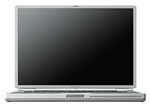 offers.
Everyone else at my office is using a PC, and I can see them staring at
my fine computer with envy - except for one thing.
offers.
Everyone else at my office is using a PC, and I can see them staring at
my fine computer with envy - except for one thing.
It still has a one button mouse?
Right, yeah, it has. I am fed up with it, myself. To tell the truth, I am using a two button mouse with a wheel with my G3 and G4 PowerBook, and I wouldn't give it up. The most die hard Mac user I know, a guy who, in the past, refused to install PC exchange on his 8500, was nevertheless using a four-button mouse at that time.
I mean: what's the deal? The old calculator in the Apple menu is surely a nostalgic reminder of how things used to be, and everyone is aware that the good old Macintosh featured a mouse before any other computer on the market, but is this a reason to stick to old fashioned values?
Will the Mac remain the one mouse button computer forever? I personally hope not. Many good features have crossed between platforms during the last years, but users who want to enjoy the ease of using more than one finger are still forced to turn to third-party products with more functionality, but sometimes worse driver software.
What makes Apple stick to the single button? Is it the stubborn affirmation that "we introduced the mouse, and we will not take any advice on how it can be enhanced?"
Think twice. Think better. Let us use our fingers!
Share your perspective on the Mac by emailing with "My Turn" as your subject.
Join us on Facebook, follow us on Twitter or Google+, or subscribe to our RSS news feed
Today's Links
- Mac of the Day: PowerBook 500 Series, introduced 1994.05.16. 'Blackbird' includes a 25 to 33 MHz 68040 along with smart batteries and grayscale or color displays.
- Support Low End Mac
Recent Content
About LEM Support Usage Privacy Contact
Follow Low End Mac on Twitter
Join Low End Mac on Facebook
Favorite Sites
MacSurfer
Cult of Mac
Shrine of Apple
MacInTouch
MyAppleMenu
InfoMac
The Mac Observer
Accelerate Your Mac
RetroMacCast
The Vintage Mac Museum
Deal Brothers
DealMac
Mac2Sell
Mac Driver Museum
JAG's House
System 6 Heaven
System 7 Today
the pickle's Low-End Mac FAQ
Affiliates
Amazon.com
The iTunes Store
PC Connection Express
Macgo Blu-ray Player
Parallels Desktop for Mac
eBay

