

Microsoft Wins Over Mac User
Jason Lo - 2001.08.29
My Turn is Low End Mac's column for reader-submitted articles. It's your turn to share your thoughts on all things Mac (or iPhone, iPod, etc.) and write for the Mac web. Email your submission to Dan Knight .
Step One: Plug it in.
Step Two: Turn it on.
Step Three: There is no - waitaminute! My browser just crashed again!
The browser wars never ended in my experience of computing. I still have loyalties which I adhere to, yet, sometimes, I feel my loyalty is a little misplaced.
I speak, of course, of the age old dilemma, Netscape Navigator or MS Internet Explorer, and, for the Mac at least, the oft seen alternative, iCab.
Now, let me explain my situation. Having used Macs for years (since 1993, when I could finally afford one for college), I have always used Netscape Navigator in its various releases and, as such, grown to know it as an old friend, my surfing buddy. Even when I had to eventually get myself a Wintel box (a 486 - I loathed to spend more money than I had to), I stuck with the old timer, Mozilla.
Up until now, I could never afford a newer Mac and made do with an
assortment of secondhand Classics, SE/30, Performa 630, 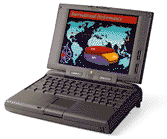 and
then managing to get no less than two PB 5300s. My point is that I had never
really been exposed to the latest Mac OS, holding at the free license
System 7.5.5, and thus I had no idea about the merits or demerits of
IE5. I stuck to what I knew: Communicator 4 and such.
and
then managing to get no less than two PB 5300s. My point is that I had never
really been exposed to the latest Mac OS, holding at the free license
System 7.5.5, and thus I had no idea about the merits or demerits of
IE5. I stuck to what I knew: Communicator 4 and such.
By this time, only a few years ago, I also discovered the early versions of iCab, the browser which seems to have been in beta for several years!
Anyway, to cut a long story short, I bought a new iBook the day it came out here in London - a big sting in the wallet for a poor IT consultant. But, like almost everyone else in the Mac loving world, Apple lust had overtaken me.
Mac OS 9 seemed to run like a dream, a beautiful design masterpiece of software engineering, but, much to my shock, horror, disbelief, and other words of exasperation, I found bundled with it MS IE5. Now don't get me wrong - I had used IE5 before, my various jobs having always supplied me with a Wintel laptop. It was just a sore point that my pristine iceBook had already been desecrated with a million Microsoft extensions before I had installed a thing myself!
Well, I had to use IE, and I was pleasantly surprised at how matter-of-factly it did things, browsing happily for hours without a touch of slowdown or a hint at crashing. My first few hours were spent downloading all those apps and utilities I couldn't live without - including Netscape and iCab.
Gleefully quitting IE5, despite how well it had performed, I first started iCab for a quick wander of the newest beta version. Well, suffice to say, it wasn't the best experience I've had with a browser. Buttons and graphics all over the place, stalling constantly requiring refreshes and restarts and system restarts - I decided it was still too beta for me.
Ah, the old friend. Netscape Communicator installed, profile set up, I promptly set it to work downloading more files and browsing my usual sites. A few minutes into the routine, it hung, then unexpectedly quit. Unfazed, I restarted it and, to be fair, it would work fine - as long as I had no other application taking too much processor time, which, unfortunately, as a Seti@home member, I did.
Every time Netscape crashed I would switch to IE5 to complete the task. IE5 would do so without complaint: no forced quitting required, and pages would load fine, albeit a little slower than in Netscape. But the point was, they loaded with no fuss or bother.
As I began to stretch my little iBook more, I discovered the greatness of Mac OS X, rebooting from OS 9 to X several times in one day of work. Eventually, about two weeks ago, I started using X as my main system. It made more sense.
IE 5.1 came with the system software, but old habits die hard. I downloaded Netscape 6 for OS X and installed, profiled, up and running - and Netscape quit unexpectedly. Again.
Well, no matter, I had spied a new beta of iCab, and when I loaded it and started up, it looked great with an Aqua looking GUI and taking up a mere 4 MB of my hard disk. It failed the test at the very first hurdle. It would not even load my home page. My bank website perhaps. Same story, "the application quit unexpectedly."
So what to do now? A look 'round on the usual download sites, I saw OmniWeb, the Omni group's browser. Downloaded and started and wow! The interface looked amazing and totally appealed to my self-professed sense of design. It was definitely the best looking of the lot. And it worked!
But here's the downside: speed - or the apparent lack of it. It was terminally slow loading pages, but, worst of all, it took nearly 4 seconds to recognize mouse rollover onto a link in order for me click it. Clicking it before the cursor changes to the click finger is of no use; the command is not recognised. Also, some scripted links were completely ignored, and I wasn't able to check my online banking, something I do every day.
What to do? Quit OmniWeb, fire up the MS app, which sat giggling confidently at me from its prime view of the hard drive as I deleted the three browsers which didn't live up to their name.
IE 5 wasn't the fastest of the bunch; I found Netscape was a little faster loading pages. It certainly wasn't the most compact; iCab had that honour. And it wasn't the most pleasing on the eye, being a rather dull GUI compared to OmniWeb or iCab. But it's got one thing going for it: it actually works.
Perhaps I ought to say it if no-one else really wants to: Well done, Microsoft. The one thing they do well is write good software for Macs.
Share your perspective on the Mac by emailing with "My Turn" as your subject.
Join us on Facebook, follow us on Twitter or Google+, or subscribe to our RSS news feed
Today's Links
- Mac of the Day: PowerBook 500 Series, introduced 1994.05.16. 'Blackbird' includes a 25 to 33 MHz 68040 along with smart batteries and grayscale or color displays.
- Support Low End Mac
Recent Content
About LEM Support Usage Privacy Contact
Follow Low End Mac on Twitter
Join Low End Mac on Facebook
Favorite Sites
MacSurfer
Cult of Mac
Shrine of Apple
MacInTouch
MyAppleMenu
InfoMac
The Mac Observer
Accelerate Your Mac
RetroMacCast
The Vintage Mac Museum
Deal Brothers
DealMac
Mac2Sell
Mac Driver Museum
JAG's House
System 6 Heaven
System 7 Today
the pickle's Low-End Mac FAQ
Affiliates
Amazon.com
The iTunes Store
PC Connection Express
Macgo Blu-ray Player
Parallels Desktop for Mac
eBay

