
Matt's Macs
Working with Images
- 2001.05.04 - Tip Jar
This column was first published in the MUGOO Newsletter in March 2001.
Images. What a graphic word. I once read that is what Macs were made
for. Images are everywhere 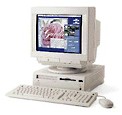 on my Performa,
acquired from one of my digital cameras or my scanner, downloaded from
the Internet, copied from a CD or floppy disk, or created from scratch.
My Performa is versatile at handling images for school reports,
slideshows, and web graphics. In this series of articles I will go over
the imaging software that is installed, how it was acquired, and its
features.
on my Performa,
acquired from one of my digital cameras or my scanner, downloaded from
the Internet, copied from a CD or floppy disk, or created from scratch.
My Performa is versatile at handling images for school reports,
slideshows, and web graphics. In this series of articles I will go over
the imaging software that is installed, how it was acquired, and its
features.
The imaging software was acquired over the years and came from several different sources. Some software was included as part of a purchase of a peripheral device or book, from a demo CD, or downloaded from the Internet. This does not mean that the software is limited in what it can do.
The software installed and the specific sources of software is listed below:
Software |
How Acquired |
| PhotoDeluxe | Purchase of Refurbished Scanner |
| AppleWorks 5.0 | Purchase of CD from MacResQ One-Time Special |
| PhotoFlash | Purchase of Refurbished QuickTake Camera |
| ColorIt! | Purchase of Mac and Power Mac Secrets Book |
| Gif Builder | MacAdvocate CD |
| JPEG View | Mac Advocate CD |
Let take a look at the software installed on my Mac and features of each.
|
|
|
|
|
|
|
|
|
|
Viewer |
|
|
|
|
|
|
|
|
Create New |
|
|
|
|
|
|
|
|
Create Open |
|
|
|
|
|
|
|
|
Create Paste |
|
|
|
|
|
|
|
|
Save Choices |
|
|
|
|
|
|
|
|
Alter Image |
|
|
|
|
|
|
|
|
Alter No. Color |
|
|
|
|
|
|
|
|
Filters |
|
|
|
|
|
|
|
|
Plug-Ins |
|
|
|
|
|
|
|
|
Acquire |
|
|
|
|
|
|
|
|
Slideshow |
|
|
|
|
|
|
|
The bottom-line is that my Performa has a selection of different applications that are used for different projects. In others words, a lot of versatility to handle images, all for a very low price.
Next time: Images from A through Z
About LEM Support Usage Privacy Contact
Follow Low End Mac on Twitter
Join Low End Mac on Facebook
Favorite Sites
MacSurfer
Cult of Mac
Shrine of Apple
MacInTouch
MyAppleMenu
InfoMac
The Mac Observer
Accelerate Your Mac
RetroMacCast
The Vintage Mac Museum
Deal Brothers
DealMac
Mac2Sell
Mac Driver Museum
JAG's House
System 6 Heaven
System 7 Today
the pickle's Low-End Mac FAQ
Affiliates
Amazon.com
The iTunes Store
PC Connection Express
Macgo Blu-ray Player
Parallels Desktop for Mac
eBay

