
Charles Moore's Mailbag
Another Free POP3 Provider, Recharging a Dead PRAM Battery, Current Kanga Value, and More
Charles Moore - 2008.09.03 - Tip Jar
- Free POP3 Email: GMX for US Users
- Recharging a Dead Pismo PRAM Battery
- Panasonic UJ-841S Won't Burn in Pismo
- Value of Kanga PowerBook G3
Free POP3 Email: GMX for US Users
From David Lefly:
Dear Charles,
Thanks for your 8/25/08 Low End Mac column 8 Free POP3 Email Options.
One of your recommendations from 2003 was gmx.net, which I still use today. It is a good one, if you can deal with a little geek German.
Unfortunately, GMX decided several years ago to limit new accounts to "the four German-speaking nations of the EU." (In case you're wondering, nation no. 4 is Liechtenstein.) But in January of this year, they started gmx.com for users in the United States.
I haven't tried it yet, but I'm considering switching. It offers more storage space, POP3 and IMAP, and the interface is in geek English.
David
Hello David,
Way cool! Thanks for bringing this to my attention.
I've had a GMX account since back in the 90s, I think, when they still let you sign up from anywhere. I have enough German to get along reasonably comfortably, although I'm nowhere near being fluent.
I regretfully dropped GMX from my free POP email roundups when they imposed the vier Deutscher sprachen country rule, but my account has continued to work great - dependable with no downtime I can recall and very decent spam filtering. I have no hesitation at all recommending GMX mail.
Charles
Recharging a Dead Pismo PRAM Battery
From Brian:
Hi Charles,
As has been said on Low End Mac and elsewhere . . . if your Pismo will not boot, then disconnect the PRAM battery, and if all else is well it will boot up . . . it can run on AC without the PRAM battery and/or main Li-Ion battery being connected....
Here is another useful tip worth trying . . . I have resurrected supposedly "dead" PRAM batteries by connecting a Pismo to AC but with the main Li-Ion battery disconnected and the PRAM battery connected for between 24 and 48 hours nonstop, after which time the PRAM battery has been reactivated and recharged, enabling the Pismo to then be booted with the PRAM battery still connected.
Now a "sad" story in the "geek" sense....
I have to admit that I have been a "Pismo addict", having at the last count at least 10 Pismos, using them all in cycles.
I have (all equipped with 801.11g wireless cards):
- Three 550 MHz G4 Pismos with 1 GB RAM and CD-RWs (these I use for more CPU-demanding work)
- Mostly 500 MHz G3s with 1 GB RAM (for everyday work; they are allowed to leave the house!)
- One "brand new" 500 MHz G3, i.e. no signs of ever having been used before I acquired it . . . every now and then I take it out of its bubblewrap to admire it and turn it on for a while. [Do you think I should wear cotton gloves to avoid putting smear marks on it?... ;-) ]
- A couple of 400 MHz G3s with between 512 and 1 GB RAM (to play on with Linux distros)
- One 333 MHz G3 Lombard with 512 MB RAM running OS 9.2.2 and Tiger (for email)
- The parts to build up another Pismo from scratch . . . (for enjoyment)
They all run OS 9.2.2 (which I still love for its simple, clean, and very fast GUI). Most also run OS X Tiger, which I also like very much.
In fact, on balance, I like Tiger more so than Leopard, because like OS 9.2.2, Tiger can print to my LAN connected Apple LaserWriter IIg via wireless or ethernet . . . whereas Leopard cannot do this; attempting to do so corrupts CUPS and causes browser crashes when Saving as PDF, etc. until I reset CUPS!
A few also run OS X Panther as well; one 400 MHz G3 Pismo also runs Ubuntu.
I have thought about selling some Pismos (I managed to make myself sell one to a friend) but dread the thought of having the ones I decide keep die on me at some point in the future, and my then having no replacement parts to keep them going . . . with probably not the parts available on eBay or elsewhere because of rarity and/or cost... :'(
I have even spare CCFLs to replace the LCD backlights when necessary, having successfully replaced the backlight in 3 Pismo LCDs so far . . . and other spares....
But I believe I am now cured of my "addiction" . . . I have not bought any more Pismos since October 2007 and stopped bidding for Pismos on eBay in early 2008 . . . it was the slow realisation that my beloved Pismos are in reality vintage and ultimately antique computers with Snow Leopard 64-bit multicore computing on its way....
There . . . I have admitted to having been a Pismo "addict" . . . a cathartic experience . . . now I am just a "healthy and sane" Pismo lover and user . . . I know I have my G3, G4, and G5 desktops (and even 2 x Macintosh 6100/66 with DOS/Windows card) . . . but please do not ask me to give up my Pismos.... ;-)
Cheers
Brian
Hi Brian,
You have a much worse case of it than I do, but I completely understand Pismo addiction and anxiety over what life would be like sometime in the future with no Pismos any more.
I'm very happy with Tiger as the OS for my machines (both 550 MHz G4s, as it runs nicely and also facilitates Classic Mode. Of course they will also boot OS 9.2.2, but I have to confess that I rarely do that anymore, having become also addicted to OS X features.
I haven't been tempted to try and install Leopard on a Pismo though. It's compromised enough on my 1.33 GHz 17" PowerBook.
Thanks for the info and tips, and for sharing your story.
Charles
Panasonic UJ-841S Won't Burn in Pismo
From Jim following up on Question about Panasonic UJ-850 (or UJ-825) Drive in Pismo:
Hello again, Charles,
I bought a Panasonic/Matsushita UJ-850 DVD drive and installed PatchBurn (most recent version, 4.0.5), and it shows up under System Profiler as a UJ-841S(?). Also, when I tried to burn a CD from iTunes (after rebooting, etc.), the drive went for a while, and then iTunes told me it was having errors. I thought it might be that the CD-R media was the problem source, so I went and bought some DVD-Rs (more for backing up my iTunes library, as the video of Steve Jobs & Bill Gates at a conference won't fit on a CD). Tried starting a backup using the DVD-R, and it wouldn't complete burning the first DVD, either.
I've tried multiple searches online, in case there's some patch or update that will more closely match the UJ-850 than the PatchBurn's UJ-841S profile. No luck - searches for such a driver or patch only turn up Windows drivers, and Panasonic's site isn't any better for help.
I'm beginning to wonder if the drive I bought needs something else - firmware re-flashing, other software, or what - or if the drive itself is defective. The drive bay worked fine with the DVD/CDROM drive that was in it originally, so I don't expect that the bay module is the problem.
Any further suggestions, or do I just need to start saving up the $150-200 for the SpeedMac DVD±RW drive (in bay)?
Thanks,
Jim
Hi Jim,
We're beginning to get into an array of variable possibilities here, and this sort of thing is tricky to vet without the availability of known-good hardware to substitute diagnostically.
My inference is that there are several UJ-8xx Panasonic/Matsushita drives, and I'm doubtful that you need to read much into the version number that System Profiler turns up (although I could be mistaken about this point).
It could indeed be a defective drive, which is where another drive to try would be a big help in verification.
I wouldn't suspect the drive bay, at least until all other possibilities had been ruled out.
As for firmware flashing, that's getting out of my depth.
Sorry I can't think of anything brilliant here.
Charles
Value of Kanga PowerBook G3
From Maureen:
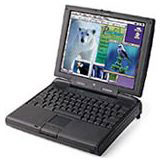 Any idea what to ask for a
Kanga PowerBook G3? Saw you
on Low End Mac and thought you might have an idea. Appreciate your
time!
Any idea what to ask for a
Kanga PowerBook G3? Saw you
on Low End Mac and thought you might have an idea. Appreciate your
time!
Maureen
Apple PowerBook G3 - Machine ID 313 - (Kanga). Running Mac OS 8.6, complete with 20x CD-ROM module, Apple portable (yo-yo) power adapter, Apple 45W (yo-yo) power adapter. 96 MB built in memory. 250 MHz. PowerPC G3 processor. Built in network card. Works just fine. Super nice condition. Plenty of software loaded. Boots right up. Comes with carrying case. Has sound. Display is bright and nice. One owner/user.
Hi Maureen,
I would be hesitant to estimate what the fair market value for that machine is. It is, of course, essentially fully depreciated as a workaday machine, so the selling price would depend on a variety of factors, such as condition (it sounds like it's in good shape), and how keen the purchaser was on getting a Kanga.
The Kanga is definitely a relatively rare PowerBook, having only had a five month or so production life, and it's going to be a collectable, so that has some bearing on price as well. At this point, the longer you hang on to it, the more you will likely realize in an eventual sale.
Charles
Join us on Facebook, follow us on Twitter or Google+, or subscribe to our RSS news feed
Charles Moore has been a freelance journalist since 1987 and began writing for Mac websites in May 1998. His The Road Warrior column was a regular feature on MacOpinion, he is news editor at Applelinks.com and a columnist at MacPrices.net. If you find his articles helpful, please consider making a donation to his tip jar.
Links for the Day
- Mac of the Day: PowerBook 500 Series, introduced 1994.05.16. 'Blackbird' includes a 25 to 33 MHz 68040 along with smart batteries and grayscale or color displays.
- Support Low End Mac
Recent Content
About LEM Support Usage Privacy Contact
Follow Low End Mac on Twitter
Join Low End Mac on Facebook
Favorite Sites
MacSurfer
Cult of Mac
Shrine of Apple
MacInTouch
MyAppleMenu
InfoMac
The Mac Observer
Accelerate Your Mac
RetroMacCast
The Vintage Mac Museum
Deal Brothers
DealMac
Mac2Sell
Mac Driver Museum
JAG's House
System 6 Heaven
System 7 Today
the pickle's Low-End Mac FAQ
Affiliates
Amazon.com
The iTunes Store
PC Connection Express
Macgo Blu-ray Player
Parallels Desktop for Mac
eBay

