
Miscellaneous Ramblings
Mac OS X Missing Manual 'the OS X Book to Have'
Charles Moore - 2006.04.10 - Tip Jar
What's the Mac OS X book to have if you're only buying one?
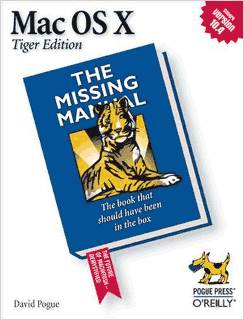
That's easy. David Pogue's Mac OS X: The Missing Manual (henceforth OSX:TMM4) is perennially the best-selling Mac book for good reason. It's the most comprehensive and authoritative general guide to installing, using, and troubleshooting Mac OS X.
I have all four editions of the book, and even though I know my way around OS X pretty well by now, I wouldn't want to be without TMM.
The first edition, released back in 2002, and the second (Jaguar/OS X 10.3) edition later that same year, at 583 and 712 pages respectively, put a lot of emphasis on the transition from Mac OS 9 to OS X plus Classic Mode, as well as getting us up to speed on the new system and user interface. If you're a low-end Mac user making the transition to OS X a bit later than some of us, you might find these older volumes helpful.
The third edition (Panther/OS X 10.4) volume added 50 more pages but concentrated a lot less on OS 9 transitioning, recognizing that there were a lot of Mac OS X users with no background in OS 9 by 2003, and that most of us who did have that background had already got up to speed with OS X. Instead, the focus shifted more to the needs of those making the switch from Windows, or who were entirely new to computers.
 With the release of OS 10.4
Tiger, in my view OS X has finally become a truly mature
operating system (although OS 10.3.7 through 10.3.9 were pretty
solid as well). The fourth edition of OSX:TMM4 reflects this with
just a thin 17 pages on using Classic Mode plus a 15 page "Where'd
It Go?" appendix for Classic veterans in a book that is now 847
pages long.
With the release of OS 10.4
Tiger, in my view OS X has finally become a truly mature
operating system (although OS 10.3.7 through 10.3.9 were pretty
solid as well). The fourth edition of OSX:TMM4 reflects this with
just a thin 17 pages on using Classic Mode plus a 15 page "Where'd
It Go?" appendix for Classic veterans in a book that is now 847
pages long.
Of course, there is a fair bit of content recycled from previous editions, but Pogue says that not one page has been left unchanged from the Panther edition.
Don't let the increasingly formidable page counts scare you off. These books are packed with great stuff from cover to cover. David Pogue's fluid prose and droll delivery make reading these manuals a pleasure as well as informative.
There's also good reason for those extra 85 pages. While OS X 10.3 added some 150 new features compared with OS X 10.2, OS X 10.4 includes more than 200 new features on top of that - and some of them are biggies.
Even if you've pretty much mastered the earlier versions of OS X, you're going to need something more formidable than the beautifully illustrated but skinny little pamphlet Apple ships with the operating system install DVD in order to really get your money's worth from Tiger, especially features like Spotlight, Dashboard, the Automator, Smart Folders, and more.
For example, I'd been using Tiger for some time before my review copy of OSX:TMM4 arrived, but reading through the sections on Spotlight and Dashboard informed me that there were a whole bunch of aspects to both the that I hadn't been making the best use of - and that I might never have discovered on my own. The four measly pages that Apple's Tiger pamphlet dedicates to these new OS features didn't even scratch the surface.
The great thing about OSX:TMM4, aside from the good writing, is its comprehensiveness. Whatever aspect of working with the operating system and the 50-odd programs that come bundled with it, you're almost certain to find it addressed in the pages of this book.
At $29.95, OSX:TMM4 is a bargain. It's also designed to accommodate the needs and computer skill levels of Mac users from first-time newbies to power users, an objective that has happily been accomplished without descending into lowest common denominator blandness. Instead, the primary text is written at a technical level ranging from an advanced beginner to intermediate, which covers the preponderance of the Mac-using community. It should prove neither totally inaccessible to rank amateurs nor boringly tedious for the power user cohort. However, the specific needs and interests of the latter two categories are addressed with sidebars that appear frequently entitled "Up To Speed" and "Power Users' Clinic" respectively.
As with the previous editions, OSX:TMM4 is organized into six parts.
Part One, The Mac OS Desktop, covers what you see on the screen when you start up a Mac running Tiger: the Desktop, the Dock, the Sidebar, Spotlight, the Dashboard, Exposé, icons, windows, menus, scroll bars, the Trash, the Apple Menu, and so forth. This section would usually be of primary interest to new Mac OS X users, but this time around even veterans will want to check out the Spotlight section especially.
Part Two, Applications in OS X, focuses on the software that the operating system supports, such as email clients, Web browsers, word processors, graphics programs, and such. The chapters in this section describe and explain how to work with applications in OS X to get the best advantage from them, as well as controlling and streamlining repetitive tasks using AppleScript and the new Automator automation tool. This section also includes the brief chapter on using Classic Mode, and a new section on Dashboard.
Part Three, The Components of OS X, consists of an item-by -item description of the elements of OS X 10.4 - the 24 System Preferences panels and the 50 or so programs you will find in your default Applications and Utilities folders.
Part Four, The Technologies of OS X, deals with a more advanced topics like networking, remote access when you're on the road, setting up multiple user accounts, and OS X's prodigious multimedia, graphics, desktop publishing, and handwriting recognition capabilities, as well as tutorial content on the robust and powerful Unix OS that underlies Tiger's user-friendly interface.
Part Five, Mac OS X Online, walks you through all of the special Internet-related features of Mac OS X, including the OS X Mail email client and the Safari browser, the iChat instant message client, iSync that helps you keep your phone book and Address Book synchronized across Macs, cell phones, iPods, and Palm Pilots. Also addressed are Web sharing, Internet sharing, Apple's online .mac services, and even information on using Unix on the Internet.
Part 6, Appendices, contains six of them: Installing OS X 10.4; Troubleshooting; the Where'd It Go? Dictionary (Mac version); the Where'd It Go Dictionary (Windows edition); and a master OS X Secret Keystroke List.
There is also a 28-page Index.
The book is copiously illustrated with mostly screen shots which show graphically what the text is explaining.
if you've upgraded to OS X 10.4 or are contemplating doing so and wondering if you should also upgrade your copy of OSX:TMM to the fourth edition, the answer is "of course." The new Tiger features are reason enough.
For the vast majority of OS X users, it's really tough to beat OSX:TMM4 for its eponymous purpose. It really is "the book that should have been in the box" and still the OS X book to have if you're only having one. If I really tried, I could probably come up with something to complain about with this book, but I can't imagine what it would be.
When I have an OS X question, it pretty well always comes through with the information I need, and it's the volume that stays within reach of my computer workstation.
I anticipate that there will be a 5th edition OSX:TMM for OS X 10.5 Leopard, but I would estimate that publication is still a year or so away (the 4th edition came out about 3-1/2 months after OS X 10.4 was released), so it's definitely not too "late" to make picking up a copy of the Tiger edition a worthwhile purchase, especially considering the book's modest price.
Highly recommend.
- Mac OS X: The Missing Manual, Tiger Edition, O'Reilly
- Mac OS X: The Missing Manual, Tiger Edition, $18.87 from Amazon.com
Join us on Facebook, follow us on Twitter or Google+, or subscribe to our RSS news feed
Charles Moore has been a freelance journalist since 1987 and began writing for Mac websites in May 1998. His The Road Warrior column was a regular feature on MacOpinion, he is news editor at Applelinks.com and a columnist at MacPrices.net. If you find his articles helpful, please consider making a donation to his tip jar.
Links for the Day
- Mac of the Day: PowerBook 1400, introduced 1996.10.01. Considered by many the best pre-G3 PowerBook with a small footprint and great keyboard.
- Support Low End Mac
Recent Content
About LEM Support Usage Privacy Contact
Follow Low End Mac on Twitter
Join Low End Mac on Facebook
Favorite Sites
MacSurfer
Cult of Mac
Shrine of Apple
MacInTouch
MyAppleMenu
InfoMac
The Mac Observer
Accelerate Your Mac
RetroMacCast
The Vintage Mac Museum
Deal Brothers
DealMac
Mac2Sell
Mac Driver Museum
JAG's House
System 6 Heaven
System 7 Today
the pickle's Low-End Mac FAQ
Affiliates
Amazon.com
The iTunes Store
PC Connection Express
Macgo Blu-ray Player
Parallels Desktop for Mac
eBay

