
Miscellaneous Ramblings
Switching to the Mac: The Missing Manual - Tiger Edition
Charles Moore - 2006.01.18 - Tip Jar
Now that the first Macintels are out, hopefully we'll see an upswing in migration from Windows to the Mac OS. Macs are pretty easy to learn and get along with, especially compared to Windows, but even so Mac newbies will doubtless need some assistance and advice in order to realize the full benefit of the Mac experience.
If you're only getting one OS X get-you-up-to-speed book, the one I usually recommend is David Pogue's Mac OS X: The Missing Manual, which is hard to beat for comprehensiveness and easy-reading accessibility to users across the spectrum of computer skill levels.
It's definitely the Mac OS X reference I turn to first and most often myself, and I rarely have to dig farther.
However, Mac OS X: TMM was originally written to address the needs of classic Mac OS users migrating to OS X, and while the more recent editions of the book have been refocused to accommodate the considerably different requirements of increasing numbers of Windows users switching to the Mac on the coattails of the iPod phenomenon, due to terminal frustration with the Windows malware pandemic, or just because they've discovered that Macs are very cool, there is a risk of casting too broad a net.
 There was a definite room for a more specific
Missing Manual solution for switchers from Windows, especially with
the prospect of many more making the shift after the imminent
Macintel revolution.
There was a definite room for a more specific
Missing Manual solution for switchers from Windows, especially with
the prospect of many more making the shift after the imminent
Macintel revolution.
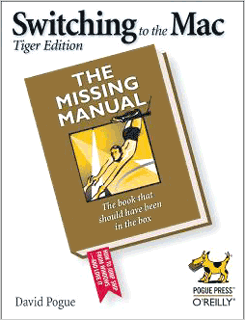
That books is now available: Switching to the Mac: The Missing Manual - Tiger Edition ($16.47 from Amazon.com), co-authored by David Pogue and Adam Goldstein. As the authors note in the book's introduction,
"Switching to the Mac is not all sunshine and bunnies. The Macintosh is a different machine, running a different operating system, and built by a company with a different philosophy - a fanatical perfectionist/artistic zeal. When it comes to their issues and ideals, Apple and Microsoft have about as much in common as a melon and a shoehorn."
Since you're reading this review on Low End Mac, there's a likelihood that you're not in the main target market for this book (but if you're a recent or prospective switcher looking for information, you've come to the right place - welcome), but chances are that you know somebody who is.
Anyway, the authors assume only a cursory level of Mac knowledge on the part of the reader, so the book's introduction concentrates on explaining basic Mac concepts and the many advantages the Mac has over Windows, such as system stability, no nagging copy-protection, superior software, no-hassle software installs (and uninstalls), and simpler everything.
The book is organized in four parts of several chapters each, and the authors acknowledge up front that some of the material in Switching to the Mac: TMM is adapted from Mac OS X: TMM, which is certainly no bad thing.
Part One
Part One: Welcome to Macintosh begins with Chapter 1: How The Mac Is Different, and notes reassuringly that Mac OS X offers roughly the same features as recent versions of Windows, but that "these features are called different things and parked in different spots," which can create some confusion for the Windows émigré to the Macintosh. This chapter aims at cutting through that confusion, explaining how to start up the Mac, how to deal with a one-button mouse, comparing the Finder to Windows Explorer, the OS X Dock to the Windows Taskbar, and so forth. There are also sections on what special Mac keyboard keys do, disk differences, where your stuff is located, working with Finder windows, and a short glossary of terminology differences.
Chapter 2, Windows and Icons, continues on with explaining the elements of the Mac OS X Desktop and how they work, the optional List and Column views, the Home folder, file and folder icons, labels, the Trash, finding files with Spotlight and the Find command, and the Smart Folders feature.
Chapter 3 moves on to The Dock, Desktop, Toolbar, and Sidebar, with tips and hints for getting the best out of these OS X user interface features and including a section on designing your Desktop.
Programs and Documents is the title of Chapter 4, bringing the reader up to speed on some of the 50-odd software programs that come bundled with OS X. Topics covered include things like launching, quitting, and force quitting applications, switching programs, drag and drop, using OS X's Exposé feature, and the Dashboard and its widget collection.
More advanced stuff like how documents know their parents, filename extensions, keyboard shortcuts, open and save dialog boxes, and the distinctions among Cocoa, Carbon, and Classic programs are also addressed. Few users switching from Windows will have much interest in using OS X Classic Mode, so it is brushed over quickly in just four pages. The chapter wraps up with short tutorials on installing and uninstalling programs.
Part Two
Part Two is also, somewhat confusingly, titled Welcome to Macintosh, which gives a clue as to its four chapters' content.
Chapter 5, Five Ways to Transfer Your Files, explains the ins and outs, so to speak, of data transfer using disk (the Mac can read Windows disks), networking (wired or wireless), file-sending websites, email, iDisk and Bluetooth, and FireWire Disk Mode.
Chapter 6 is about Transferring Email and Contacts from a variety of Windows email programs and the Windows Address Book to equivalent applications on the Mac, helping you avoid pitfalls in so doing.
Chapter 7, Special Software, Special Problems, tackles the troublesome fact that "sooner or later, you'll probably run into a favorite Windows program for which there's no equivalent on the Mac. The purpose of this chapter is to make that discovery less painful" and to suggest potential substitutes that can be used.
Chapter 8 moves on to Hardware on the Mac: printers and printing, faxing, and scanning, as well as some still software-related topics like PDF files and font management. It also covers digital cameras, disks, burning CDs and DVDs, the iPod, iTunes, and the iTunes Music Store, DVD movies, the keyboard, the mouse, and monitors.
Part Three
Part Three, Making Connections, contains three chapters on issues that may perplex Windows veterans attempting to connect a Mac to the Internet.
Chapter 9, Getting Online, starts with elementary stuff like configuring Internet connections via dial up and broadband, plus using the OS X firewall, switching locations, multihoming, and Internet sharing.
Chapter 10 covers OS X Mail and Address Book, which are included with OS X, with comprehensive tutorials on using both.
Chapter 11, Safari, iChat and Sherlock, moves on to discussing the finer points of Apple's Safari browser, iChat messaging client, and the Sherlock search engine, again with tutorials on the use of each.
Part Four
Part Four is about putting down roots and contains four chapters.
Chapter 12, Accounts and Security, continues the tutorial mode of the previous several chapters, explaining how to configure and use OS X's account and security features, as well as the six Mac OS X security shields.
Chapter 13, is an item by item tutorial on OS X System Preferences.
Chapter 14 does the same for The Freebie Programs that come with OS X, including a tutorial on using the AppleScript programming language, iCal, iChat, iMovie, iPhoto, Preview, Text Edit, the various system utilities, the Terminal, and many more.
Chapter 15, is on Installation and Troubleshooting of OS X, exercises most users migrating from Windows will find a pleasant surprise, relatively speaking, compared to what they're used to.
Part Five
Part Five: Appendix, contains one, a handy "Where'd It Go?" dictionary that can serve as a quick reference to find Mac equivalents to familiar Windows functions and terminology.
As one has come to expect with Missing Manuals books, there is an excellent index, and the book is illustrated with many screen shots. Selling at the modest price of $24.95 for a 508 page book, Switching to the Mac: The Missing Manual is a must-have for anyone making the Windows to Mac transition. It will smooth the way by omitting needless confusion and potential frustration - and also prove a treat for Windows users who don't read the New York Times and may not be familiar with New York Times columnist and best-selling Mac author David Pogue's delightfully witty and conversational prose style.
- Switching to the Mac: The Missing Manual, Tiger Edition
- By David Pogue, Adam Goldstein
- September 2005
- ISBN: 0-596-00660-8
- $24.95 US, $34.95 CA, £17.50 UK
Join us on Facebook, follow us on Twitter or Google+, or subscribe to our RSS news feed
Charles Moore has been a freelance journalist since 1987 and began writing for Mac websites in May 1998. His The Road Warrior column was a regular feature on MacOpinion, he is news editor at Applelinks.com and a columnist at MacPrices.net. If you find his articles helpful, please consider making a donation to his tip jar.
Links for the Day
- Mac of the Day: PowerBook 1400, introduced 1996.10.01. Considered by many the best pre-G3 PowerBook with a small footprint and great keyboard.
- Support Low End Mac
Recent Content
About LEM Support Usage Privacy Contact
Follow Low End Mac on Twitter
Join Low End Mac on Facebook
Favorite Sites
MacSurfer
Cult of Mac
Shrine of Apple
MacInTouch
MyAppleMenu
InfoMac
The Mac Observer
Accelerate Your Mac
RetroMacCast
The Vintage Mac Museum
Deal Brothers
DealMac
Mac2Sell
Mac Driver Museum
JAG's House
System 6 Heaven
System 7 Today
the pickle's Low-End Mac FAQ
Affiliates
Amazon.com
The iTunes Store
PC Connection Express
Macgo Blu-ray Player
Parallels Desktop for Mac
eBay

