
Charles Moore's Mailbag
Scanned Image Size, Pismo Screen Problems, WallStreet Upgrades, iDVD for OS 9, and More
Charles Moore - 2004.06.30 - Tip Jar
- Reduce Scanned Image: How?
- Pismo Screen Problem
- A Low End Mac Server Tutorial
- WallStreet Upgrades
- iBook G3 Heat
- iDVD for OS 9
- Unable to Install X on Titanium G4/800
- Drivers for Mac SCSI Cards
- OS 9 on Newer Macs
- Beige G3s vs. B&W
- Jag in WS
- PCI Radeons Gone
Reduce Scanned Image: How?
From Rick Feldan
Hello....
Interesting article on the VueScan 8. I have tried v.7.6.84, and it gives me a great image. However, the image is huge. I simply want an image the size of the original, i.e. 4" x 6", 8" x 10". Is there a simple way to make this adjustment in VueScan that I am missing? Thanks in advance.
Rick Feldan
eMac OS 10.2.8
Microtek ScanMaster X6 (36 bit)
Hi Rick,
Yes. Just adjust the scan resolution using the pulldown menu in the left pane.
For adjusting the size of already scanned images, my favorite tool is Toyviewer, about which I can't say enough good. I has a limited range of functions but performs them superbly, and it's freeware!
Charles
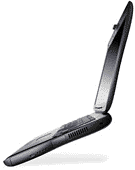
Pismo Screen Problem
 From: Brian Gray
Mr. Moore,
I am having a problem with my 500 MHz Pismo (12 gig, 340 RAM) that I hope you may have some advice on. I got my Pismo from eBay for a fair price in April 03, and I haven't had any upgrades performed on the machine, or any problems until now.
The problem is with the screen. At random times during use, various areas of pixels will flash in yellow. I can still see the screen, but it is most definitely a concern. The flashing patterns seem to get more frequent during heavier work (like Photoshop filters).
I live in a town where Mac help is nonexistent; the last time I went to a computer store, they told me the problem was that I owned an Apple. I hope you can help. I haven't seen anything on the Web regarding a problem like this.
Thank you for your time,
Brian
Hi Brian,
It might be a ribbon cable problem, although that shouldn't vary with processor load.
Have you tried connecting the PowerBook to an external monitor (VGA) to see if the problem shows up there as well. If it doesn't, then it's almost certainly a chafed, loose, or damaged cable, or the screen itself is defective.
The wise guys at that computer store should check out the reliability surveys of Apple vs. PC laptops. In any case, LCD displays are industry generic.
Charles
A Low End Mac Server Tutorial
From Michael Jarve
Mr. Moore,
I thought I would share my experience in setting up a low-end server with the rest of your readers.
First a little background.
I have a mixed PC and Mac LAN at my home and a very high speed connection. I was not using this connection to its fullest, so I decided to set up a small server to host images that I use on forums and a small and simple website. I had an old Power Mac 6500 sitting around that I haven't used for a long time. It was slow and cranky, but it had always worked. It had the motherboard replaced after the metal retainer for the Video Out came loose and shorted the motherboard, and so it was running at a paltry 180 MHz (the motherboard was from a Performa 6400/180).
I took it out of the basement and turned it on after four years of not using it, and it worked perfectly well. 24 MB RAM, 33.6 modem, 2 GB hard drive, and OS 9.1. Hmm, something had to be done before this could become a server.
I visited the Other World Computing site and bought a couple sticks of 64 MB DIMMs (for an excellent price) and a 20 GB hard drive to throw in. I also bought a Dlink 10/100 PCI Ethernet card from a local computer store.
Now we were getting somewhere!
I installed the upgraded components and decided to give Yellow Dog Linux a whirl. That was a mistake. I could not get it to install for my life, and the email support list was very little help (well, no help actually). I was beginning to get dispirited when I heard about MacHTTP, a free (currently, anyway) HTTP server for the classic Mac OS's (7-9). I downloaded it and set it up; piece of cake! I set up the router to forward port 80 to the 6500, and I had my web server.
I also installed RealVNC server to allow me to remote control it, but the version for the classic Mac OS is very beta and would constantly crash. Oh well, no headless server for me.
I then wanted to set up an FTP server to allow myself and others to store files on it. Rumpus to the rescue. A local print shop had a copy laying around they hadn't used since they switched over to OS X, and I bought it for a song.
One last upgrade I am making is taking the motherboard from a 250 MHz Power Mac 5500 and installing it in the 6500 (a 70 MHz increase).
Of course, I could have used my Power Mac G3/400 (B&W) running OS X (Panther), but the configuration is more complex, and I am not as comfortable leaving it up and running 24/7 as I am with the Power Mac 6500.
So now I have my real web server with both HTTP and FTP capability running on a system I'd be loathed to surf the Internet with; it's almost crack-proof and invulnerable to the harshest criticisms. And it works quite well. I have it set to automatically reboot every morning (otherwise it slows to a crawl), and I can pretty much ignore it otherwise.
Hope this helps other aspiring web geeks out there!
Sincerely,
Mike Jarve
Thanks for the tutorial, Mike.
Charles
WallStreet Upgrades
From Jon March
Quick question if you might help-
- Is there a PCI-type card that works in a WallStreet 300 to give me FireWire & USB jacks? (that works with OS 9?)
- Can my Pismo 400 OS 9 be setup for Wireless Internet (I have cable modem Ethernet) and wireless USB printing!?
Can't hurt to ask I guess!
Jon
Hi Jon,
Affirmative on both counts. I have Macally CardBus FireWire and USB adapters in my WallStreet, and they work well. I don't have a wireless adapter, but an inexpensive one that supports the WallStreet is available from Wegener Media. I don't know about the wireless printing. You would need a hub of some sort.
Here are some descriptions and URLs to check out:
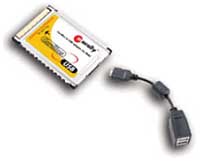 Macally CardBus to FireWire Adapter. Connects FireWire to G3
series PowerBook or any PowerBook with a CardBus slot. Compatible
with Mac OS 9.0 or later. DVConnect Apps for DV Camcorder. Final
Cut Pro, iMovie, Adobe Premier. Price: $61.99.
Macally CardBus to FireWire Adapter. Connects FireWire to G3
series PowerBook or any PowerBook with a CardBus slot. Compatible
with Mac OS 9.0 or later. DVConnect Apps for DV Camcorder. Final
Cut Pro, iMovie, Adobe Premier. Price: $61.99.
ADS Technologies USB Turbo 2.0 for Notebooks. Add 2 high-speed USB 2.0 ports to your CardBus equipped laptop. $29.
ADS Technology Dual Link CardBus Card for laptop computers (Mac & PC). Add FireWire & USB 2.0 to your notebook with one CardBus card. $67.95.
IOGear USB 2.0 / FireWire Combo CardBus Card. 2-in-1 CardBus (FireWire, USB 2.0, and USB 1.1). $78.95.
The ADS Turbo 2.0 and IOGear cards are available from Other World Computing.
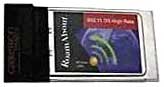 RoamAbout 802.11 Wireless Card. Full 10bT networking
capabilities. Full compatibility with AirPort base stations. 11mbs
Transfer rate. Price: $27.99. Compatible with PowerBooks:
RoamAbout 802.11 Wireless Card. Full 10bT networking
capabilities. Full compatibility with AirPort base stations. 11mbs
Transfer rate. Price: $27.99. Compatible with PowerBooks:
- 5300c/cs/ce
- 1400c/1400cs
- 3400c
- 2400c
- G3 ("kanga" )
- G3 WallStreet
- G3 Lombard
- G3 Pismo
- G4 Titanium
- For more information, visit Wegener Media.
Charles
iBook G3 Heat
From Dana Trantham
Re: 'Book of Fire
From William Reese:
I've had the same problem with the Apple iBook G3/800. It happened to me twice. The first time it occurred, I contacted Apple Care, and the technician told me that under no circumstances should you move your iBook while it's on - and it's on even when it's asleep. Ever since then I have shut down the laptop and haven't had the problem since (well once, but that was an embarrassing mistake)."
I move my iBook 800. I have AirPort. I pick up the iBook and take it in the den and work sometimes. So AppleCare thinks I ought to shut it down and reboot it? What can happen with me gently carrying it into the den? What is so sensitive that you can't move it running? There's some information missing here.
Dana Trantham
Hi Dale,
I would be interested to learn if "don't move your iBook when it's asleep" is official AppleCare policy or just that rep's off-the-cuff advice. I suspect the latter, but....
Personally, I almost never shut down my 'Books, including when they're being transported in a case.
Charles
iDVD for OS 9
From Christopher Beaver
Greetings, Charles:
I make digital films with an Avid Xpress editing system that only works with OS 9. According to my technical contacts at the Avid retail outlet, the Xpress doesn't even like to have OS X loaded on a separate partition.
The problem I'm currently facing is trying to find a copy of iDVD that's compatible with OS 9 so I can burn DVDs with my built-in SuperDrive.
iDVD was not part of the original system install, and I haven't been able to find the software on the Apple website.
Would I find a copy on the System Restore disks or some other location? If so, how would I go about installing just that portion of the software? Or if not, do you have any ideas for me?
Many thanks, always appreciative of your column,
Christopher Beaver
Hi Christopher,
iDVD has been OS X only since the iDVD 2 release in January, 2002.
I can't recall if iDVD was ever bundled with Mac OS system software, but I'm inclined to think not.
I hit a brick wall on this one.
Charles
Unable to Install X on Titanium G4/800
From Chris Houston
Hello Charles,
I am a regular reader of your columns and enjoy them thoroughly.
Just wanted to post about a problem, in case you or another reader may have a solution.
I recently inherited a TiBook G4/800 that had hard drive problems. The previous owner reported that the drive made a regular clicking sound and the computer would freeze on occasion. He said he sometimes worked for a couple of hours before the problems arose.
I swapped out the hard drive, put it into a Pismo and found that, after a bit of disk repair with Disk Warrior, it was okay.
I then installed a new 40 GB 5400 rpm drive in the TiBook, divided it into two partitions and installed 9.2.2 on one. It works just fine. No problems, no clicking hard drive, no freezes. Very fast, great AirPort reception, Combo drive still working okay, etc.
I then tried to install Panther on the other partition. It seemed to go well; the installation finished and the PowerBook restarted on its own. But then the problems: grey screen, clicking hard drive, unable to boot from any system folder while restarting and holding down the ALT key (no system folders appeared on screen), unable to reboot from the Panther CD. I finally got it to reboot from the 9.2.2 partition, then repaired the disk (lots to repair, said Disk Warrior), and the clicking HD disappeared. Ran well once again in 9.2.2.
After 24 hours, I decided to retry my luck. Tried to install Panther on the 2nd partition. Exact same results. Same grey screen. Same clicking HD.
I finally wiped the partition and installed 9.2.2. on it. Repaired the partitions and both run fine, though still only 9.2.2. Weirdly, no HD clicking at all when running 9.2.2.
Ever heard of this? Seems weird to me, at least in my not so vast experience. If you or anyone has any suggestions, I'm all ears. I like 9.2.2, but I'd like to have Panther on the other partition too!
Thanks,
Chris Houston
Hi Chris,
Sounds weird to me as well. Here's a wild notion. Could the problem be a substandard or defective RAM upgrade? Memory incompatibilities can sometimes cause strange symptoms with OS X, but OS 9 will work fine.
The fact that two separate hard drives have manifested the same sort of malfunction (and the original drive works okay in the Pismo) indicates that the drive itself likely isn't the problem.
Charles
Drivers for Mac SCSI Cards
From Walter J. Ferstl
Hello Charles,
Apart from Adaptec, there are other manufacturers of fine SCSI cards for Macintosh.
- Atto is one of them, with drivers for Classic OS as well as OS X including Panther.
- Initio deserves respect, too (OS 9 to 10.3).
Regards,
Walter
Hi Walter,
Thanks for the information and links.
Charles
OS 9 on Newer Macs
From Fred Goff
Charles,
There may be a couple of options for a person wanting to run an older OS on a newer Mac. There's a program called Basilisk II that will emulate a 68K Mac. It's been ported to OS X. It will run up to OS 8.1. Unlike Classic, it actually emulates a 68K machine. You'll need a valid boot ROM file to make it work. The only caveat is no PowerPC software allowed.
The other option may be looking at Mac on Linux. This is an open source project that will run Mac OS 9 or X on a Linux system. The person could install Linux on a partition and then install Mac on Linux. I do not know if the machine has to be able to boot in OS 9 to run OS 9 under MOL, but this may be another option. On New World machines, you don't need a ROM file to run MOL.
Interesting potential workarounds for the determined.
Charles
Beige G3s vs. B&W
 From Anna Vinding
Hi,
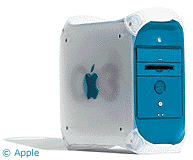
Our problem is probably a little unique, and I hope you can provide some direction. We are still running a database system on OS 8.1, although we are working on upgrading the software to Panther. Some of our Macs are dying, though, and we need replacement systems until we're ready to get everyone on Panther. I thought we could get beige G3s meanwhile, since they run OS 8, and I've tried them with the G4 upgrade (500 MHz). I've also installed Panther in it at one point, and it worked fine, too. Now that I've read more about older systems, I think the B&W seems to be a better overall deal. The question is, will the B&W run OS 8.x? I can't find much literature on the subject. I was wondering if you could somehow have an answer to that?
Thanks,
Anna
Hi Anna,
The B&W Power Mac requires Mac OS 8.5 or later, which may or may not be helpful to you.
Will your database not work on later versions of the Classic OS?
In general, I think the B&W is a much superior machine to the beige G3 Power Macs, but if you absolutely need OS 8.1 support, the beige G3 (or the G3 All-in-One) are your latest option.
Charles
Jag in WS
From R. Friede
Charles,
Re: "Now you've provided me with some interesting information. I wonder if that could be why I haven't been able to get Jaguar to install on my WallStreet?"
Nope, it's 8 not 7 GB. You might try XPostFacto though. That's the only way I was able to get Jag onto my WS.
Rgds,
Bob Friede
Thanks Bob,
Worth a try, perhaps, although I'm very pleased with how OS 9.2.2 has been running on the old WallStreet. It's been a month or so since my last restart, and I'm nearly up to "Untitled 200" in Tex Edit Plus.
Charles
Re: Jag in WS
Frankly, I believe OS X isn't worth the trouble in a WS unless there's some important software need. I like the way 9.2.2 runs in mine, too, though I don't use the WS much anymore.
Tex Edit Plus is great. It's as close as I'll ever get to a word processor in a Mac. I still have M$ Word 5.1a around here, but it's not worth the trouble to install it to run in Classic on the TiBook I use daily when Tex Edit does fine for snail mail letter writing and the like. The only trouble I've had with it has to do with the difference between screen font size and print font size; that is, if I printed using the same size I see onscreen, it printed way too big. Upon my request, Tom Bender wrote me a nifty AppleScript that reduces just the text and not the stationery letterhead prior to printing and then restores the original size afterward.
Regards,
Bob Friede
Hi Bob,
I, too, am very satisfied with the performance of the WallStreet in OS 9.2.2. I haven't restarted for about a month and am up to "Untitled 245" in Tex Edit Plus - my favorite Mac OS application ever. Tom Bender is a prince of a fellow. You wouldn't get service like that from Bill Gates!
Charles
PCI Radeons Gone
From Peter da Silva
The Radeon 7000s from the Xserves all went to one person. Terra Soft seems rather surprised by the response.
Letters sent may be published at our discretion. Email addresses will not be published unless requested. If you prefer that your message not be published, mark it "not for publication." Letters may be edited for length, context, and to match house style.
Join us on Facebook, follow us on Twitter or Google+, or subscribe to our RSS news feed
Charles Moore has been a freelance journalist since 1987 and began writing for Mac websites in May 1998. His The Road Warrior column was a regular feature on MacOpinion, he is news editor at Applelinks.com and a columnist at MacPrices.net. If you find his articles helpful, please consider making a donation to his tip jar.
Links for the Day
- Mac of the Day: PowerBook 500 Series, introduced 1994.05.16. 'Blackbird' includes a 25 to 33 MHz 68040 along with smart batteries and grayscale or color displays.
- Support Low End Mac
Recent Content
About LEM Support Usage Privacy Contact
Follow Low End Mac on Twitter
Join Low End Mac on Facebook
Favorite Sites
MacSurfer
Cult of Mac
Shrine of Apple
MacInTouch
MyAppleMenu
InfoMac
The Mac Observer
Accelerate Your Mac
RetroMacCast
The Vintage Mac Museum
Deal Brothers
DealMac
Mac2Sell
Mac Driver Museum
JAG's House
System 6 Heaven
System 7 Today
the pickle's Low-End Mac FAQ
Affiliates
Amazon.com
The iTunes Store
PC Connection Express
Macgo Blu-ray Player
Parallels Desktop for Mac
eBay

