
Charles Moore's Mailbag
Maximum eMac RAM, PB 1400 Offspring and Boot Solutions, a Nice IE Feature, and Password Protection in OS X
Charles Moore - 2004.04.26 - Tip Jar
- 1 or 2 GB Maximum RAM in eMac?
- Spawn of the PB 1400
- PowerBook 1400
- PowerBook 1400 Without a CD Module
- RE: PowerBook 1400 Disk Initialization Problem
- PowerBook 1400
- Still Surfing with Internet Explorer
- Re: Li-Ion Batteries for PB 5300?
- Passwords in OS X
- Password Protection and OS X
1 or 2 GB Maximum RAM in eMac?
From Paul O Keefe
Do you know if the new eMacs can run 2 GB of RAM? I see that Apple specs show a max of only 1 GB (using two 512 chips), but I've know from experience that Apple's specs are not always correct. The eMac has two RAM slots, and there are 1 GB chips of PC2700 (333 MHz) DDR SDRAM for both the new PowerBooks and the low-end G5. Would the RAM from either of these setups work in an eMac?
I'd imagine that an eMac with 2 GB of RAM would be an exceptionable value!
Paul O'Keefe
- Hi Paul,
I don't know. The WallStreet PowerBook and Pismo PowerBook had official maximums of 384 MB and 512 MB of RAM respectively, and we know that they can actually support 512 MB and 1 GB, although there is a minor issue with backup battery support when battery-swapping with 1 GB installed in the Pismo.
I guess the only way to really know for sure with the eMac is to try it or talk to someone who has.
Charles
Spawn of the PB 1400
From Ian Campbell
As an avid portable Mac fan, I must admit there is a good deal of
merit with your mention of the 12"
iBook and 12" PowerBook G4
being the children of the phenomenal PB
1400 series. I've been through a number of PowerBooks since my
high school days, 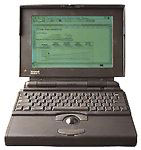 starting
out with a PB 180 that I loved (and
I am still seeking out another), but not with much effort though.
starting
out with a PB 180 that I loved (and
I am still seeking out another), but not with much effort though.
Of the various machines I've owned, the 180, a few Duos, a few 5xx series machines, a 180c, the 1400, a dual USB iBook, and now my 12" G4, I've found that the classic 140-180 layout is my personal favorite. Those machines were slimmer than the 5xx and 5300/190 series that came afterwards, but they had everything I needed in what was a nice minimalist package for its day.
The 1400 was the rebirth of those wonderful machines, with only one gripe - the removable media drive was in the front. The iBook and G4 12" are the true heirs to the greatness of those wonderful 100 series machines: minimalist, functional, and everything is where it needs to be.
I loved my 1400, it died, and later on I came across the Apple service manual and revived it. A PC using friend now has it and loves it to pieces.
The iBook provided me years of good service, and it now belongs to my brother-in-law. I bought my Rev A 12" G4 and have never been happier with a PowerBook. I personally feel it's the only currently shipping machine with the same spirit of that PowerBook 180 that I used for most of my high school days, but with all the modern conveniences and the weight of those Duos without the sacrifice.
There is a certain quality that the PowerBooks and iBooks possess that the desktop lineup, as wonderful as it is, just lacks. Then again, I'm of the mind that I will only trust something as far as I can throw it - and frankly the 12" G4 has the best throwing range of Apple's current product line, so I can trust it.
Sure, I'd never throw my machine, but it has been rock solid and gives me a great amount of confidence. A solid little machine in a small package - the greatest insanely great thing. I know the G5 is wonderful, but I think I'll wait for a G5 PowerBook in the 12" form factor - that'll be my idea of computing nirvana.
Power in a small, lightweight package always has more pull to me than something that can't be at my beck and call at any time or place.
Ian R. Campbell
- Hi Ian,
I agree that there's something magic about PowerBooks and iBooks that desktop Macs, wonderful as they are, just can't match. It's been my impression since the very first time I put my hands on a PowerBook keyboard and watched that little grayscale LCD light up. All that computing power in such a tiny package. Desktop machines always seemed absurdly oversized to me after that - at least for the sort of computing I do. I was hooked from the get-go, and I remain so.
By the way, my son did throw his WallStreet across the room once, and he also (accidentally) kicked his Lombard off a chair and launched it across a room when he tripped over the power cord. Both machines survived without evident damage, except for a mangled power adapter cord jack in the second instance.
Charles
PowerBook 1400
 From
Andrew Main
From
Andrew Main
Charles,
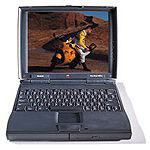
When I read of your correspondent's difficulty reformatting his PB 1400 HD from a 9.2 CD, I wondered if he knew that the PB 1400, unlike all later Mac laptops, won't start from a CD by pressing the "C" key. You have to either insert the CD in the running 1400 and select it in the Startup Disk control panel, or press the command-option-shift-delete keys to start it from the CD - something a current buyer of an old 1400 might not know.
My PB 1400 has the Newer 250 MHz G3 upgrade, 64 MB RAM and a 2 GB HD partitioned for OS 7.6 and 8.1/8.6; I use it for work in those older OS's, testing serial peripherals, etc.
A good PB 1400 resource is Hewligan's Venerable PowerBook 1400 FAQ, the last version of which is dated 2000.
I also recently came across a PowerBook 1400 Mega-Site.
Andrew Main
- Thanks for the tip and links, Andrew. I think I recall that
cmd-opt-shift-del is required to boot from the CD drive in my old
LC 520 as well.|
Charles
PowerBook 1400 Without a CD Module
From Fred Goff
I was looking over your advice on booting PowerBook 1400s off of a CD or Disk Tools floppy.
The Disk Tools floppy is too limited. My PowerBook 1400 doesn't have a CD module, and I don't have the budget to buy one.
A SCSI Zip drive is too bulky a solution, and a SCSI target mode cable and SCSI target disk mode is a pain to use when my only other SCSI machine is an old [Power Mac] 5500 for the kids.
My solution was to use a Compact Flash card with a PC Card adapter. The 1400 will boot off the card just as if it were another drive. Depending on the size card you get (you can get up to 1 gig cards* - a 512 MB card can cost the same as a CD-ROM module), you can install a complete OS on it along with diagnostic tools. It's also useful for transferring files from the laptop to a newer Mac (using a USB card reader), since the 1400 doesn't have built-in ethernet.
It's been a great solution for me.
- Great tip, Fred. However, the old Disk Tools floppy has saved
my bacon more than a few times - limited though it assuredly
is.
Charles
* Editor's note: As of a few weeks ago, 8 GB Compact Flash cards have been announced. However, they cost more than a new PowerBook G4. For this kind of application, you can probably get by with a 4 MB or 8 MB card, assuming you can even find ones that small. dk
RE: PowerBook 1400 Disk Initialization Problem
From Steve Lenius
Regarding the following letter you received:
From Ken Payson:
- I am trying to erase my PB 1400 hard drive w/ NewerTech 250/G3 card and cannot get the startup disk to change to the CD - I've gotten an OS 9.2 disk to start up, but there is a error message 1010 and it won't start up."
The PowerBook 1400 won't work OS 9.2, if I remember correctly. I have an original PowerBook G3, and the highest revision it will run is 9.1. That might be why he got the error message 1010.
I'm glad he finally got it running. I'm sending this in case the question comes up again.
Thanks for all the great stuff you put in your columns on Low End Mac and elsewhere!
-Steve Lenius
PowerBook 1400
From Ben Brenker
Hi Charles,
I was reading the other day, and came across Ken Payson's PowerBook 1400 problem. He mentions that he tried booting a Mac OS 9.2 CD. This won't work, as the 1400 was only supported through Mac OS 9.1. The chart found at https://web.archive.org/web/20030202065748/http://docs.info.apple.com/article.html?artnum=25114 shows it to be compatible only through 9.1, and then only partially. Trying to boot from an unsupported Mac OS CD, as I recall, gets partway through the boot and stalls with a message. Hope this helps
Ken track down the problem, I'd recommend trying Mac OS 9.1 on CD. Good luck!
-Ben Brenker-
- Hi Steve and Ben,
Good advice! Of course you're both correct about OS support for these old Macs. I should have picked up on that. Duh :-b.
My daughter has OS 9.1 installed on her PowerBook 1400/133, and it works fine except for being slower than OS 8.6 or OS 8.1. It does provide support for some software that requires OS 9.
Charles
Still Surfing with Internet Explorer
From Michael Goodfellow
Dear Charles,
I wonder whether you have overlooked one feature of Internet Explorer that I, certainly, find to be quite valuable.
Take your Miscellaneous Ramblings dated 2004.03.24, for example. With Safari, when I select Print Preview, I am forced into Acrobat Reader, which tells me that I will need 7 pages to print, regardless of the Scale % that I select in Page Set Up.
With IE however, whilst a 100% Scale print would need 4 pages, if I select 63% I can print the whole article on two sides of one A4 sheet. Yes the characters are small but perfectly readable, and I save three sheets of paper!
Maybe I'm getting mean in my old age, but I really appreciate the fine-tuning afforded by IE's Print Preview. Have I missed something?
Regards,
Michael
Currently using a PB G4 running OS X 10.2.8
- Hi Michael,
I don't think you've missed anything. I have to concede that Microsoft applications are among the best when it comes to printing. I still find old Word 5.1 one of the nicest apps. to print from. However, I will note that iCab and FireFox both have pretty decent print preview functions that also allow you to scale pages to be printed. Safari does come up short in this regard, as well as in page save options compared with iCab and IE.
Charles
Re: Li-Ion Batteries for PB 5300?
- "While the 3400 LiIon battery is physically identical to the 5300 NiMH battery, it is not supported, and there are no workarounds that I'm aware of. However, 5300 batteries will work in the 3400."
Thanks, Charles.
I finally checked the Apple knowledge base and saw that appeared to be the case. The guy I bought it from did do refunds, fortunately....
Thanks again for the advice. I know you are the PB guru, so it's hard not to ask when I hit a dead end!
Joseph E. Smith II
- Hi Joe,
I would hardly characterize myself as a guru, but I do my best to help when I can.
Charles
Passwords in OS X
From Peter da Silva
What password on the PowerBook are you talking about?
The Open Firmware password?
The Unix account password?
In the latter case you can boot using cmd-S and then delete the netinfo database and it'll take you through the initial account setup again.
Password Protection and OS X
From Hai Uchida
Re. Password Protection and Mac OS X (from your Low End Mac column)
You should know there are solutions to get to the data on a computer with a lost password. Simply boot into OS 9 (either from the 9 install disc or by holding down option on restart.) As long as you don't have password protection on in 9, you can get to any files you'll need before wiping the disk. Obviously this only works if your computer still supports dual-boot.
Another way to override password protection would be to either boot from a FireWire drive with OS X installed or to use the password protected laptop as an external hard drive in FireWire Targeting mode (booting from another computer, of course.)
Or the drive could be removed, installed in a USB/FireWire enclosure, and attached to another computer as an external drive.
The OS X password protection is good enough to keep the casual meddler at bay, but it's nothing that can't be bypassed if you're crafty. The last thing you should be telling people is to wipe their drives clean as a solution to the problem, especially if the contents can't be replaced.
- Hi Peter and Hai,
Thanks for the suggestions, which sound like they would work fine conditional on having a dual-boot machine and/or the appropriate hardware.
Charles
Letters sent may be published at our discretion. Email addresses will not be published unless requested. If you prefer that your message not be published, mark it "not for publication." Letters may be edited for length, context, and to match house style.
Join us on Facebook, follow us on Twitter or Google+, or subscribe to our RSS news feed
Charles Moore has been a freelance journalist since 1987 and began writing for Mac websites in May 1998. His The Road Warrior column was a regular feature on MacOpinion, he is news editor at Applelinks.com and a columnist at MacPrices.net. If you find his articles helpful, please consider making a donation to his tip jar.
Links for the Day
- Mac of the Day: PowerBook 500 Series, introduced 1994.05.16. 'Blackbird' includes a 25 to 33 MHz 68040 along with smart batteries and grayscale or color displays.
- Support Low End Mac
Recent Content
About LEM Support Usage Privacy Contact
Follow Low End Mac on Twitter
Join Low End Mac on Facebook
Favorite Sites
MacSurfer
Cult of Mac
Shrine of Apple
MacInTouch
MyAppleMenu
InfoMac
The Mac Observer
Accelerate Your Mac
RetroMacCast
The Vintage Mac Museum
Deal Brothers
DealMac
Mac2Sell
Mac Driver Museum
JAG's House
System 6 Heaven
System 7 Today
the pickle's Low-End Mac FAQ
Affiliates
Amazon.com
The iTunes Store
PC Connection Express
Macgo Blu-ray Player
Parallels Desktop for Mac
eBay

