
Miscellaneous Ramblings
Small Vessel Navigation on the Mac
NavimaQ, WeathermaQ and InstrumaQ Software
Charles Moore - 2001.08.13 - Tip Jar
Personal computers are becoming more common aboard small vessels andcan provide a versatile platform for GPS, digital charting, and evenwireless email communications with the right software.
The Mac model most ideally suited to life afloat is probablythe iBook. With its tough polycarbonatecase, the iBook 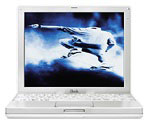 is equipped withstand theinevitable bumps and shocks associated with an onboard environment, andits battery life of up to six hours between charges is helpful aboardsmaller craft with limited recharging facilities.
The base iBook makes a nice platform for navigation software withits 500 MHz G3 processor, 10 GB hard drive, 64 MB of RAM (upgradable to576 MB), 12.1" 1024 x 768 TFT display, full size keyboard and trackpad,built-in 56K modem and 10/100Base-T ethernet, two USB ports, FireWireport, and built-in 24x CD-ROM drive (DVD and CD-RW also available).
However, an older PowerBook will work nicely as well. Mac-usingNorth Carolina ophthalmologist Peter Van Houten, who is featuredprominently on Kodak's digital imaging innovatorswebsite, is an avid sailor and pilots his Bristol 45.5 XT sailyacht with the help of a PowerBook 3400running GPSy global positioning (GPS) satellite navigation software andNavimaQ navigation software. "This combination has saved my life oncefrom my own stupidity," Van Houten says.
NavimaQ v3.02navigation software for Macintosh can display uncompressed electroniccharts in 8 levels of zoom (including a new 200% level which shows thechart larger than 100%), 256 color, black & white, and nightvision. The user can click to zoom in one level, option click to zoomout one level, and use the scroll bars to control which area of thechart is being viewed. The default mode for the cursor is a zoom toolthat allows the user to center the area to be zoomed in or out. Thecursor can also draw an area that will be magnified. A movable Spyglasstool can be used to zoom in on one small area of a chart to see detailwhile zoomed out the lower zoom levels.
NavimaQ, which is Mac-only software, uses the electronic charts fromMaptech (both ChartKit and Chartpack formats), SoftChart, and NDI,which are Canadian charts. Between these three companies, all of thecoastal US, Canadian, and most popular overseas waters are covered.
The electronic charts are identical to the paper charts you are usedto using. Because electronic charts are made from the paper charts, nodetail is lost from the paper chart versions. At 100% zoom level theimage is about three times the size of the paper chart.
Barb & Lary Baur, NavimaQ's developers, have been using Macs onboard yachts since 1992. They've had a desktop Power Mac and threePowerBooks on board full time and say they have experienced no problemsexcept for occasional monitor hissing on the Power Mac due tocondensation. They found the desktop Mac drew a lot of power from theirinverter and replaced it with a G3 PowerBook. The G3 runs full time offthe 12v power.
The Baurs advise that computers should be left below unless you havea pilothouse or enclosed bridge. An occasional drip doesn't seem tobother older PowerBooks, but you shouldn't get them wet. They've foundthe display on the G3 PowerBook to be very sensitive to moisture, moreso than their old 100 series 'Book.
They say that they have one user with two PowerBooks on boardcruising the Pacific who has found that many of the other cruisers withWindows portable computers seem to be plagued constantly with hardwareproblems. He happily reports his Macs have been holding up justfine.
A boatbuilder friend of mine from here in Nova Scotia took aPowerBook 5300 with him and his family ona one year sabbatical cruise through the Caribbean and across theAtlantic to Ireland and the UK on his 50 foot Bristol Channel Cutter,and the computer performed and survived fine.
New with NavimaQ version 3.02, which was released last week, is theability to automatically load the next chart while navigating as wellas major improvements of the entire chart open process.
NavimaQ 3.02 features
- Chart Open: The Chart Open dialog box which comes up as NavimaQstarts has been redesigned to allow users to search more easily forcharts. Charts can be searched by:
- Position (such as Vessel, waypoint, logpoint or chartmark)
- Chart file disk location (such as CD, hard drive, zip drive)
- Chart File Type (ChartKit/NDI, Maptech Chart Pack orSoftchart)
- Auto Load: NavimaQ 3.0 has the capability to auto load the nextchart while navigating. The smallest area chart which contains thecurrent vessel position is
- the chart that will be loaded while using this feature.
- Chart Picker Tool: shows the outline of other available charts inthe Overview Window and the Chart Window.
- Other Charts submenu: allows the user to see a listing of othercharts available for the area being viewed
- The Overview and Chart Window can both be actively updated at thesame time.
- Directly display NOAA/BSB, NDI, and Maptech format charts fromCD-ROM
- Spyglass function zooms and displays one small area of a chart fordetail while simultaneously displaying a larger view
- Information windows float above the Chart Image (see below), andcan be moved or hidden according to preference.
- Up to 250 waypoints per route
- Up to 250 log points per track
- Continuous GPS position plotting (cable included)
- Autopilot support
- GPS up/download support
NavimaQ's Information Windows float above the Chart Image Window andcan be moved or hidden according to user preference:
- The Chart Info window is displayed when NavimaQ first opens, andcontains information about the Chart, chart number, chart name, charttype, and other information including how many sections are in thechart and their names.
- Section Info contains information about the chart section such asthe projection, depth units and skew angle (angle at which the chartwas scanned) as well as other information.
- Cursor Info contains information about the cursor position, bearingand distance to vessel. If a waypoint file is open the Cursor infowindow also displays the bearing and distance to the selectedwaypoint.
- Vessel Info displays Vessel position, course over Ground, SpeedOver Ground Velocity Made Good and time to go to next waypoint.
- Overview shows a thumbnail view of the entire chart sectioncurrently open with an icon for the vessel, and also displays asingle-lined box to show the area that can be printed. Logpoints,Waypoints and Chartmarks can also be viewed on the Overview or thesettings can be changed so that they will not be displayed.
Quintessence Designs notes:
- Recently NDI (Canadian-based Electronic chart supplier NauticalData International - 800-563-0634) gave us Mac users one more thing toworry about when they released version 3 of their Canadian BSB Formatcharts. They have decided to add an encryption process which requiresWindows to run. We were not aware of this situation until it wasbrought to our attention troubleshooting with one of our users. Howeverthe folks at NDI are making good on this problem. If you have a version3 CD just give them a call to get a new one and make sure you specifyyou want it without the encryption. We talked to Maptech about thisproblem because they are the people who actually maintain the fileformat specifications. Maptech assured us that this was not an officialBSB format change, just an addition on the part of NDI. Send us anemail if you have any questions about this issue.
NavimaQ Navigation Features:
Creating a waypoint file allows the users to enter in up to 250waypoints per file, and use them as a route. Waypoints can be enteredmanually by entering coordinates or by double clicking on the chartwhile the cursor is in Waypoint Editing mode.
A logpoint file is created to log the vessel's position. A logpointfile is similar to a waypoint file in that it also can have up to 250logpoints. You can have NavimaQ automatically log at intervals set bythe user, or log a position any time the user wishes with a menu item,or keystroke. Logpoints may also be edited with the cursor by choosingLogpoint editing mode.
The charts can be marked by creating a new chartmarks file. Newmarks can then be entered manually or on the screen by double clickingin the desired position while in Chartmark Editing mode. A selection oficons are available or a spot can be labeled with up to 40 charactersof text.
An A to B Tool can be used to determine the course and distancebetween two points on the chart. When using the A To B Tool cursormode, double clicking places point A, then option double clickingplaces point B. The information about these two points is thendisplayed in a floating window.
NavimaQ can receive a signal from a GPS or Loran that sends NMEA0183. The signal is received through the serial (modem or printer)port. The Mac half of the connection cable is included with NavimaQ.NavimaQ can also control an Autopilot that can receive the NMEA 0183interface, and comes with a cable for the Macintosh side of theconnection. If your GPS or Loran has a NMEA 0183 interface, then itshould have come with a connector or wire to connect to the GPS andinstructions on which wires should be connected and how. If your GPS orLoran didn't come with a wire you may need to contact the manufacturerto obtain it. By combining the instructions in NavimaQ with those thatcame with your GPS, the connection can be established. If youhave a USB Mac, you must get a serial to USB adapter to connect the GPSin the manner described above. Call us if you have any questions.
NavimaQ version 3.02 can communicate with certain GPS models topermit uploading and downloading of waypoints. As of this time,compatible GPS models include GPS models from Garmin and Magellan thatsupport this feature. GPSs that support NMEA waypoint sentences.
Registered users of NavimaQ are entitled to one year of low costupgrades from the manufacturer. The manufacturer is also available forunlimited tech support by phone and email. There is no extra charge fortech support, whether you just need a hand to walk through using theprogram the first time or you're having trouble connecting your GPS tothe Mac.
Many users prefer to test drive a navigation program before purchaseto get a feel for it's use and features. This full functioned versionof NavimaQ comes with a sample chart so you can see how it looks. Theuser can fully test NavimaQ's functions with the exception of NMEAinput, autopilot output, saving waypoint, chartmark and logpoint files.The demo version of NavimaQ can only open the demo chart (included) andmay be downloaded from thisWebsite.
Minimum System Requirements:
- Macintosh computer
- MacOS System 7.0 or better
- 8 MB RAM
- 4 MB Hard Disk
- Color or B/W display
- CD-ROM drive
NaviMaq sells for $189. If you are a registered NavimaQ user whopurchased NavimaQ over a year ago, you can upgrade to version 3.02 for$49.95. This upgrade will give you special pricing for LunamaQ, Tidesfor Macintosh (coming soon) as well as low cost NavimaQ upgrades for afull year.
If you purchased NavimaQ in the last year you qualify for a low costupgrade send an email and NavimaQ will send a free upgrade via emailattachment or on floppy disk or CD.
WeathermaQ 2.04- HF Weatherfax Software
WeathermaQ isa companion application to NaviMaQ. Unlike Windows-based commercialprograms available, WeathermaQ does not need additional hardware todemodulate the signal and a sound cable is included. Users just connectthe sound output from their radio to the sound input on the Mac.Receive and save images automatically or manually as standard Macintoshpict files, zoom, rotate and print images once received.
The latest upgrade to WeathermaQ sports many improvements includingthe following features:
- Scheduled Reception- allows users to create schedules and choosewhich faxes you would like to receive.
- Added Brightness/Contrast control
- Option for user to enter a value when determining skewcorrection
- Variable resolution modes- receive faxes in low, medium & highresolution modes.
- User defined default fax length
- Fix and adjust sync breaks
- Full use of edit menu-cut copy and paste between faxes and otherapplications
- User has more control of automatic receive functions.
- Improved satellite fax reception
- 256 step gray scale
- Better memory management
- Still the same simple audio connection from SSB/SW to Mac Soundinput/microphone port.
WeathermaQ Price: $149.
Special Price for Registered NavimaQ users: $129.
InstrumaQ 1.0 - NMEA Repeater Software
Also available is InstrumaQ NMEAInstrument Software for Macintosh. Instrument data can be viewedgraphically as Analog (dials) or digital display. InstrumaQcommunicates with NavimaQ, sharing the same serial port. NMEAinstrument data can be saved as text and "replayed" from the NMEA datatext file to simulate conditions.
Includes printed manual, 1 year low cost upgrades and unlimited techsupport. Additional instrument modules will be available and can beeasily added using drag and drop installation. Cost will vary based onInstrument.
System requirements:
- System 7, Power PC or 68k Macs
- NMEA multiplexer or port juggler recommended to use more than oneinstrument
- Receives and displays data from installed NMEA Instruments
Central Starter Module includes display for the following data:
- GPS and Loran
- Magnetic Compass
- Depth Finder
- Water Temperature
- Boat Speed
- Wind Angle and Speed
- Text Display of all NMEA data being sent and received
InstrumaQ sells for $119.
For more information about NavimaQ, WeatherMaq, and InstrumaQsoftware, visit the QuintessenceDesigns site.
Join us on Facebook, follow us on Twitter or Google+, or subscribe to our RSS news feed
Charles Moore has been a freelance journalist since 1987 and began writing for Mac websites in May 1998. His The Road Warrior column was a regular feature on MacOpinion, he is news editor at Applelinks.com and a columnist at MacPrices.net. If you find his articles helpful, please consider making a donation to his tip jar.
Links for the Day
- Mac of the Day: PowerBook 500 Series, introduced 1994.05.16. 'Blackbird' includes a 25 to 33 MHz 68040 along with smart batteries and grayscale or color displays.
- Support Low End Mac
Recent Content
About LEM Support Usage Privacy Contact
Follow Low End Mac on Twitter
Join Low End Mac on Facebook
Favorite Sites
MacSurfer
Cult of Mac
Shrine of Apple
MacInTouch
MyAppleMenu
InfoMac
The Mac Observer
Accelerate Your Mac
RetroMacCast
The Vintage Mac Museum
Deal Brothers
DealMac
Mac2Sell
Mac Driver Museum
JAG's House
System 6 Heaven
System 7 Today
the pickle's Low-End Mac FAQ
Affiliates
Amazon.com
The iTunes Store
PC Connection Express
Macgo Blu-ray Player
Parallels Desktop for Mac
eBay

