
The Low End Mac Mailbag
512 MB in Tray-Loading iMacs, Partitioning iBook (FireWire) Hard Drive, Value of Kanga, and More
Dan Knight - 2008.01.03 - Tip Jar
- 512 MB Modules in Tray-Loading iMacs
- Ongoing Rev. B iMac Frustration
- Any Need to Partition Drive in 466 MHz Clamshell iBook?
- Value of a 'Kanga' PowerBook G3
- Source for IIfx SCSI Terminators
- Need 1" on Screen to Match 1" in Printout
512 MB Modules in Tray-Loading iMacs
From John Klos:
Hi, Dan,
I've been a fan for ages. If you ever need any hosting services, let me know; unlike other people who buy hosting and resell or reoffer it, we have our own servers in our own full rack with our own gigabit uplink. Most of our servers are Macs, including the first 8 core Xserve (that I know about) and some classics, such as:
http://boobookitty.ziaspace.com/
In regards to the article, "Bringing G3 iMacs and Other G3 Macs into the Tiger Age", I'd like to ask if you could clarify something. Are you saying that Bill said that he has seen tray-loading iMac CPU cards which will take 512 meg SO-DIMMs?
The reason I ask for clarification is because all slot-loading iMacs will take 512 meg DIMMs with no problem at all. But you wrote:
He's also the only person I've ever heard from who has managed to get 512 MB RAM cards working in slot-loading iMacs.
This would be new and special if you meant to write tray-loading iMacs.
I have two colocated servers, one in Rotterdam and one in New York (I'm in Los Angeles) which are first generation tray-loading iMac motherboards built into rackmount 1U cases. If there's a chance I could get these machines to 1 gigabyte, I'd love to know!
Here are pictures of them: - Tip Jar
- http://www.ziaspace.nl/ (the one in Rotterdam; it's been there for three years now)
- http://www.klos.com/~john/newserver/ (the one in New York City)
Thanks very much,
John Klos
John,
Good eye - Bill has had two tray-loading iMacs that work with 512 MB DIMMs. Only two out of dozens and dozens, so it's very rare. I've forwarded your email to Bill in hopes he can shed more light on this.
I love the fact that you have a 1993 Quadra 605 running as a web server. :-) I take it you have some sort of SCSI adapter for that 160 GB Deskstar IDE hard drive....
Dan
Editor's note: Bill has clarified that he's having 100% success using 256 MB "CL2" memory modules in all tray-loading iMacs and that the one 512 MB module that worked was also CL2. 256 MB and 512 MB CL3 memory is not recognized.
Ongoing Rev. B iMac Frustration
From Seann Giffin:
Well, with Christmas out of the way, I finally got a chance to try out the advice forwarded to me from your friends, and I'm still having some trouble.
Once the OS CD is loaded or I'm in the Open Firmware, the keyboard stops working (still - like the system looses the keyboard driver). I tried the keyboard on my Windows XP system, and it has no problem with it, so I'm thinking the keyboard is fine. Probably.
I pulled the chips out, I held the button in for a good 15 to 20 seconds, but nothing seems to work. The hard drive is good - formatted with the OS 9 CD installer.
Can't boot from pre-OS 9 CDs still and can't install OS 9 because it says the ROM needs to be updated but can't write to the System Folder (no surprise - it's the one on the CD), and the iMac hangs when the USB drive with what is supposed to be a bootable install of OS 8.6 is connected.
Went on freecycle for St. Catharines, but nobody seems to have any iMacs they're willing to part with.
Got any other helpful ideas? The link you passed along gives me a 404, and I tried searching the site, but I guess they've renovated.
Seann,
Sorry you're still having problems with this beast. I've been working with my Blue & White G3 while Low End Mac was on Christmas break, and one thing I discovered is that some newer Apple USB keyboards aren't fully supported on older Macs. In particular, I'm using a black Mac Pro Keyboard, and Mac OS 9.x always complains that the USB bus in the keyboard is unsupported. It's possible that for some reason your keyboard is incompatible.
Your Rev. B iMac should boot into Mac OS 8.5 or later and requires Mac OS 8.5 or 8.5.1 before you can install iMac Update 1.1. Mac OS ROM Update 1.0 requires Mac OS 8.6. To clear up your problems, it may be necessary to find an iMac or universal Mac OS 8.5 installer and run through the upgrades one by one (all are linked on the Rev. B. iMac profile on Low End Mac).
Sorry about the bad link. I tested it before I emailed you, and it worked in December - but it's gone now. Thanks to the Internet Archive, it's not gone forever.
Considering the cost and value of tray-loading iMacs, I'd be ready to give up and find another one....
Dan
I've actually figured out that the problem with the keyboard is the connector itself - if I play with it, it works, then as long as the keyboard isn't moved, it continues to work.
Since I know for sure it needs OS 8.5, minimum, I'm attempting to procure either a universal 8.5 or an iMac System Restore from eBay, so hopefully this thing should be working soon!
Thanks,
Seann
Seann,
It sounds more and more like you've adopted an abused iMac. Keep us posted!
Dan
Any Need to Partition Drive in 466 MHz Clamshell iBook?
From Robert Washburn:
Hi.
Great site. Must reading.
At http://www.lowendmac.com/2000/ibook-se-firewire-466-mhz/ are instructions to partition the drives of Paris iBooks. Are you sure this is necessary?
My Graphite 466 (Firmware 4.1.7) has a 120 GB hard drive and a single partition. I have seen no problem running 10.4.11 and 9.2.2 with 576 MB RAM.
The 466 came originally with 10 GB (20 GB optional) hard drive, and these were not to my knowledge partitioned.
Anyhow, keep up the great work.
Robert Washburn
Robert,
No, I'm not sure it's necessary, and I know Apple made quite a few changes between the first generation and second generation iBooks: a different version of the G3, adding FireWire, better video, etc. However, Apple's own article, Mac OS X: Disk Appears Dimmed (or "Grayed Out") in the Installer, includes the FireWire iBooks in its list of Macs that have the 8 GB issue with Mac OS X.
Dan
Hi again Dan.
Thanks for replying so quickly.
I believe "iBook (FireWire)" refers only to the 366 models. The 466 were iBook SE (FireWire), weren't they?
Maybe I'm wrong!
Robert
Robert,
Apple calls both models "iBook (FireWire)" - see <http://support.apple.com/specs/ibook/iBook_FireWire.html>. Both models share the same logic board. The only differences are CPU speed, CD-ROM vs. DVD-ROM, and color.
I can't explain why you're not having any problems with an unpartitioned 120 GB hard drive. As long as the entire OS resides within the first 8 GB of space, everything should work, but if some software update moves files beyond that space, your iBook could become unusable.
Dan
Hi Dan.
Once again, thanks for your prompt reply.
At <http://docs.info.apple.com/article.html?artnum=88039> in the first table, below the illustrations, iBook (FireWire) is listed, as is iBook Special Edition (FireWire). This is true at <http://support.apple.com/specs/ibook/iBook_FireWire.html> too, under "Configurations".
It's all very confusing!
Robert Washburn
Robert,
In each generation of clamshell iBooks, Apple had a regular iBook and a Special Edition, which was available in graphite. The first generation included 300 MHz and 366 MHz models, the Special Edition had twice as much RAM, twice as large a hard drive, and 22% more processing power. They shared the same logic board.
In the second edition, the FireWire generation, the iBooks came in 366 MHz and 466 MHz speeds. The two models shared a logic board, 64 MB of RAM, and a 10 GB hard drive. The big difference was that the Special Edition FireWire model had a DVD-ROM drive and ran 27% faster.
There were two "regular" iBooks, two Special Edition models, and two FireWire models - one "regular" and one Special Edition.
Dan
Value of a 'Kanga' PowerBook G3
From Scott:
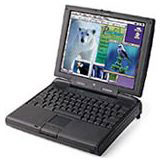 Hey Dan,
My name is Scott. I have an original Mac G3 PowerBook Kanga, and it's in mint condition. I am wondering if it's worth any money, because brand new it was worth 5,000 dollars. So if you know any value of it or anyone that collects them or wants to buy it from me, please e-mail me back and let me know anything you might know. Thanks.
Scott,
The bad news is, computers depreciate fast, and a $5,000 10-year-old Kanga isn't worth much these days. I found one that sold on eBay in December for $95 including shipping. When he has them, the PowerBook Guy sells them for $179.95, but that's not very often. There have been several posting on the LEM Swap List from people looking for Kangas, as they are rare, but you probably won't get more than $100-125 unless it's been upgraded from the original 32 MB of RAM.
Dan
Source for IIfx SCSI Terminators
From Cory Tobin:
Seasons greetings and beatings, Dan!
This site may prove useful to some LEM users until their stock runs out (I think they may have 12 units left as of this email).
Mine just came in today, I haven't had a chance to try it out yet but....
It's a fresh new old stock part in a baggy with the Apple cardboard sealing. I hope this will help some the other IIfx owners that frequent LEM.
Actually, have any leads on four or eight 16 MB 64-pin SIMMs crossed your path recently?
Have a great new year, bud.
Cory,
Thanks for writing. I have a couple of IIfxen in the storage room, and I have a set of 16 MB SIMMs that I plan to install next time I set on up. Best places to look for 64-pin SIMMs for the IIfx are probably our Vintage Macs group, the LEM Swap List, and the pickle, the author and maintainer of the pickle's Low-End Mac FAQ.
Dan
Need 1" on Screen to Match 1" in Printout
From an unidentified reader:
Hi Dan,
I bought a white iMac that has a 24" monitor & Tiger 10.4.9, which I love . . . except that the text and images are way too tiny, causing eye strain, eye pain & headaches that I never had before.
As a print designer, I need Quark 7.2 to be as close to WYSIWYG as possible. (Other apps too, but especially Quark.) I need 1" on the screen to equal the 1" on commercially printed products.
Is this possible on this iMac?
Or do I need to buy a different type of monitor?
iMac's Zoom feature, Universal Access, and other apps that adjust display resolution do make the text larger, unfortunately they also make the text verrry blurry & sometimes distorted.
Thank you ever-so-much.
Unidentified,
The 24" iMac display has a resolution of 1920 x 1280 pixels and a pixel density of approximately 100 pixels per inch. Historically, Macs have worked on the assumption of 72 pixels per inch (while Windows assumes 96 ppi), and one of the powerful features of Mac OS X is resolution independence, although very few Tiger apps take advantage of it. I don't know whether Quark supports it, but it's the kind of feature Quark should be supporting. I'm sure you could learn more from other Quark users.
That said, there is another option. Back when I did book design, we typically ran Quark XPress and FrameMaker at 120-125% so we could read the 10 point serif typefaces being displayed, as it was very hard on the eyes at 100%. You might try experimenting with that feature in Quark: create a 4" square and start at 135%, measure the box on your screen, and adjust up or down accordingly until the box measures 4".
Dan
Hi Dan,
Thanks for your reply. That's a lot of good information. I guess the resolution independence problem will be fixed one day. (What were they all thinking? Duh??) Perhaps instead of pro customers, they want to attract the weekend bloggers and gadget customers (who don't seem to care about that).
Anyway, about using the increased % in Quark and other apps, here's the problem:
During production, it's a pain & slows production. Each app has different %s which are not retained when closed & reopened. And for Quark, the percentages are odd numbers (137%, etc.). , so you can't just click on their presets to magnify. You have to go to the bottom of the page, select the percentage, then highlight it, then enter another percentage - for each and every page, every single time. Maybe I'll call Quark to see if they could send me a "percentage holder" fix.
Thanks for your help
Unidentified,
WYSIWYG was never meant to imply exact size of final output, only a faithful representation of how the page would appear. Early Macs were 69 dpi on the screen, ImageWriter printers were 72 dpi, and the first LaserWriters were 300 dpi. The computer's display gives a faithful representation, even if it is a big larger or smaller than printed output.
Dan
Join us on Facebook, follow us on Twitter or Google+, or subscribe to our RSS news feed
Dan Knight has been publishing Low End Mac since April 1997. Mailbag columns come from email responses to his Mac Musings, Mac Daniel, Online Tech Journal, and other columns on the site.
Today's Links
- Mac of the Day: PowerBook 1400, introduced 1996.10.01. Considered by many the best pre-G3 PowerBook with a small footprint and great keyboard.
- Support Low End Mac
Recent Content
About LEM Support Usage Privacy Contact
Follow Low End Mac on Twitter
Join Low End Mac on Facebook
Favorite Sites
MacSurfer
Cult of Mac
Shrine of Apple
MacInTouch
MyAppleMenu
InfoMac
The Mac Observer
Accelerate Your Mac
RetroMacCast
The Vintage Mac Museum
Deal Brothers
DealMac
Mac2Sell
Mac Driver Museum
JAG's House
System 6 Heaven
System 7 Today
the pickle's Low-End Mac FAQ
Affiliates
Amazon.com
The iTunes Store
PC Connection Express
Macgo Blu-ray Player
Parallels Desktop for Mac
eBay

