
View from the Classroom
A Mac IIcx for a Friend
- March 13, 2000
My wife, Anne, came home from router class (Cisco rather than the woodworking) and said a classmate had some old Macs that his wife wanted out of the house. He'd said he hated to just throw them away and asked Anne if I might be interested in them. As things go with night classes and professionals, Anne and her classmate didn't make connections for several weeks as each in turn had other obligations. I honestly felt like a kid waiting for Christmas.
 Would there be a Color Classic or an
SE/30 in the bunch? Maybe
there'd be an old LC or even a
Power Mac 6100. The
prospect was truly exciting. You see, while I currently own five
working Macs, all are committed in some way or other here at home or at
school, and they all need to be available for service. The other
machines about which I frequently write are owned by others, most often
the school system for which I teach. A windfall of uncommitted Macs
would give me some spares, some machines with which to fiddle with no
pressure, and possibly a machine to donate somewhere it might do some
good.
Would there be a Color Classic or an
SE/30 in the bunch? Maybe
there'd be an old LC or even a
Power Mac 6100. The
prospect was truly exciting. You see, while I currently own five
working Macs, all are committed in some way or other here at home or at
school, and they all need to be available for service. The other
machines about which I frequently write are owned by others, most often
the school system for which I teach. A windfall of uncommitted Macs
would give me some spares, some machines with which to fiddle with no
pressure, and possibly a machine to donate somewhere it might do some
good.
Another part of me worried that I'd receive boxes with nothing more than a few spare parts amongst the worn out components. But Macs have an incredibly long life span, so I had good reason to hope the boxes might be usable by themselves or in combination with a few replacement parts.
The big day finally came. Annie came home from class carrying a laundry basket full of mice, keyboards, assorted cables and cords, and even a few external drives. As she came in, she said, to my relief, "This isn't all of it. There's more in the trunk." And so there was.
Nestled in the trunk of our last Ford (ah, but that's another story) were a Mac II, a Mac IIcx, and an Apple Color High Resolution RGB display. As we carried them in, Anne related that the erstwhile owner had said that he thought one of the computers worked.
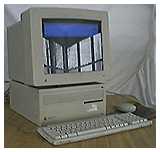 I first tried the Mac
IIcx with the 12" display. It fired up immediately. It's 250 MB hard
drive contained FileMaker Pro 2.0, Microsoft Works 2.0, Multi-Ad
Creator 2.5, and WordPerfect 3.0, all running well under System 7.0.1.
I was also pleasantly surprised to find it had 8 MB of RAM and a floppy
drive in good working condition (often either missing or malfunctioning
in the older Macs that pass my way).
I first tried the Mac
IIcx with the 12" display. It fired up immediately. It's 250 MB hard
drive contained FileMaker Pro 2.0, Microsoft Works 2.0, Multi-Ad
Creator 2.5, and WordPerfect 3.0, all running well under System 7.0.1.
I was also pleasantly surprised to find it had 8 MB of RAM and a floppy
drive in good working condition (often either missing or malfunctioning
in the older Macs that pass my way).
Having found the computer "that works," I tried the Mac II and found the monitor remained down on startup. I could hear the drive loading, however. I swapped out the video cards to no avail and then realized the display just wasn't getting any power. I switched monitor power cables to one that runs to an outlet rather than running off the computer's power supply. When I restarted, I was greeted with good old, dependable System 6.
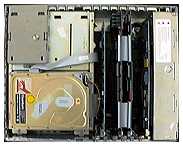 The Mac
II's full-size 40 MB drive was failing, so I first saved the contents
to a Zip disk. In the process, I found the Mac II was also having some
SCSI problems. This obviously was the machine that "didn't work. From
the contents of its hard drive, I could tell it had done some serious
computing at one time. There were lots of documents and applications
including MacDraw II, Cricket Graph, Smartcom II, StuffIt 1.5.1,
HyperCard 1.0.1, MacProject 1.0, MacLinkPlus 7.0, Microsoft Word 4.0,
Excel 4.0, and PowerPoint 2.0, MacPaint 2.0, SuperPaint 2.0, and Norton
Utilities 2.0.
The Mac
II's full-size 40 MB drive was failing, so I first saved the contents
to a Zip disk. In the process, I found the Mac II was also having some
SCSI problems. This obviously was the machine that "didn't work. From
the contents of its hard drive, I could tell it had done some serious
computing at one time. There were lots of documents and applications
including MacDraw II, Cricket Graph, Smartcom II, StuffIt 1.5.1,
HyperCard 1.0.1, MacProject 1.0, MacLinkPlus 7.0, Microsoft Word 4.0,
Excel 4.0, and PowerPoint 2.0, MacPaint 2.0, SuperPaint 2.0, and Norton
Utilities 2.0.
The machine also had some 12" NuBus cards I didn't recognize, including two that were tied together with a couple of SCSI tapes! Upon removal, I saw stamped on one of the cards, AST Mac 286! Apparently, it's a DOS card of some sort. [It was the first DOS card for the Mac II. dk] I did a few web searches but didn't find any good matches, so I put out a posting to the good folks at the Vintage Mac mailing list. Collectively, they know everything there is to know about older Macs. And if by chance they don't, the Classic Mac mailing folks do.
I was obviously in Low End Mac heaven with all of this ancient hardware and software. I had to play with the apps a bit on each machine, but gave up on the Mac II as it repeatedly required bopping the hard drive to keep it from displaying the "does not recognize this drive" message and its invitation to initialize or eject the drive.
Of the two machines, the IIcx had more immediate possibilities for use, as it uses standard 30-pin SIMMs. I already had a destination in mind for the unit and set to work upgrading it. I still had four 4 MB chips left over from my oft put off SE/30 Internet project. The added RAM brought it to a respectable 20 MB which worked well once I installed System 7.5.3 and Mode 32.
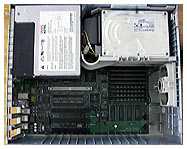
This was my first foray inside an unfamiliar Mac since Apple posted its off-and-on service manuals download directory. (When I checked links on March 12, the directory appeared empty, although the IIcx link worked!) The IIcx manual (660K PDF document) did note that a latch needed to be pushed to release the power supply. Finding the latch under the power supply and figuring out which way to push it took a few minutes, but I found it reassuring to have the manual on the hard drive of my G3 for reference.
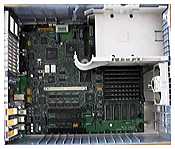
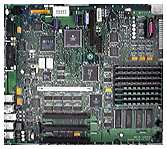
The power supply really doesn't need to be removed to swap hard drives, but I wanted to put a new battery in the IIcx and you have to pull the power supply and the drive brackets to get to the battery. Tearing the machine down to the motherboard also facilitated a thorough cleaning. In any case, I just wanted to see how it came apart, so everything came out!
 |
 |
 |
At this point, I must admit that I brought home an unused Mac IIcx from school that has been serving as a parts donor. I used it for most of the interior photography or when I thought I might stress something, I first tried it on the school's cx before trying it on "my" cx. In the end, I couldn't resist trying to get them both up and running. I did, but the school's machine still lacks a floppy drive.
I found that I had enough extra software to equip the IIcx without any new purchases. I used up one of my extra ClarisWorks licenses and added a few of my regular freeware add-ons, such as Forward Delete (8K) and PopChar Lite (82K). I even installed ColorIt! and Now WYSIWYG from an old set of Macworld Mac Secrets' disks. The most important piece of software I added last: GradeBook Plus, as this Mac IIcx was destined for the home of my instructional assistant. While they have a functioning PC in their home, she has often said she wished she could do grades at home on a Mac. While I couldn't give her one of the school's Macs and the rest of mine were committed, this windfall of Macs provided the perfect opportunity.
I've raved previously about my excellent assistant. One of her more recent computing advances has been the adaptation of some of my math sharewares for some of our younger set in the learning disabilities classroom. She regularly manipulates the cluster boxes from MATH DITTOS 02. Fact Controlled Addition & Subtraction for Special Learners, adds new problems, and generally relieves me of one very active but important math group! I obligingly added a copy of her MATH DITTOS 2 files from her Mac at school. Along with a bunch of freeware games (My assistant has two kids who truly appreciate the Macintosh platform.), I suspect this older Mac will receive a good bit of use.
Odd Thoughts While Shaving Between Paragraphs:
 Just a week ago,
those of us in central Indiana were enjoying record temperatures in the
70's. As I tore down the old Macs for this week's column in our sun
room, my view was substantially changed from last week.
Just a week ago,
those of us in central Indiana were enjoying record temperatures in the
70's. As I tore down the old Macs for this week's column in our sun
room, my view was substantially changed from last week.
Some readers may have been expecting a review of AppleWorks 6 from me this week. I did receive my copy and have given it a bit of a workout. My first impressions of the release are mixed. I'm not going to comment much on the layout or floating pallets until I've used them a bit. The release obviously looks a lot different.
I have noticed that the new release is a bit sluggish on my G3/266. I've also had at least one crash at the end of an hour long AppleWorks 6 session.
I'm hopeful that this release will prove workable or that there will be updates and/or patches to correct some of the deficiencies noted elsewhere on the web. Like many educators, I've come to rely on ClarisWorks/AppleWorks as my main word processor.
Recent Content on Low End Mac
- World Book Encyclopedia 2012 DVD, Tommy Thomas, Reviews, 2013.03.05. "You may be asking yourself, in an age of Wikipedia and instant information, is World Book still relevant?"
- Vintage Computer Festival SouthEast, April 20-21, 2013, Simon Royal, Mac Spectrum, 2013.02.25. Old Apple gear and old PCs.
Latest Deals on Low End Mac
About LEM Support Usage Privacy Contact
View From the Classroom columns copyright 1999-2000 by Steve Wood.
Low End Mac is an independent publication and has not been authorized, sponsored, or otherwise approved by Apple Inc. Opinions expressed are those of their authors and may not reflect the opinion of Cobweb Publishing. Advice is presented in good faith, but what works for one may not work for all.Entire Low End Mac website copyright ©1997-2016 by Cobweb Publishing, Inc. unless otherwise noted. All rights reserved. Low End Mac, LowEndMac, and lowendmac.com are trademarks of Cobweb Publishing Inc. Apple, the Apple logo, Macintosh, iPad, iPhone, iMac, iPod, MacBook, Mac Pro, and AirPort are registered trademarks of Apple Inc. Additional company and product names may be trademarks or registered trademarks and are hereby acknowledged.
Please report errors to .
LINKS: We allow and encourage links to any public page as long as the linked page does not appear within a frame that prevents bookmarking it.
Email may be published at our discretion unless marked "not for publication"; email addresses will not be published without permission, and we will encrypt them in hopes of avoiding spammers. Letters may be edited for length, context, and to match house style.
PRIVACY: We don't collect personal information unless you explicitly provide it, and we don't share the information we have with others. For more details, see our Terms of Use.
Follow Low End Mac on Twitter
Join Low End Mac on Facebook
Favorite Sites
MacSurfer
Cult of Mac
Shrine of Apple
MacInTouch
MyAppleMenu
InfoMac
The Mac Observer
Accelerate Your Mac
RetroMacCast
The Vintage Mac Museum
Deal Brothers
DealMac
Mac2Sell
Mac Driver Museum
JAG's House
System 6 Heaven
System 7 Today
the pickle's Low-End Mac FAQ
Affiliates
Amazon.com
The iTunes Store
PC Connection Express
Macgo Blu-ray Player
Parallels Desktop for Mac
eBay

