
Mac Daniel's Advice
Buying a Newer Mac
Evan Kleiman - 2000.12.22
Q. I want to replace my older Mac (an SE/30with 8 megs of RAM) with a
more current model, 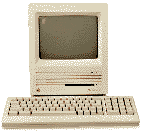 but I don't want to
spend a lot of money, where can I look for the best price?
but I don't want to
spend a lot of money, where can I look for the best price?
A. Sometimes getting a shiny, new iMac might not be the best idea for one who needs to be budget conscience but still has computing needs. But a user on a budget can still get a Mac and not have to totally break the bank. There are many ways that you can do this. However, most of them require a fair amount of searching around for prices.
The first place I look, once I decide what I need, is one of the catalogs (i.e., MacMall, etc.). This way you can get a good idea of what you'll be paying for your computer equipment had you bought it from the first place you see. Once you get the price for what you want, it's off to hunting.
One of the first places to always look is eBay. eBay is basically your all purpose digital flea market. You can find anything you're looking for here. In fact, eBay now even has a sister-site called eBay Motors .(I'm bidding on the '79 Chevy Caviler and '83 Ford Escort of my dreams right now!) At eBay, you can just type in what you're looking for and you'll probably find it, and most of the time at rock bottom prices.
However, eBay does pose some problems for the unknowing internet consumer. With eBay, you're trusting your money to someone you've probably never met before. However, most of the time you won't be cheated. But another problem is getting older merchandise, so only buy if you're sure you're getting a non-faulty piece of computer equipment.
Is eBay the only auction-type virtual flea market out there? Of course not! There's also sites like Auction-Mac (which specializes in Macintosh only bidding) and uBid, which is also like eBay. Yet another one is Yahoo! Auctions.
Another good place to look is any online Mac store which sells older, used, or refurbished equipment (see Low End Mac's listing). Refurbished equipment is usually a newer Mac model, like an iMac, however it may have been returned, failed quality control, or been used as a demo, but the company made sure it meets new specs and is now going to sell it to you. Since most places provide some form of a warranty, you're pretty much guaranteed to not get something that won't work, but usually you can find whatever you're looking for for much, much cheaper than normal prices.
A few good refurbished Mac web sites are Shreve Systems and MacResQ. Lastly, a great site that specializes in Mac-only refurbishing it Pre-Owned Electronics. I've bought from all three of these places, and none of them have disappointed.
In the end, the more work you do, the better prices you'll get. And, on one final remark, I do still have a working SE/30 with 8 megs. While it might not be my everyday computer, it's nice to know a computer which is only one year younger than me, still works fine!
Evan Kleiman has been writing for Low End Mac since January 1999. He also runs his own site, Evansite. Evan uses an iMac, along with some vintage hardware. You can read more about his computing experience in The Many Macs of Evan Kleiman.
Join us on Facebook, follow us on Twitter or Google+, or subscribe to our RSS news feed
Not sure if you should upgrade your old Mac or replace it? Check the Mac Daniel index to see if we've already addressed your problem.
Today's Links
- Mac of the Day: Performa 5200, introduced 1995.04. The first PowerPC all-in-one was also one of the worst Macs ever made.
- Support Low End Mac
Recent Content
About LEM Support Usage Privacy Contact
Follow Low End Mac on Twitter
Join Low End Mac on Facebook
Favorite Sites
MacSurfer
Cult of Mac
Shrine of Apple
MacInTouch
MyAppleMenu
InfoMac
The Mac Observer
Accelerate Your Mac
RetroMacCast
The Vintage Mac Museum
Deal Brothers
DealMac
Mac2Sell
Mac Driver Museum
JAG's House
System 6 Heaven
System 7 Today
the pickle's Low-End Mac FAQ
Affiliates
Amazon.com
The iTunes Store
PC Connection Express
Macgo Blu-ray Player
Parallels Desktop for Mac
eBay

