
Mac Daniel's Advice
Older Mac, Newer SCSI
- 2000.11.15
Q: My Mac 6200CDhas a 25-pin SCSI connector, and I would like to use an external hard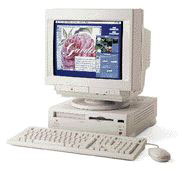 drive or CD-RW. Most of them come with the
newer 50-pin or 68-pin SCSI-2 or Fast and Wide SCSI. Can I use any
of these newer drives with my Mac?
drive or CD-RW. Most of them come with the
newer 50-pin or 68-pin SCSI-2 or Fast and Wide SCSI. Can I use any
of these newer drives with my Mac?
A: Yes. I had this issue just before selling my beige G3. I was doing a backup with a whole new SCSI burner. I had the 25-pin connector in the back of my Mac, but the cable that shipped with the burner was a 50-pin cable. I scrambled to find an adapter or cable somewhere and finally found it. From experience, a cable with 50-pin or 68-pin SCSI connector goes to a Centronics connector - this is what I have seen most of the time - in the back of the peripheral. I'm talking about the bigger Centronics, since there are two sizes.
All you have to do is to get a cable that goes from Centronics to male 25-pin, or a cable that uses the right connection in the back of the peripheral and that has a male 25-pin connector on the other end.
They really work, with only one limitation. It will be limited in performance since 25-pin connectors do not offer the same transfer speed as 50 or 68, but you get to use the hardware without getting a new Mac.
For example, my 10x burner was limited to 4x because the connector could not sustain anything faster, but if your backup is on the line, you are only happy to see the thing working, trust me on that :-)
Join us on Facebook, follow us on Twitter or Google+, or subscribe to our RSS news feed
Not sure if you should upgrade your old Mac or replace it? Check the Mac Daniel index to see if we've already addressed your problem.
Today's Links
- Mac of the Day: Performa 5200, introduced 1995.04. The first PowerPC all-in-one was also one of the worst Macs ever made.
- Support Low End Mac
Recent Content
About LEM Support Usage Privacy Contact
Follow Low End Mac on Twitter
Join Low End Mac on Facebook
Favorite Sites
MacSurfer
Cult of Mac
Shrine of Apple
MacInTouch
MyAppleMenu
InfoMac
The Mac Observer
Accelerate Your Mac
RetroMacCast
The Vintage Mac Museum
Deal Brothers
DealMac
Mac2Sell
Mac Driver Museum
JAG's House
System 6 Heaven
System 7 Today
the pickle's Low-End Mac FAQ
Affiliates
Amazon.com
The iTunes Store
PC Connection Express
Macgo Blu-ray Player
Parallels Desktop for Mac
eBay

