
Mac Daniel's Advice
Getting an Older Mac on the Net
Evan Kleiman - 2000.10.19
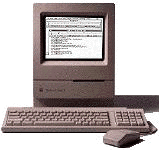
Q. I have a Mac Classic II and I've read about it possibly being able to connect to the Internet. How can you do this?
A. Connecting any vintage Mac above the Lisa and 128k to the Internet can be easy. The Mac Classic II is no exception to this rule.
The first thing you need to connect to the Internet is a modem. If you don't have a modem for your computer, you'll need to get one. There are many speeds of modems available; you should make sure you get a modem no slower than 28.8k, but 56k is preferable. You can pick up a modem very cheap from online auction sites, like eBay, or used Mac sites, like MacResQ and Shreve Systems. Hook up your modem, and you're all set to start using the Internet software to get on the Net.
The next thing you need is an ISP (Internet Service Provider). There are a lot of providers that specialize in Macs, Mac Revolution being one. If a Mac-only ISP isn't good enough for you, you can always check out America Online. The advantage of using AOL is that they have a version of their software for almost any Mac and their software is much easier to install and use.
All service providers use different software, and once you sign up for an ISP, they'll provide you with the software you need to connect to their service, but the best idea is to always ask them to send you the software for your model of Mac when you sign up if you're not 100 percent sure of it being compatible with your computer.
After you get a service provider, you need a browser. A browser is the program you use to view web pages on the Internet. The best browser around for Low End Macs is iCab - even the newest version of this browser will run on classic Macs!
Now that you have all of the hardware and software, you can now get yourself on the Internet and start exploring. You can teach an old computer new tricks.
Evan Kleiman has been writing for Low End Mac since January 1999. He also runs his own site, Evansite. Evan uses an iMac, along with some vintage hardware. You can read more about his computing experience in The Many Macs of Evan Kleiman.
Join us on Facebook, follow us on Twitter or Google+, or subscribe to our RSS news feed
Not sure if you should upgrade your old Mac or replace it? Check the Mac Daniel index to see if we've already addressed your problem.
Today's Links
- Mac of the Day: PowerBook 500 Series, introduced 1994.05.16. 'Blackbird' includes a 25 to 33 MHz 68040 along with smart batteries and grayscale or color displays.
- Support Low End Mac
Recent Content
About LEM Support Usage Privacy Contact
Follow Low End Mac on Twitter
Join Low End Mac on Facebook
Favorite Sites
MacSurfer
Cult of Mac
Shrine of Apple
MacInTouch
MyAppleMenu
InfoMac
The Mac Observer
Accelerate Your Mac
RetroMacCast
The Vintage Mac Museum
Deal Brothers
DealMac
Mac2Sell
Mac Driver Museum
JAG's House
System 6 Heaven
System 7 Today
the pickle's Low-End Mac FAQ
Affiliates
Amazon.com
The iTunes Store
PC Connection Express
Macgo Blu-ray Player
Parallels Desktop for Mac
eBay

