
Low End Linux
More Linux Baby Steps
Dirk Pilat - 2002.05.09
Hi everyone!
You will remember from part one, that I, a complete Unix ignoramus and Linux newbie, bought an old P166 with a 2.4 GB hard drive, 64 MB RAM, a PCI-USB card, some old Trident video card, and a ethernet card to setup this machine as a firewall, web server, and IP router for my lovely 2001 iBook.
Not knowing what I got myself into, I researched a bit on the net which Linux distro was most suitable and settled for Slackware for it's retro-compability (although I got severely dissed on Slashdot for that decision). So, after an agonizing wait my new OS arrived with a rather humourous but much too complicated introduction into the material.
Making a Root and Boot Floppy was easy enough, and, sure enough, I got the setup program running and breezed through a quite logical setup of my new OS. And you know what? It booted right away. I had Linux in my cottage. Hooray!
The next step was to make this baby speak to my iBook. I hooked up
an ethernet cable and configured the Linux 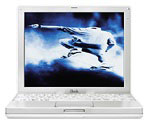 machine with the help of an easy setup program called
netconfig, which recognized my ethernet card and helped me set it up.
Using good old ping proved that the two computers where actually
talking to each other.
machine with the help of an easy setup program called
netconfig, which recognized my ethernet card and helped me set it up.
Using good old ping proved that the two computers where actually
talking to each other.
At this moment the iBook was still the machine connected to the Internet via an Alcatel USB ADSL modem (which ultimately should end up on the Linux box), so I needed an IP router if I wanted to connect the Linux box via the iBook to the Internet.
Andrew McGregor from the Otago Macintosh User Group suggested Brian Hill's Brickhouse, which worked fine, apart from the inability of the Linux box (called "Stinker") to access my ISP's DNS. Still don't know why, but just using the IP address I was able to get lowendmac.com via Lynx. What a success.
So far so good. "This seems to be a walk in the park," I thought, and I saw me as a full blown Unix guru already.
The next step was to hook the Alcatel ADSL modem to Stinker, and this is where the problems started. Doing a quick Google search, I found the how to file by the author of the Linux driver for the modem, Johan Verrept, and was appalled: This was serious stuff!
Apart from downloading 8 different files and getting them onto Stinker (fortunately not a problem with FTP and OS X), I had to install and compile a new, up-to-date kernel and some new modules. So off I went, into /usr/src, and after a couple of tries and using all the instructions I could find and using the rather helpful "make menuconfig," I actually managed to compile the kernel, put its image at the right place, and started to reboot the computer.
After 4 days and multiple reinstalls and recompiles this hasn't worked so far, so I'm just a wee bit pissed off with the whole experience and am still plodding through the Web to find out where the mistake is.
When I come back, I'll tell you how it ended (hopefully happy) and
if I managed to actually transform a piece of mangled Intel-machinery
into something useful....

Join us on Facebook, follow us on Twitter, or read Low End Mac's RSS news feed
Recent Content
Go to our home page for a listing of recent content.
About Low End PC Support Usage Privacy Contact

Follow
Low End PC on Twitter
Join Low End PC
on Facebook

Favorite Sites
MacWindows
Deal Brothers
DealMac
Affiliates
Amazon.com
The iTunes Store
PC Connection Express
Parallels Desktop for Mac
eBay