
The Lite Side
Microsoftopoly
- 2003.04.17
|
Jeff Adkins is on sick leave this week, so there's no Mac Lab Report. We hope to resume the column next week. In it's absence, we present a special Thursday edition of The Lite Side for your enjoyment. dk |
So read, enjoy, but you probably shouldn't print out - just in case - the Lite Side's design for
Microsoftopoly
Purpose of the game
The purpose of the game is to take over the entire world of computing, entertainment, communication, and data transmission.
Game Pieces
The game pieces are given one to a player. Each symbol represents one player. They symbols are a computer chip, a tiny (but functional) one-button mouse, a small nondescript beige box, a gumdrop, and a piece of space shuttle booster engine fuel carved into the shape of a pair of glasses.
Selecting who goes first
The enclosed Apple Macintosh Cubes have been painted with dots that represent numbers. If you pick up the cube and throw it, it will land with one side up. That is the number you use to make moves. Make sure there are no small children in the way, have each player roll the Cube. Highest number goes first. This is called Trustworthy Computing, by the way, if you care. Not many people do.
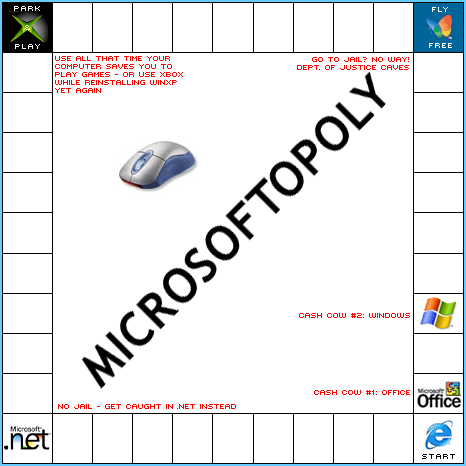
Types of spaces
The first person to go gets to move first and land on a variety of types of spaces.
Properties: These are small software companies called "Competitors." You can either buy them or put a small flaming pair of shuttle-fuel eyeglasses on them, which will prevent others from using the space while you negotiate with its owners. If you buy a set of Competitors of the same color, you own the market for that product and can charge whatever you like when someone lands there. Really - there's no limit. Just charge whatever you feel like. No one will object. Well, they'll object, but they won't actually do anything to you. They'll just write about it a lot. What a bunch of losers.
Utilities: You need these to restart the game if it crashes. And it will, although you won't be allowed to tell anyone.
Bus Lines: There are four bus lines around the edge of the board. If you land on one, buy it. Owning a bus line makes your bandwidth twice as great, so you can buy faster processors. However, it makes your pipeline twice as deep, too, but believe me, no one will care.
Jail: This is a spot on the board which is only 0.1 mm wide. Therefore, no one will ever go there, ever, no matter what they do. If you have the most money, you have an automatic Get Out of Jail Free card, too, so just quit worrying about it.
Chance: If you land on this spot, pick up an orange card and do what it says. Chance cards say things like: "Promote tablet PCs," "Get rid of floppy drives," and "Incorporate one company's product into your OS."
Community Chest: This is a handy card. It lets you steal one feature used on a competitor's product, since, after all, everyone is in the community and what's theirs is yours. Do what the card says, such as "Copy competitor's GUI," and "Add a single button for ctrl-alt-del," and "Rename your Trash can to Wastebucket." This is called "innovation," by the way.
Go to Passport: If you land on this space, every player hands you $200, their names, addresses, home phone numbers, and credit cards. You get to go anywhere on the board you like. Just go and dare someone to stop you.
Winning the Game
Since you can take any player's cards any time you feel like it, winning the game is simple. Just offer to go second. Let the first player accumulate a useful number of properties and customers, and just take it. No one will mind. Really. Not even the Justice Department. Especially not the Justice Department.
Finishing the Game
When you finish this game, put it in your closet, and go take someone else's game.

