
The 'Book Page
Configuring Your iBook
Dan Knight - 2001.05.03 - Tip Jar
Apple replaced the old bulky iMacs with a svelte new model this week. The
new iBook has more options than ever 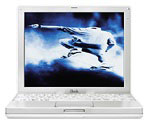 before: 64 or 128
MB base RAM, a 10 or 20 GB hard drive, and four media options: CD-ROM,
DVD-ROM, CD-RW, and CD-RW/DVD-ROM.
before: 64 or 128
MB base RAM, a 10 or 20 GB hard drive, and four media options: CD-ROM,
DVD-ROM, CD-RW, and CD-RW/DVD-ROM.
All models use a 500 MHz G3 processor, 12.1" 1024 x 768 display, ATI Rage Mobility 128 with 8 MB of video memory, and VGA video output.
Let's look at the possible configurations.
Good
If all you need is a portable Mac on a tight budget, the US$1,299 base iBook probably won't disappoint you. It comes with a 10 GB hard drive, 64 MB of memory, and CD-ROM. You can upgrade the hard drive to 20 GB for $200 and increase memory for Apple's typically high prices. For $99 more you can get it with an AirPort card.
There are no alternatives to the CD-ROM on the base iBook.
Better
The next three models ship with 128 MB of memory on the motherboard and the same 10 GB drive in the base iBook. Where they differ is the media drive.
The DVD-ROM version sells for $1,499. We think that's a rather high premium for an extra 64 MB of memory and a DVD player, especially with 64 MB memory modules selling for under $30 from various vendors. On the other hand, if you want to watch movies on the go, it's also $1,100 less expensive than the PowerBook G4.
The CD-RW version sells for $1,599, which we also think is a fairly high premium for extra memory and the ability to burn CDs. You could buy 64 MB of RAM and an external FireWire CD burner for less than $300, but you'd lose the convenience of the internal CD-RW drive.
Best
Apple tops out the iBook line with the Combo Drive model, which has a combination CD-RW/DVD-ROM drive. Except for burning DVDs, this drive does everything the SuperDrive in the Power Mac G4/733 does - and for most people, that's probably enough. (We'd love to see a combo drive in future iMacs, PowerBooks, Cubes, and Power Macs.)
However, the Combo Drive iBook sells for $1,799, $200 more than the CD-RW model, $300 more than the DVD-ROM model, and $500 more than the base model. Again, you could buy 64 MB of RAM and an external FireWire CD-RW/DVD-ROM drive for a lot less than $500.
Then again, there is the convenience of having the Combo Drive inside the iBook instead of toting an external drive.
Value
We can't fault the value of the $1,299 CD-ROM iBook. The DVD-ROM version really should sell for $1,399-1,449, the CD-RW version for $50-100 more than that, and the Combo Drive iBook for no more than $1,699 to provide comparable value to the CD-ROM iBook.
Memory
Today you really need 128 MB to get decent performance from Mac OS 9.1 or OS X. We find Apple's $100/64 MB pricing high. By comparison, you can pay less than $30 for a 64 MB module shipped to your door. In fact, for the same $100 Apple wants for 64 MB, you can have a 256 MB module and still have some money left.
We recommend upgrading memory immediately on the CD-ROM iBook, but suggest you don't buy it from Apple. (See ramseeker for current pricing from several vendors.)
Hard Drive
To replace the 10 GB hard drive in the iBook with a 20 GB drive, Apple charges a $200 premium. PowerBook Source tracks hard drive prices - let's see how third-party drives compare.
The 20 GB IBM TravelStar is available online for $132-159 plus shipping. Toshiba's 20 GB notebook drive sells for $145. Buying a replacement drive would leave you with a 10 GB drive you could sell (for maybe $60-100) or put into a FireWire case, giving you an advantage over having Apple install a 20 GB drive.
Of course, replacing the hard drive may void your warranty, putting a whole different perspective on the $200 premium and making the price seem more reasonable.
The Best Bet
If you don't need to watch DVDs or burn CDs in the field, the CD-ROM iBook for $1,299 is an impressive bargain. We recommend immediately investing $100 in 256 MB of third-party memory, which will give you 320 MB of RAM to work with. For about $1,400, you'll have plenty of computer for field work.
If the base iBook were $100 more, we really wouldn't question the value of the other models; they only seem a bit high in comparison to the CD-ROM version. If there were no CD-ROM version, I think we'd all be impressed with the value of the other three models.
Which iBook is right for you really depends on your media needs. If you don't need to watch DVDs or burn CDs, pick the CD-ROM version. If you want to do both, the Combo Drive may be the only portable on the market to let you do both. But it's your needs that determine the best choice; these are all good values.
Recent Content on Low End Mac
- World Book Encyclopedia 2012 DVD, Tommy Thomas, Reviews, 2013.03.05. "You may be asking yourself, in an age of Wikipedia and instant information, is World Book still relevant?"
- Vintage Computer Festival SouthEast, April 20-21, 2013, Simon Royal, Mac Spectrum, 2013.02.25. Old Apple gear and old PCs.
Latest Deals on Low End Mac
About LEM Support Usage Privacy Contact
Follow Low End Mac on Twitter
Join Low End Mac on Facebook
Favorite Sites
MacSurfer
Cult of Mac
Shrine of Apple
MacInTouch
MyAppleMenu
InfoMac
The Mac Observer
Accelerate Your Mac
RetroMacCast
The Vintage Mac Museum
Deal Brothers
DealMac
Mac2Sell
Mac Driver Museum
JAG's House
System 6 Heaven
System 7 Today
the pickle's Low-End Mac FAQ
Affiliates
Amazon.com
The iTunes Store
PC Connection Express
Macgo Blu-ray Player
Parallels Desktop for Mac
eBay

