

Firefox, Camino, Opera, or OmniWeb: Which Is the Best Safari Alternative?
- 2005.07.27
The Macintosh platform is blessed with a great selection of browsers. Safari is nice, but it comes with one annoying limitation to many of us. You have to buy a US$129 system upgrade when you want to move to a new version.
There are many other free or inexpensive browsers that do a great job and can be used on a regular basis, but which is right for whom? Let's find out.
(Internet Explorer has been left out of this article because Microsoft is not involved in the Mac browser business anymore. Netscape and the full Mozilla suite have also been left out because all their releases are based on the same core code as Firefox.)
Free Browsers
Firefox
If you liked Netscape a few years ago, Firefox could be your favorite today. It is the flagship browser of the Mozilla Foundation and successor to the venerable Netscape Navigator. Its menu structure and preferences boxes are based on Netscape's, but the browser itself has evolved a lot.
Firefox is mostly a simple, well thought out browser. It offers tabbed browsing, password management, a highly customizable interface, strong security, and great support of Web standards. When other browsers are not allowed to access a site that requires forms or secure connections, Firefox usually does the job.
Firefox falls short if you compare its feature set against the competition, and it launches slowly because it loads its Mac interface independently from the system's resources. However, its robustness, its compatibility, its RSS support, and its clean look with Tiger's unified bars make it a breeze to use.
A major advantage - open source development make it a mainstream browser that evolves very quickly, and it's free. The developers update Firefox quickly to patch security holes - most of the time before they are even exploited.
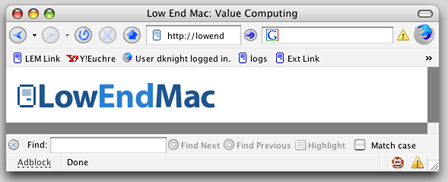
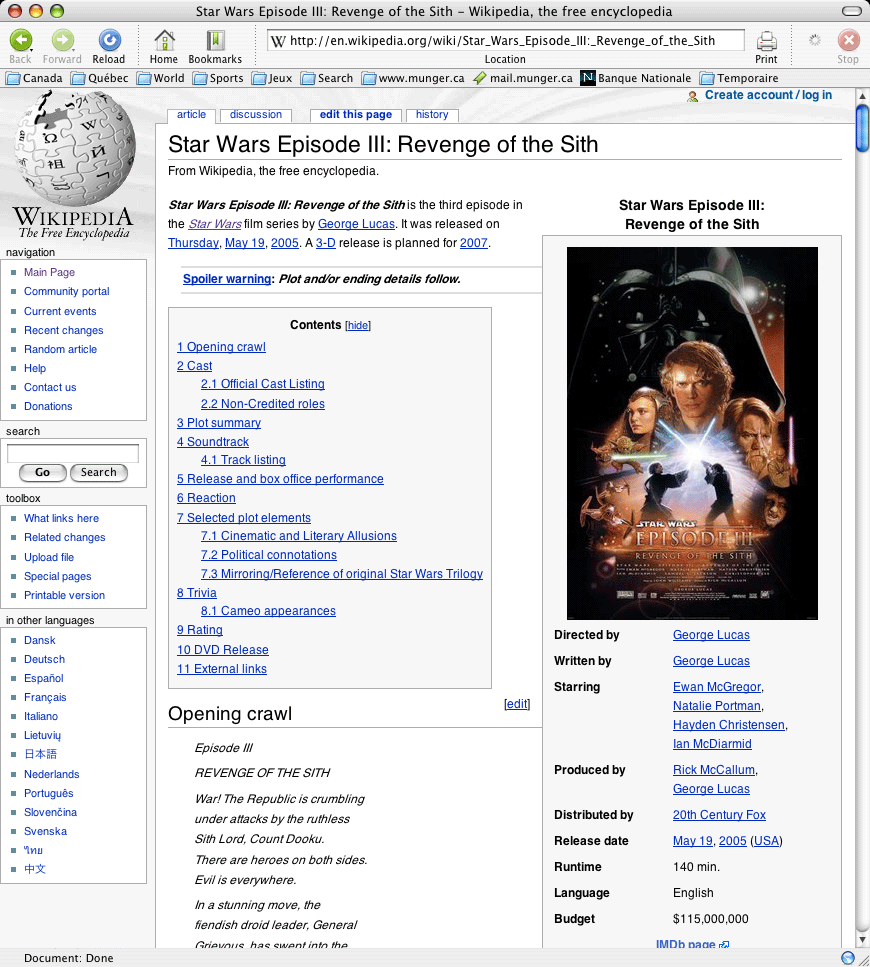
The Firefox Find bar is at the bottom of the browser window.
What makes Firefox attractive is that every feature seems to be implemented the right way by a bunch of perfectionists. For example, the Find function is nicely located at the bottom of the browser window, making it subtler than a window that pops in your face. You can keep it open permanently if you wish; it won't get in the way.
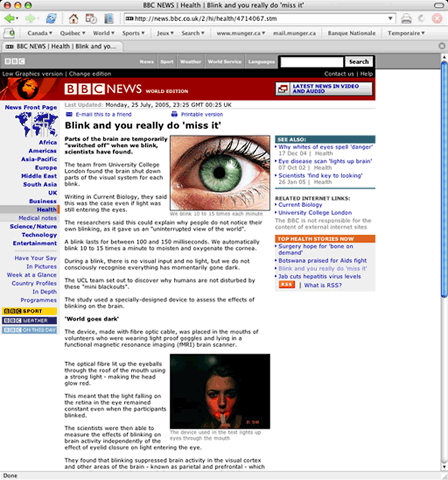
Firefox - click image for full-size view
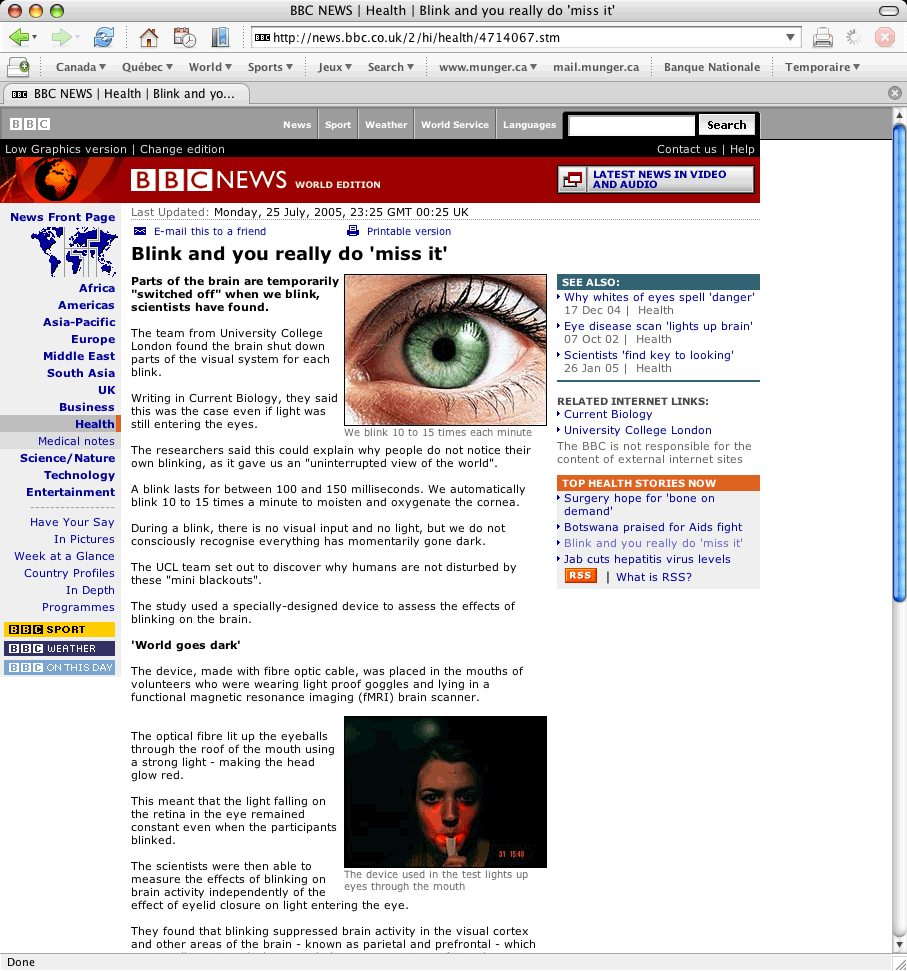
As far as the interface is concerned, what I appreciate is the extra space between buttons and other elements to make everything easier to the eye. A minor complaint, however: it does not use Mac OS X's widgets for submit buttons and checkboxes in Web forms.
What separates Firefox from the pack in terms of customization is the Extensions feature. It allows anybody to create and use other people's custom features.
Firefox is available on multiple platforms (Mac, Windows, Linux, and many others) making it a good choice for those who want the same setup in different environments. Not only is it cross-platform, but it is also available in more languages than the others. This is great for those who want to use it in languages that are not widely supported.
Camino
You can consider Camino Firefox's little cousin on the Mac side. Developed by the Mozilla Foundation, it is a free Mac-only product coded in Cocoa, the best programming environment to use in order to fully take advantage of Mac OS X's features.
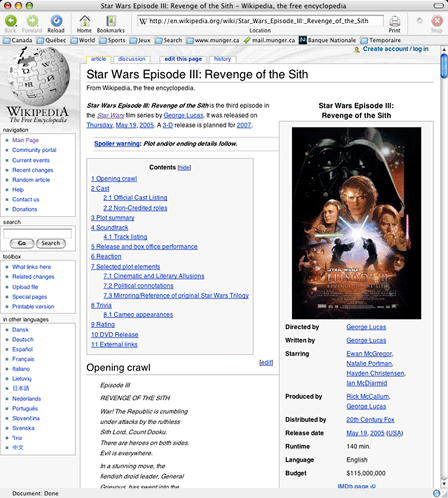
Camino - click image for full-size view
For the most part, Camino works like Firefox, but it more Mac-like look and feel, and it is a bit lighter and faster.
The big drawback is that Camino's development pace can be fast at times and sluggish later. You may wait several months for an update while competitors release security updates every few weeks.
Commercial Browsers
Opera
The next option is Opera, and it is a monster. Every browser has strengths, but this one gathers them all. Among the browsers I tested, Opera packs in more features than any other, and it also seems to be the fastest.
I would label it a heavy-duty, professional browser. Opera allows users to tweak and personalize it through an extensive set of preferences, and it is robust enough to sustain long browsing sessions without slowing down.
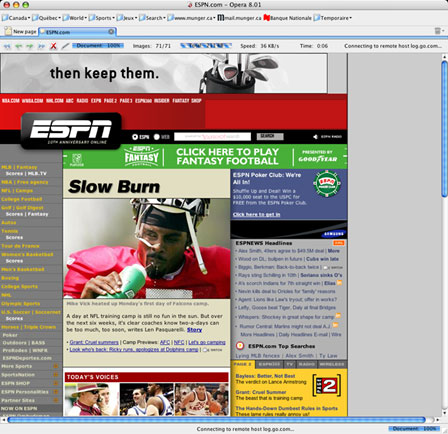
Opera - click image for full-size view
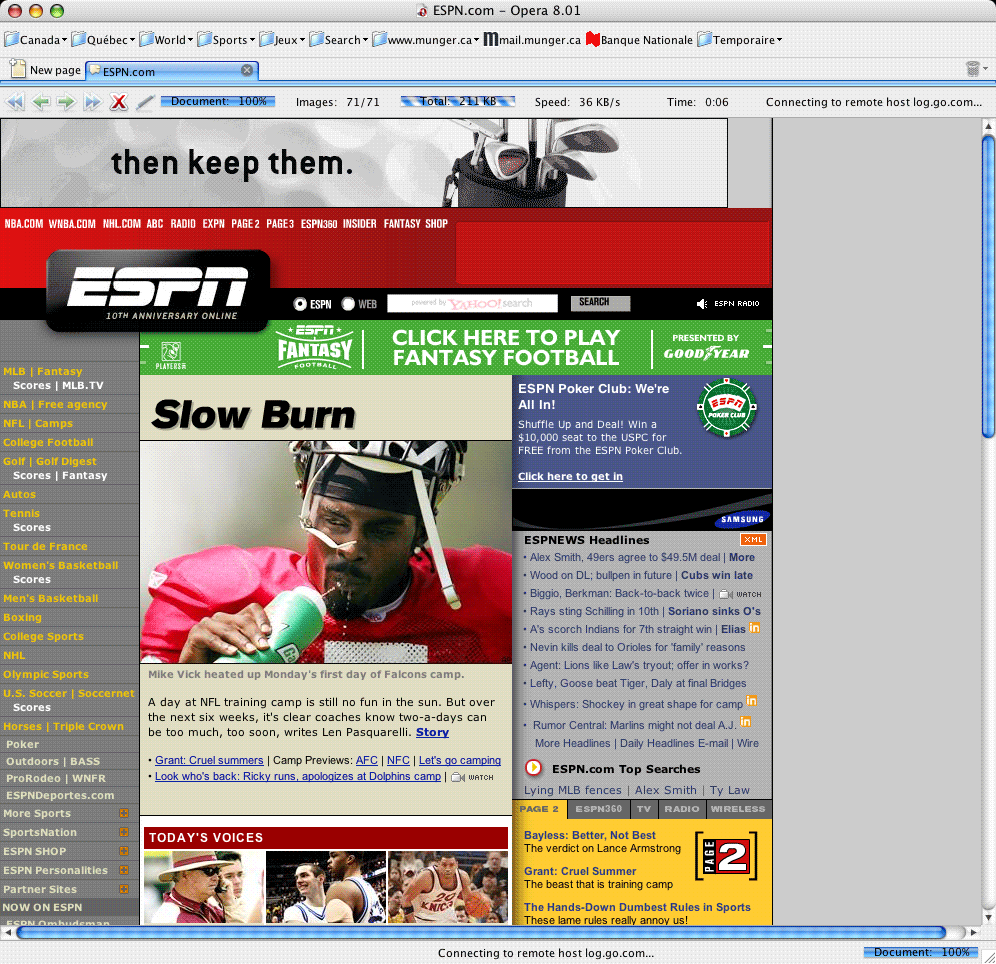
Advanced features include saving sessions. Opera saves all open pages to resume the session later. This is a nice complement to the browser history, especially to shorten browsing time.
By pulling down the Quick Preferences menu, you can identify Opera as itself, as Mozilla, or as Internet Explorer to visit "picky" websites. You can also tailor your controls for popup windows, JavaScript, and cookies, among other things.
As for modern browser features, the folks at Opera offer now-standard features such as tabbed browsing, menu bar elements to differentiate secure from nonsecure pages, password management, forms autofill, RSS feed support, etc.
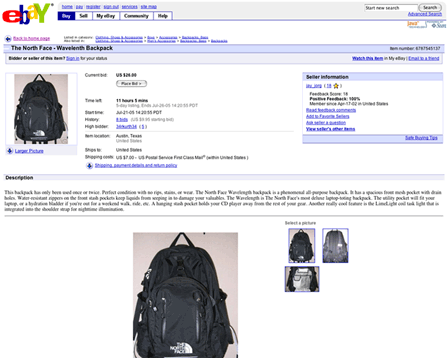
Opera full screen mode - click image for full-size view
My favorite feature is probably the full screen mode. When you turn this on, the browser takes the whole screen, which is handy when you want to focus on reading an article or view a movie site - or simply give the browser more screen space to view a large page. I never understood why most Mac browsers overlooked this functionality.
None of the features mentioned above is groundbreaking or spectacular. What makes Opera special is that it gathers them all in one package.
My only gripes are about site compatibility. Opera was the only browser that was unable to log in to my banks site or my job's Microsoft Outlook Web access, and it was the only one to display a few pages incorrectly.
The folks at Opera said, for example, that the Outlook server software required an upgrade in order to work with Opera, but I can imagine the laughs from the guys at the office's IT department if I told them to upgrade their server for one user who wants to check his email when he's out of the office. They'll tell me to use another browser. Such are the realities of the real world, and this is a weakness for Opera. When you have to pay for it, it makes you think twice before buying it.
Such complaints aside, Opera is a complete package for professional browsing needs. You can download it for free, and if it works for you, it costs US$39 to get rid of the advertising and access premium support.
OmniWeb
How to describe OmniWeb? It probably is the most Mac-like browser on the market. The feature set is pretty complete, and its interface really feels like it was designed for Mac OS X.
One of OmniWeb's top features is called Workspaces. It saves sessions &endash; Opera also does this &endash; but its session management interface is more detailed. This kind of feature is great for those who need to access a certain set of Web sites at the same time, as I often do at work. It also makes it easier to resume a session if the browser crashes.
Omniweb - click image for full-size view
My favorite feature in OmniWeb is the ability to customize site preferences. OmniWeb keeps prefs for every website, so you can change settings for appearance, security, and ad blocking. Every site will behave the way you want it to - and that is very neat. No other browser gives you that much control over each site you visit.
I do have a big complaint, however: OmniWeb's performance in terms of page rendering seems sluggish. In fact, it was the slowest among all my browsers with my favorite sites, and the application itself could be more responsive.
The Workspaces feature can save you time, but the page rendering can make you waste time. Given the fact that OmniWeb costs US$29.95, I find this unacceptable.
Conclusion
My recommendation? Mozilla Firefox is the best all-around browser. It always free, while new Safari versions come with expensive system upgrades. Unlike Camino, Safari, and OmniWeb, it is also available on other platforms.
Although it lacks some of Opera's features, it provides better
compatibility with websites. It is a photo-finish, and in my
opinion, Firefox wins by a nose.

Join us on Facebook, follow us on Twitter or Google+, or subscribe to our RSS news feed
Michel Munger is a journalist who lives in Montréal. He discovered the Mac in 1994, and his work on a PC reminds him every day why he embraced Apple's platform. Munger has also authored some MacDaniel columns.
You can learn more about him on his personal website.
Today's Links
- Mac of the Day: Performa 5200, introduced 1995.04. The first PowerPC all-in-one was also one of the worst Macs ever made.
- June 13 in LEM history: 00: Dark side of cable modems - 01: File transfer - 02: 10 tips for more efficient Mac use - OS X from a Linux perspective - 03: Text browsers - Hard drive upgrade tutorials - Switching to OS X - 03: Apple's first Mac OS on Intel project - 06: Moving files to your vintage Mac - 07: Parallels 3 narrows the gap - 08: Environmentally responsible Mac retirement - Old Mac data retrieval
- Support Low End Mac
About LEM Support Usage Privacy Contact
Follow Low End Mac on Twitter
Join Low End Mac on Facebook
Favorite Sites
MacSurfer
Cult of Mac
Shrine of Apple
MacInTouch
MyAppleMenu
InfoMac
The Mac Observer
Accelerate Your Mac
RetroMacCast
The Vintage Mac Museum
Deal Brothers
DealMac
Mac2Sell
Mac Driver Museum
JAG's House
System 6 Heaven
System 7 Today
the pickle's Low-End Mac FAQ
Affiliates
Amazon.com
The iTunes Store
PC Connection Express
Macgo Blu-ray Player
Parallels Desktop for Mac
eBay

