
Apple Archive
Picking a Portable Mac
- 2000.12.29
Looking for a new portable Mac? If you are, you may be unsure of which portable to get. There are two Mac portables available right now: the PowerBook, and the iBook. The decision can be hard - unless you buy both (not too many people can afford both, though).
The iBook is marketed to the student or teacher who wants
something to take notes on, type up papers, 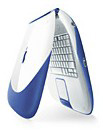 and access the Internet. The current iBook has a
FireWire port and a video out port, so you can give presentations
and make your own desktop movies.
and access the Internet. The current iBook has a
FireWire port and a video out port, so you can give presentations
and make your own desktop movies.
The PowerBook G3 is for business users who want a powerful machine that they can bring with them wherever they may need it. It is also for those who want a bigger screen and more expandability than the iBook has to offer.
Both machines are fast, Internet ready, and come with a long lasting battery.
The iBook
At 366 MHz, the iBook works well for almost anything you might want to do. The iBook has built in ethernet, so you can connect to a network or transfer files between your Mac and someone else's. The iBook still has a 56K modem and a USB port, but it now includes a FireWire port and video out ports as well. FireWire allows you to attach external devices such as CD-RW drives, video cameras, and hard drives. The video out port allows you to connect your iBook to a TV or projector to make presentations, which you couldn't do with the original iBook. It also comes in new colours - Indigo and Key Lime. The iBook special edition comes in Key Lime or Graphite with a larger hard drive and a G3 processor running at 466 MHz instead of 366.
The iBook has Internet in it's name (the "i" stands for Internet). When you first turn on your new iBook you see a screen asking if you want to sign up for Internet Access. If you click Yes, you will be asked to answer some questions. After that, the setup program configures your computer to use your account. From there you can log on and access the Internet.
The iBook comes with a 6 hour battery. Okay, it doesn't really last quite 6 hours (it usually lasts about 4.5-5 hours), but it certainly does better than the batteries in most other portables.
The PowerBook
The PowerBook is available in 400 MHz or 500 MHz. Both models
include 2 FireWire and 2 USB ports, 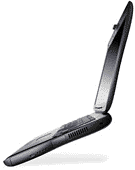 as well
as a 56K modem, a 10/100 Base-T Ethernet port, a VGA video port,
and an S-video out port.
as well
as a 56K modem, a 10/100 Base-T Ethernet port, a VGA video port,
and an S-video out port.
The PowerBook also features easy Internet Access with much the same setup as the iBook.
The PowerBook comes with a 4 hour battery (it lasts about 3 hours) and a DVD-ROM drive. You can install two batteries and get longer battery life than even the iBook!
Making the Choice
If you are planning to be doing general word processing, Internet, and some occasional games, the iBook might be the best way to go. Keep in mind that it has a 12.1" screen and can only display the 800 x 600 resolution.
If you are planning to do photo editing and/or want to have more expandability, the PowerBook, with it's 14.1" 1024 x 768 screen, would be the way to go. Keep in mind, though, that a new PowerBook model will almost certainly be introduced at Macworld Expo in January. You may want to wait for that model to appear before purchasing a new portable.
Whatever you choose, I recommend buying a good case for it, and, if you carry it around a lot, using Apple's password protection. A computer like this is an expensive investment, and you must take all measures possible to keep it safe.
About LEM Support Usage Privacy Contact
Follow Low End Mac on Twitter
Join Low End Mac on Facebook
Favorite Sites
MacSurfer
Cult of Mac
Shrine of Apple
MacInTouch
MyAppleMenu
InfoMac
The Mac Observer
Accelerate Your Mac
RetroMacCast
The Vintage Mac Museum
Deal Brothers
DealMac
Mac2Sell
Mac Driver Museum
JAG's House
System 6 Heaven
System 7 Today
the pickle's Low-End Mac FAQ
Affiliates
Amazon.com
The iTunes Store
PC Connection Express
Macgo Blu-ray Player
Parallels Desktop for Mac
eBay

