
Apple Archive
Why I Recommend Macs to Amost Everyone
- 2007.02.05
From my last article, Going Windows Because No Mac Meets My Needs?, it might sound like I'm abandoning the Mac. I'm not.
In fact, when dealing with other people's computing needs, I'd be the first one to recommend a Mac. My recommendations have led to the purchase of at least six Macs in the past few years, and they've mostly been fairly reliable with a couple of minor issues.
Despite the fact that current Apple products don't satisfy my needs, I still continue to recommend them to other people.
Power Mac G4
One of the first Macs I recommended that someone buy was an 867 MHz Quicksilver G4 tower with a 17" LCD display toward the end of 2002. The machine came with a 60 GB hard drive and a 2x DVD-RW drive. At the time of purchase, we upgraded the RAM to 1.25 GB and installed the latest version of Mac OS X, 10.2.
The machine has since experienced two hardware failures - the hard drive, roughly a year-and-a-half ago, and the DVD-RW drive shortly after that. We replaced the small 60 GB drive with a much larger 120 GB drive and installed Mac OS X 10.4 "Tiger". These upgrades improved its performance, and replacing the DVD-RW drive with a faster 8x dual-layer model from Pioneer extended the machine's life even longer.
Essentially, it's up to just about any task that the latest Macs can accomplish.
This machine is getting to be almost five years old, yet for woman who uses it, it easily has another year or two of productive life left in it.
12" PowerBook
Another machine that I recommended was a 1.5 GHz 12" PowerBook. A friend of mine liked the size and looks of mine. Until then, he had only used a PC with Windows, and due to lack of virus protection software (and the fact that it was Windows ME), he wasn't too happy.
I'd mentioned some of the features of the Mac that would benefit him, and he ultimately ended up purchasing the Mac. It's generally been decent, although there was one case of a CD getting stuck in the machine's optical drive that required it being sent to Apple, in addition to the battery recall that affected many 12" PowerBooks.
PC Problems
Most of the computers that I work on for people are be PCs, and they tend to have the same problems - spyware, viruses, and file corruption.
The main thing that concerns me about any computer, especially a laptop, is the hardware. Regardless of whether it's a Mac or a PC, there's bound to be some sort of hardware problem with a laptop that's heavily used, whether it be something simple like scratches on the casing or more frustrating, like a hard drive. For the reasons I outlined last week, I tend to recommend Macs to people who won't be carrying the computer around in a backpack and giving it heavy use.
MacBook
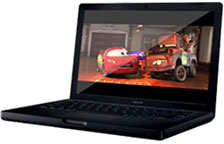 Last
year I recommended a MacBook to a friend who
was looking to replace her Pentium 4-based Sony Vaio that had begun
suffering from some serious overheating problems. After a month or so
of using the Mac, she swears she'll never buy anything else. Why?
Because of the software and the form factor of the computer itself.
Last
year I recommended a MacBook to a friend who
was looking to replace her Pentium 4-based Sony Vaio that had begun
suffering from some serious overheating problems. After a month or so
of using the Mac, she swears she'll never buy anything else. Why?
Because of the software and the form factor of the computer itself.
The computer has never crashed (unlike her Sony). She doesn't have to worry about spyware or viruses. It doesn't get too hot, like Pentium 4 laptops do. It's relatively durable compared to the Vaio. And it fits in her backpack.
The things that concern me - mainly the glossy screen and the 1280 x 800 screen resolution - don't bother her, since she mainly uses it for schoolwork, MSN, and Internet access. In her opinion, the screen is brighter and easier to see because of the greater amount of contrast.
Macs for the Mac OS
At this point, I recommend the Mac for it's main selling point - the operating system. Even though I'll get paid for it, I hate removing spyware and viruses or reinstalling Windows for the third time on a brand new computer; it just seems like a waste of time to me.
I still feel that the Mac OS's structure is easier to understand, problems are easier to fix when they arise, and the applications in general are designed to be much more user-friendly and standard across the board. For example, Photoshop will have better visual consistency, with the same menus and dialogue box types, with something like Microsoft Word, even though they're from different software publishers. On Windows, while some things may look similar, not everything adopts the Windows XP style menus perfectly, and things can look slightly out of place. Since Mac applications generally conform to a set of standards established by Apple, things generally look pretty good (Firefox being one of the few that doesn't - without the right skin, that is).
There's also the confusion issue. Adjusting the power management on a Mac is pretty easy: There are a few sliders giving you the option of when you want your computer to dim the screen, spin down the hard drive, and, go to sleep.
Compare that with the whole "system performance profile" scheme that Toshiba uses with its laptops. The idea is great - you're able to control the system's performance at just about every level of battery drain. For instance, if you want it to have full performance when the battery is between 85 and 100%, mid-to-high performance when the battery is between 65 and 85%, and low performance if the battery is below 65%, you can do that. You can also set up as many different profiles for playing DVDs, doing presentations, listening to MP3s, or whatever else as you want. You can also spend an hour trying to figure out how to just prevent the screen from dimming after two minutes if you don't touch the computer, especially if you happen to change the parameters for a profile that the computer's not even using at the moment! Theoretically the drivers let you do a lot with the machine, but if you don't know what you're doing or get confused easily, you'll probably end up doing nothing with it.
Hardware/Software Integration
While we're on the subject of power management, I'll mention the integration issue. Macs have always been excellent in regards to hardware/software integration. Since Apple makes both the hardware and software, they function extremely well together - so seamlessly, in fact, that you'd never even notice their interaction.
On the other hand, my Toshiba takes several seconds after wakes up from sleep mode to determine that it's running on battery power, so it should slow the processor down and dim the screen. It does pretty much the same thing at startup, and without the drivers installed you can't adjust the screen brightness. The machine doesn't even give an accurate reading for how much runtime is left on the battery.
This seems relatively typical of most inexpensive PC notebooks - but for a computer that cost about as much as a MacBook Pro when it was new, you'd expect a bit better.
However, IBM did a very successful job of integrating their power management with Windows. In fact, you don't even need drivers for power management on the older models like my 600E. Like a Mac, the computer immediately detects that it's running on battery power when unplugged (it even beeps to let you know), and the screen dims immediately. It's elegant and easy to use, since there are really no options to deal with other than what's in the Windows control panel - and judging by the nearly 4 hours of battery life I get, it obviously works.
Of course, ThinkPads tend to carry Mac-like price tags, too.
The main thing that I go for when recommending a computer for someone is whether the person will be happy using it and take pleasure in being able to be productive on it and not have to spend more time fixing it than actually working. That's the ultimate goal - to find a machine that's right for the end user, something that people will be impressed with.
A $599 Acer won't impress anyone, but that $1,099 MacBook will impress everyone but the toughest of critics.
That said, apparently I'm one of the toughest.
Join us on Facebook, follow us on Twitter or Google+, or subscribe to our RSS news feed
Today's Links
- Mac of the Day: 12" 500 MHz Dual USB iBook, (2001.05.01. This compact, squared off, all-white, 500 MHz iBook was nicknamed the iceBook.)
- Support Low End Mac
Recent Content
About LEM Support Usage Privacy Contact
Follow Low End Mac on Twitter
Join Low End Mac on Facebook
Favorite Sites
MacSurfer
Cult of Mac
Shrine of Apple
MacInTouch
MyAppleMenu
InfoMac
The Mac Observer
Accelerate Your Mac
RetroMacCast
The Vintage Mac Museum
Deal Brothers
DealMac
Mac2Sell
Mac Driver Museum
JAG's House
System 6 Heaven
System 7 Today
the pickle's Low-End Mac FAQ
Affiliates
Amazon.com
The iTunes Store
PC Connection Express
Macgo Blu-ray Player
Parallels Desktop for Mac
eBay

