
Apple Archive
What's More Important, Physical Screen Size or Screen Resolution?
- 2004.03.05
What's more important when it comes to choosing a display size, physical size or resolution?
Some would say it has to be physical size, as a screen that you can't see isn't much good. Others would say that it's got to be the resolution, because even a 19" or 20" screen with a low resolution would be virtually useless.
Laptop screens illustrate some of the best reasons why I believe that resolution is generally more important than screen size.
The first PowerBook I owned, a used PowerBook 140, featured a 640 x 400 screen resolution with a 9.8" screen. Not exactly a large screen physically - and the 640 x 400 resolution made it seem even smaller. Also, since this machine didn't use the standard 640 x 480 resolution, many games and other applications wouldn't display correctly.
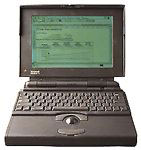 It wasn't until the PowerBook 180c that Apple used a standard
resolution (640 x 480) in a PowerBook. However, the 180c's screen
size was even smaller at 8.4".
It wasn't until the PowerBook 180c that Apple used a standard
resolution (640 x 480) in a PowerBook. However, the 180c's screen
size was even smaller at 8.4".
Then again, it was also a lot more useable than the earlier PowerBooks.
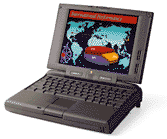 It wasn't until the PowerBook 5300ce that Apple decided to use an
800 x 600 resolution on a laptop, and that screen was a fairly
respectable 10.4".
It wasn't until the PowerBook 5300ce that Apple decided to use an
800 x 600 resolution on a laptop, and that screen was a fairly
respectable 10.4".
The 12.1" screens on the early iBooks didn't appear to be much bigger than those on the 5300ce because of the limited 800 x 600 resolution that they had as well.
While the PowerBook 140's screen was physically larger than the PowerBook 180c's, so many applications weren't even compatible with it that it put the PB 140 (and other early PowerBooks) at a significant disadvantage compared to the 180c.
The 5300ce had a much more useable screen, since it had an 800 x 600 resolution, compared to the 5300c or cs, which had a 640 x 480 screen resolution on the same 10.4" screen.
I don't know about you, but I'd rather have a high resolution than a low one, especially when dealing with a small screen like that.
Some people do prefer a lower resolution on a larger screen. It's definitely easier to see things at 800 x 600 on a 19" monitor, and if you have trouble dealing with small print it can make sense.
These days the minimum practical resolution is 1024 x 768 - on any size screen. You'll find applications like Microsoft Word and even juggling multiple Instant Message windows somewhat difficult to deal with on a screen with a low resolution.
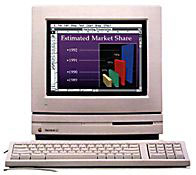 I'm glad I'm not using one of the old
Apple 12" CRT monitors - they were stuck at 512 x 384 (same as the
10" Color Classic), unless you
had an LC III, in which case you
could increase it by a few pixels in the Monitors control panel.
Perhaps one instant messaging conversation could fit on that screen
- or a quarter of the Microsoft Word toolbar.
I'm glad I'm not using one of the old
Apple 12" CRT monitors - they were stuck at 512 x 384 (same as the
10" Color Classic), unless you
had an LC III, in which case you
could increase it by a few pixels in the Monitors control panel.
Perhaps one instant messaging conversation could fit on that screen
- or a quarter of the Microsoft Word toolbar.
How useful.
When it comes to my personal preference, I generally choose a
high resolution. On my beige G3 I used
1024 x 768, as that was the highest one it seemed to support
without flickering or a decrease in the bit depths available.
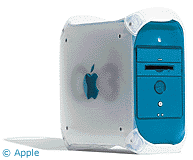 On the blue G3 I use 1152 x 768 with my 19" monitor.
It's reliable, things are still easy to read, and there seems to be
a good amount of workspace.
On the blue G3 I use 1152 x 768 with my 19" monitor.
It's reliable, things are still easy to read, and there seems to be
a good amount of workspace.
Workspace is very important to me, as I frequently have a lot of windows open at one time, as well as the control strip and application switcher (positioned horizontally) along the bottom. Along with two popup folders that I've got down there, it takes up a fair amount of screen real estate. (For another perspective, see Living Large. ed)
In OS X, anything lower than 1024 x 768 makes it difficult to deal with, because the interface elements in X are larger. I'm glad my PowerBook G4's 12" screen has that 1024 x 768 resolution.
About LEM Support Usage Privacy Contact
Follow Low End Mac on Twitter
Join Low End Mac on Facebook
Favorite Sites
MacSurfer
Cult of Mac
Shrine of Apple
MacInTouch
MyAppleMenu
InfoMac
The Mac Observer
Accelerate Your Mac
RetroMacCast
The Vintage Mac Museum
Deal Brothers
DealMac
Mac2Sell
Mac Driver Museum
JAG's House
System 6 Heaven
System 7 Today
the pickle's Low-End Mac FAQ
Affiliates
Amazon.com
The iTunes Store
PC Connection Express
Macgo Blu-ray Player
Parallels Desktop for Mac
eBay

