
Embracing Obsolescence
Happy 5th Birthday OS X from a Jaguar User
- 2006.03.24
Ah, Mac OS X. Can you believe five years have already gone by since 10.0 was released, and not only is Apple still in business, but this newfangled Mac OS continues to flourish. The transition from the NeXT purchase - from the subsequent integration of personnel and technologies to actually rolling out a new Mac OS - took a wee bit of time and effort.
Rhapsody and its multicolored boxes became OS X with Cocoa and Carbon applications and its very noticeable Classic compatibility layer.
Now we swing forward yet again to Mac OS X on Intel processors with a transparent PowerPC compatibility layer. Classic is not supported on Intel CPUs, but OS X is still OS X, even on those fancy new Intel processors.
I was not an early adopter of OS X. From the start of the Public Beta, I was intrigued by the promise of a more robust operating system with its improved multitasking and increased stability, but the first few editions of OS X felt unfinished. The promise was there, but the OS X Public Beta, 10.0, and 10.1 were all a little rough around the edges.
Jaguar Rocks
However, Mac OS X 10.2 "Jaguar", which sprang to life in 2002, proved to be a marked improvement of functionality and polish. Indeed, many pundits and users feel the Jaguar release was the first truly usable version of OS X.
As I remember things, Jaguar was the first release to use the cat names as a public identifier. While 10.3 "Panther" and 10.4 "Tiger" have followed and continued to improve by adding new features, I've never taken my personal Macs past Jaguar - [partly because I am a cheapskate, this site is Low End Mac after all, but also because I feel Jaguar is a very solid operating system.]
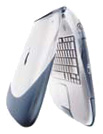 During my transition in 2003, my Macs of choice
were a Snow iMac DV SE and a
Graphite FireWire iBook SE.
Both were fine computers and genuinely stable for using the classic
Mac OS. Thankfully, Jaguar was even more stable, flexible, and
robust enough to handle the tasks I threw at my G3-powered Macs.
Those tasks were nothing terribly fancy - word processing, email,
web browsing, chat, music playback, and some design work.
Everything more or less worked similarly enough to the old Mac OS
that I never felt lost as I figured my way around this new OS.
During my transition in 2003, my Macs of choice
were a Snow iMac DV SE and a
Graphite FireWire iBook SE.
Both were fine computers and genuinely stable for using the classic
Mac OS. Thankfully, Jaguar was even more stable, flexible, and
robust enough to handle the tasks I threw at my G3-powered Macs.
Those tasks were nothing terribly fancy - word processing, email,
web browsing, chat, music playback, and some design work.
Everything more or less worked similarly enough to the old Mac OS
that I never felt lost as I figured my way around this new OS.
Overall, my first impressions were favorable, and I did not feel this new Mac OS was terribly different from the classic versions. Sure my iMac's 256 MB of RAM went from more than adequate to a bare minimum for respectable performance, but the 576 MB RAM in my iBook made things generally comfortable.
Between the fancy Quartz display technology and the under-the-hood changes, overall snappiness was not as immediate as the classic Mac OS. Of course, once the multitasking began, I could appreciate how the Mac OS X interface stayed responsive, unlike Mac OS 9 and earlier. Barring the occasional spinning beach ball or kernel panic - thankfully rare - I was overwhelmed at the uptime I could maintain.
Generally, my efficiency increased as I did not have to worry about memory fragmenting, which often resulted in misbehaving applications bringing down the entire OS. Instead, OS X would usually allow the application to die gracefully, leaving the operating system untouched.
All was not the same between this new incarnation of the Mac OS and its predecessors. The terminal brought new found flexibility and power that the old design didn't offer. While typing in esoteric commands seemed anathema to the Mac's traditional GUI approach to interaction, I found this tool encouraging. Indeed, an increased comfort with the terminal led to my developing fondness for *nix systems in general. Consequently, I found myself becoming acquainted with OS X's free relatives - the BSDs and Linux.
If not for Apple's ability to comfortably merge (more or less anyway) the power of Unix with the friendliness of the Mac OS, I would never have discovered this other world of computing. Sure, I had heard of the various Unix cousins, but I had never felt compelled to dig into anything command line related. Hadn't I left DOS behind because I did not want to muck around with such an anachronistic way of interacting with a personal computer.
I suppose everything old will be new again. Sometimes the CLI is the better tool, and sometimes the GUI is preferred. Good thing Mac OS X was able to do such a good job with both interfaces.
What started out as a little dabbling has led me to embrace these other operating systems on both PowerPC and x86 hardware. While 90% of my computers are Mac OS systems, many still running pre-OS X versions of the Mac OS, I have fully embraced the new world.
This is somewhat to Apple's detriment, as I have hopped off the upgrade treadmill. Instead, I am more likely to transition to a Linux distribution in order to keep my Macs up to date. However, to pass the casual user/family member test, Mac OS X has proven to be a more than competent merger of robust underpinnings and friendly interface, which is why my mother's system will continue to run OS X.
I think we should all congratulate Apple for pushing forward with a whole new operating system. After all, they had been talking about doing so since the late 1980s.
The classic Mac OS is still great, but OS X is the future of the platform, and I am not hesitant to give credit where credit is due.
After OS X 10.5 "Leopard" is released (it should be sometime this year), 10.3 and 10.4 will become the new basis for low-end Mac computing. I'm sure I'll soon embrace all the wonderful new tools introduced in the years since I started using Mac OS X.
Happy fifth anniversary, OS X, and here's to many more.
About LEM Support Usage Privacy Contact
Follow Low End Mac on Twitter
Join Low End Mac on Facebook
Favorite Sites
MacSurfer
Cult of Mac
Shrine of Apple
MacInTouch
MyAppleMenu
InfoMac
The Mac Observer
Accelerate Your Mac
RetroMacCast
The Vintage Mac Museum
Deal Brothers
DealMac
Mac2Sell
Mac Driver Museum
JAG's House
System 6 Heaven
System 7 Today
the pickle's Low-End Mac FAQ
Affiliates
Amazon.com
The iTunes Store
PC Connection Express
Macgo Blu-ray Player
Parallels Desktop for Mac
eBay

