Welcome to Macintosh

A (Mac) Classic Spookfest

del.icio.us Bookmark in del.icio.us

Low End Mac Reader Specials

Download Typestyler, still the Ultimate Styling Tool for Internet, Print and Video Graphics. Works great in Classic with a Native OS X Version on the way. Free Tryout: www.typestyler.com

LA Computer Company: LA Computer Company: Specials on AppleCare, Apple Displays, MacBooks, iMac's, MacBook Pros, Laptop and iPod accessories and more. Apple A/C Adapters for laptops starting at $25.00 Call 1-800-941-7654 or Click Here.

OWC: Burn DVDs, DVD-DL, CDs, DVD-Ram - FAST! Superdrive upgrades from OWC starting from $31.99 with options for nearly every Mac. Models with Lightscribe, Blu-Ray too!

Mac users can finally play Party Poker for Mac. Not only that, they can also learn how to play PokerStars for Mac.

Laptop Hardware Provided by TechRestore - Overnight Mac & iPod Repairs.

Compare products like desktop computers, laptops, and LCD TVs side by side! All the information and reviews to make the best purchasing decision for a new cell phone GPS products or MP3 players. The Ciao network makes searching products easy for you.

MacBook/MacBook Pro / MacMini / iMac Intel Core2 DUO DDR2 667Mhz 4GB Kit $84, 3GB Kit $60, 2GB Kit $40 1GB $20. Click to Maximize your Macs...

Bong! . . . :-) . . . Welcome to Macintosh!

All Hallows Eve has crept up on us yet again, and for me it means getting my Classic Macs ready for the occasion.

What exactly do I do with them? Load them up with the After Dark screen saver, of course! Here's a little something to get you started in the right direction.

Get a Classic Mac - or a Few

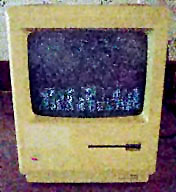
Mac Plus running Starry Night

First step, is to get a Classic Mac. I tend to favor the compact Macs for many things, but especially for Halloween. They're easier to tote and easier to place wherever you want in your house. I have five as of now, so that oughta be enough.

If you have a 128K, 512K, or Mac Plus, bring them in on the fun! Even the oldest compact Macs can join the party. The only potential downside is if you don't have an external hard drive for them. But even if they're only floppy-driven, you can load up the After Dark screen saver with at least one module.
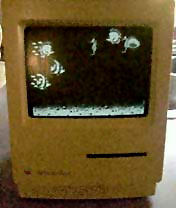
Mac Classic running Aquatic Realm

You will almost certainly have to trim down the boot disk on a 128K or 512K due to the fact they use 400K disks. I know on the Plus I have (a 512K converted to a Plus), I had to trim down the System Folder (running System 6.0.8) somewhat to make After Dark 2.0 fit, and that's with only the default Starry Night module running.

After Dark
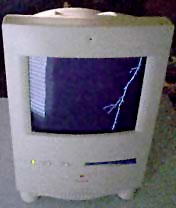
Color Classic running Zot

Next up, try to find After Dark. After Dark 2.0 works best for this spookification, as later versions tended to take on a more comical note with their modules and, as such, lost a lot of the "darkness" that drew people in. After Dark has many modules that work well with a Halloween theme: Warp, Zot, Nocturns, Starry Night, even those lovable Flying Toasters could strike fear in the hearts of many.

If you set up the compacts just right, you won't have to hook up keyboards to all of them, just mice (in order to shut them down safely). Set them up to blank to the creepy module of your choice in 1 minute. You can even set them up to run the Randomizer, creating even more dastardly Halloween fun to the mix!
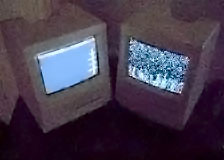
Uncooperative SE

If you can't find any version of After Dark, Dark Side of the Mac makes for a great second choice. It's setup is a lot like After Dark.

In the pictures accompanying this article, you'll see my Mac Plus running Starry Night, the Classic running Aquatic Realm, the Color Classic running Zot, and, last but not least, an uncooperative SE that refuses to blank with a Classic II running Starry Night.

If you want to see more ways to dress up your Mac for Halloween, check out my Halloween how to from last year, Prep Your Classic Mac for a Spooktacular Halloween - guaranteed to frighten the jeebies out of ya!
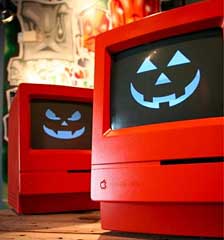
Orange Mac ClassicsMore Halloween Fun

Here's a cool story I ran across on TUAW of a guy who painted his Compact Macs orange for Halloween! Cool huh?

Do you get your Macs ready for Halloween or for any other holiday? Send your stories to thomas(at)lowendmac(dot)com.

Have a happy and safe Halloween! LEM

Low End Mac Reader Specials

Download Typestyler, still the Ultimate Styling Tool for Internet, Print and Video Graphics. Works great in Classic with a Native OS X Version on the way. Free Tryout: www.typestyler.com

LA Computer Company: LA Computer Company: Specials on AppleCare, Apple Displays, MacBooks, iMac's, MacBook Pros, Laptop and iPod accessories and more. Apple A/C Adapters for laptops starting at $25.00 Call 1-800-941-7654 or Click Here.

Other World Computing has the Upgrades, Enhancements, and Accessories for getting the most from your Mac. Quality Products, Competitive Prices, Expert Support Staff - www.macsales.com

Mac users can finally play Party Poker for Mac. Not only that, they can also learn how to play PokerStars for Mac.

Laptop Hardware Provided by TechRestore - Overnight Mac & iPod Repairs.

Compare products like desktop computers, laptops, and LCD TVs side by side! All the information and reviews to make the best purchasing decision for a new cell phone GPS products or MP3 players. The Ciao network makes searching products easy for you.

MacPro Memory 667Mhz With Apple Spec Heat Sink 2GB $90 / 4GB $134 / 8GB $264. Click to Maximize your Macs...

Bong! . . . :-) . . . Welcome to Macintosh!

All Hallows Eve has crept up on us yet again, and for me it means getting my Classic Macs ready for the occasion.

What exactly do I do with them? Load them up with the After Dark screen saver, of course! Here's a little something to get you started in the right direction.

Get a Classic Mac - or a Few

Mac Plus running Starry Night

First step, is to get a Classic Mac. I tend to favor the compact Macs for many things, but especially for Halloween. They're easier to tote and easier to place wherever you want in your house. I have five as of now, so that oughta be enough.

If you have a 128K, 512K, or Mac Plus, bring them in on the fun! Even the oldest compact Macs can join the party. The only potential downside is if you don't have an external hard drive for them. But even if they're only floppy-driven, you can load up the After Dark screen saver with at least one module.

Mac Classic running Aquatic Realm

You will almost certainly have to trim down the boot disk on a 128K or 512K due to the fact they use 400K disks. I know on the Plus I have (a 512K converted to a Plus), I had to trim down the System Folder (running System 6.0.8) somewhat to make After Dark 2.0 fit, and that's with only the default Starry Night module running.

After Dark

Color Classic running Zot

Next up, try to find After Dark. After Dark 2.0 works best for this spookification, as later versions tended to take on a more comical note with their modules and, as such, lost a lot of the "darkness" that drew people in. After Dark has many modules that work well with a Halloween theme: Warp, Zot, Nocturns, Starry Night, even those lovable Flying Toasters could strike fear in the hearts of many.

If you set up the compacts just right, you won't have to hook up keyboards to all of them, just mice (in order to shut them down safely). Set them up to blank to the creepy module of your choice in 1 minute. You can even set them up to run the Randomizer, creating even more dastardly Halloween fun to the mix!

Uncooperative SE

If you can't find any version of After Dark, Dark Side of the Mac makes for a great second choice. It's setup is a lot like After Dark.

In the pictures accompanying this article, you'll see my Mac Plus running Starry Night, the Classic running Aquatic Realm, the Color Classic running Zot, and, last but not least, an uncooperative SE that refuses to blank with a Classic II running Starry Night.

If you want to see more ways to dress up your Mac for Halloween, check out my Halloween how to from last year, Prep Your Classic Mac for a Spooktacular Halloween - guaranteed to frighten the jeebies out of ya!

Orange Mac ClassicsMore Halloween Fun

Here's a cool story I ran across on TUAW of a guy who painted his Compact Macs orange for Halloween! Cool huh?

Do you get your Macs ready for Halloween or for any other holiday? Send your stories to thomas(at)lowendmac(dot)com.

Have a happy and safe Halloween! LEM

Recent Welcome to Macintosh articles

Recent Content on Low End Mac

  • Mac Pro overclocking, Windependence with Darwine, Blu-ray for Macs, and more, Mac News Review, 07.04. Also more on running Leopard on non-Apple hardware, Ubuntu on a Mac mini, the first autofocus webcam with Zeiss optics for Macs, and more.
  • Wouldn't life be great with an iSlate?, John Hatchett, Recycled Computing, 07.04. PDAs and smartphones are too small for some tasks, full-fledged Tablet PCs are overkill, and ebook readers are too limited. Apple has the tech to own this niche.
  • Mac of the Day: Blue & White Power Mac G3, Jan. 1999 - The most colorful Power Mac introduced an innovative 'drawbridge' enclosure.
  • List of the Day: SuperMacs is for those using Umax SuperMac clones.
  • July 5 in LEM history: 98: The iMac: First of a family? - iMac Perfect for schools - 00: Apple is not your friend - 01: 75 Mac Advantages - Do you trust me? - 02: The joy of X with Classic - The good, the bad, and the intrusive - 05: No Quartz Extreme for Pismo - A brief history of NeXT - 06: Education iMac - iTunes and the French interoperability law - TopXNotes - Apple's secret battery reset utility - Misleading hard drive capacity
  • The Macintosh Portable started a notebook revolution, Carl Nygren, Classic Macs in the Intel Age, 07.03. Before Apple introduced the Mac Portable, notebook computers were text-based and ran MS-DOS. Ever since, graphical interfaces have been the norm for laptops.
  • More links in our archive.

About LEM | Support | Usage | Privacy | Contacts


Have a question?
Ask an expert!

Low End Living

Amazon.com

Navigation

Used Mac Dealers
Apple History
Best Used Macs
Video Cards
Email Lists
InfoMac's Low
End Mac Forum

Favorite Sites

MacSurfer
MacMinute
MacInTouch
MyAppleMenu
InfoMac
Macs Only!
The Mac Observer
Accelerate Your Mac
RetroMacCast
PB Central
MacWindows
The Vintage Mac
   Museum

DealMac
DealsOnTheWeb
Mac2Sell
ramseeker
Mac Driver Museum
JAG's House
System 6 Heaven
System 7 Today
the pickle's Low-End
   Mac FAQ

Abandonware
   Petition

Mac vs. PC Info

Affiliates

The Apple Store
Mac Connection
MacMall
TechRestore
MacResQ
ExperCom
Crucial Memory
batteries.com

Advertise

Open Link