
The Review Vault
iText: Solid, Lightweight, Free Word Processing for the Classic Mac OS, OS X, and Windows
- 2007.08.03
For quite sometime, I was searching for one word processor that would work on System 7 as well as OS X. I should also mention that I wanted this to be of the freeware persuasion.
Why only one word processor, you ask? I didn't want to get caught up in the game of translation tag.
We've all played the game at some point. You write something in one word processor, then try to convert it over to another word processor, and bang, it fails or severely messes up the formatting. I'm happy to say I've finally found a word processor that meets these requirements - and quite nicely at that.
iText from Michiaki Yamashita is a pleasure to use. It has enough basic features to make it extremely useful, and it can be upgraded to iTextPro for a small fee, giving you even more advanced features.
iText is very user-friendly and well laid-out. But the lure of it for me was the fact it covers a wide span of Mac OSes. iText works with any Macintosh that runs System 7.1 on up through "Tiger" (OS X 10.4). I've used iText on my Classic II, transferred the file to floppy, copied it over to my Mac mini with nary a problem!
iText can import and export RTF (Rich-Text Format) files. Not only does it cover the Mac side, it covers the Windows side as well. iText runs on Windows 95 and up. It's a great, free way to ensure your documents will come out as expected without having to play translation tag.
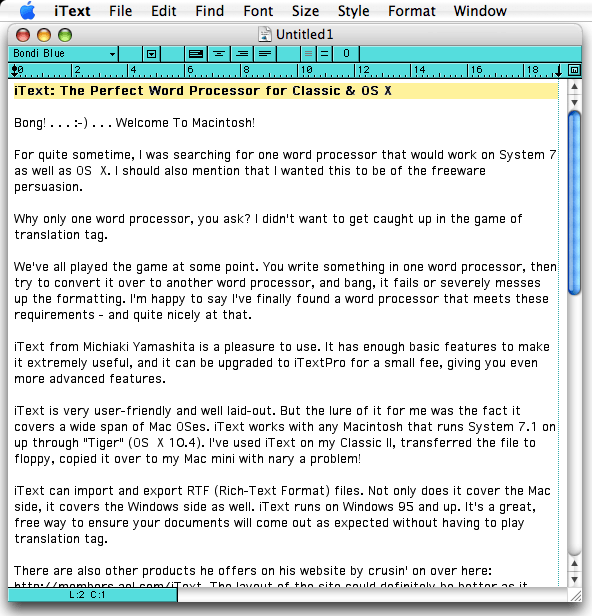
iText on Mac OS X
Other iText Programs
There are also other products he offers on his website. The layout of the site could be better, as it gets confusing knowing what to look for. Let me break it down for you - here what he offers:
iText is the flagship product. It's free and has versions for Classic Mac OS, OS X, and Windows 95 through XP. Then there's iTextPro, which expands upon iText by adding more features. iTextPro is shareware ($15), and there isn't a Windows version. You can purchase a key and enter it into iText to turn it into iTextPro.
Then there's LightWayText. It also runs on Classic Mac OS, OS X, and Windows. It's on the same playing field as Word. It's shareware ($15). I should also mention that when you pay the $15 shareware fee, it covers all versions and updates for life. That's a heck of a deal!
A new product that's only available on the Mac is iTextExpress. iTextExpress is only available for OS X users, limited to Panther (10.3) and Tiger (10.4), whereas iText, iTextPro and LightWayText can run on Puma (10.1) up through Tiger.
iTextExpress is essentially a light word processor that's a little step above TextEdit in OS X. iTextExpress is freeware.
The programs are all cross-compatible with each other.
Solid, Lightweight Software
The programs are superbly robust. They don't eat up hard drive space. They pack a heavy punch in a light package. In the case of iText for Classic Mac OS, iText only takes up a little over 2 MB of hard drive space, and it's light on it's memory usage. On my Classic II, which has 4 MB of RAM, it uses a little over 2 MB with virtual memory turned off. While it's not the lightest, it's by no means a hog.
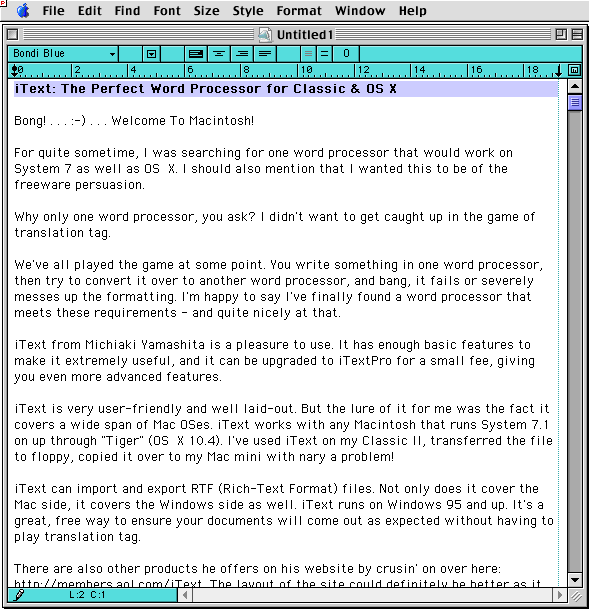
iText for the Classic Mac OS
Since I've begun using my recently acquired eMate 300 for writing, I've exported everything from NewtonWorks to my Classic II. iText is the only word processor that doesn't screw up the articles I've written.
The only negative thing I've found with iText is that it isn't Universal binary. Load times on an Intel Mac can be somewhat painful without a RAM upgrade, especially if you have 512 MB or less. But this is petty in the scheme of it all.
I cannot recommend iText enough. Check out the website to learn more about what each program features. Whether your flavor is Classic or OS X on the Mac side - or Windows 95 on up to XP - you'll like what iText brings to the table. It's a stable, easy-to-use, lightweight, yet full-featured word processor that will do the job nicely!
Drop me a line at thomas (at) lowendmac (dot) com and let me
know what you think of iText. 
Link: iText
Today's Links
- Mac of the Day: Motorola StarMax 3000, introduced 1999.09.07. This inexpensive clone used lots of off-the-shelf parts.
- Support Low End Mac
Recent Content
About LEM Support Usage Privacy Contact
Follow Low End Mac on Twitter
Join Low End Mac on Facebook
Favorite Sites
MacSurfer
Cult of Mac
Shrine of Apple
MacInTouch
MyAppleMenu
InfoMac
The Mac Observer
Accelerate Your Mac
RetroMacCast
The Vintage Mac Museum
Deal Brothers
DealMac
Mac2Sell
Mac Driver Museum
JAG's House
System 6 Heaven
System 7 Today
the pickle's Low-End Mac FAQ
Affiliates
Amazon.com
The iTunes Store
PC Connection Express
Macgo Blu-ray Player
Parallels Desktop for Mac
eBay

