
2000: You want to know how to make your old computer faster than it was when you bought it? Just erase everything on your hard disk!

I know that sounds drastic, and I don’t mean dragging all your files to the Trash, chanting, “must destroy, must destroy.” I don’t have any expertise in that field. However, if what you want is speed, reliability, and lack of file fragmentation on your Mac’s hard disk, just initialize it!
The procedure for initializing the hard disk is fairly easy, all you need is a secure backup device and some free time. The steps of the process are as follows:
- Back up all necessary documents and applications you don’t have saved anywhere else. This is essential since you will be wiping everything from your hard drive.
- Boot up from the system disk or CD that came with your Mac.
- Open Drive Setup, HD SC Setup, or Internal HD Format – whichever is on your system disk.
- Select the disk you want to erase and click Initialize.
- Restore your original system software.
- Install any needed system software updates.
- Reinstall your backed-up stuff and the other applications from their respective CDs or disks (likely not the latter for newer Macs.)
- Get back to whatever fun thing you were doing!
Whew! I didn’t say it was easy.
There are programs, like Norton Utilities and Alsoft DiskWarrior,* that can defragment your disk and do other maintenance jobs, but those fixes don’t promise the same speed and reliability improvement.
Here’s why: When you save anything to the disk, it puts it at the next available sector on the hard disk. The farther away that sector is, the longer it takes to write the file. If you have two documents far away from each other, it will then take a lot longer to open them than if they were closer. After you’ve initialized your disk, you will reinstall all your documents and programs at once, and thus they are positioned sequentially next to each other.
Unless you’re batch-processing hundreds of small files or have a very slow hard drive, the difference in “access time” (the time it takes for the drive heads to be aligned with the track on the disk and for the sector to be lined up) will be unnoticeable. However, CD-RW disks can also benefit from ‘dozing, and the difference will be very apparent, as such drives can have an access time of over a half-second.
Also, if a portion of a platter on your hard disk gets damaged, the initializing program will block off that portion, preventing anything from being written there. This is an excellent feature because if something was written on a damaged block, it might be unretrievable.
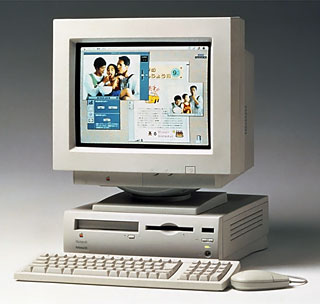 I tested the bulldozing technique on a Performa 636 CD, the family computer. Since we don’t have any backup-worthy drive to use, and the Performa doesn’t have an ethernet card, I sent the files modem-to-modem to my iMac DV to store on its drive. The process was quite time-consuming. Transfer rates are a lot slower than ordinary downloading because the files are sent one allocation block at a time, and then it confirms that the block was sent before sending the next one. However, I didn’t have to buy any additional hardware and didn’t tie up the phone line. Apple has information about this procedure at TIL article #22229.
The Performa had Mac OS 8.0 on it, but I installed System 7.5.5 after bulldozing, because the performance is much better with that, since the computer only has 20 MB of RAM.
Bulldozing isn’t for everyone; it’s very complicated and takes several hours to complete. However, if you’ve got the time on your hands, want to get better-than-new performance out of your older Mac, and aren’t afraid to answer OK to “This process will erase all the information on this disk,” you’ll be glad did!
* Current versions of Alsoft DiskWarrior and Norton Utilities can not only defragment the disk, they can also optimize the directory structure of your hard drive, further improving performance. Of course, they cost more than bulldozing.
keywords: #defragment
short link: https://goo.gl/JZnaRB
