
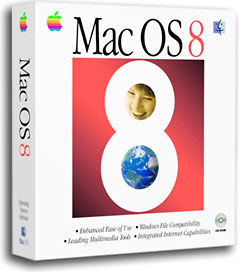
1998 – Yes, Mac OS 8 takes up more memory than earlier Mac OS versions, but it’s not necessarily what you think. On a machine with 12 MB of memory, OS 8.x takes up less memory than on the same Mac with more memory installed. Here’s how – and Apple’s been doing things like this for years.
 When the PRAM reports the memory size, the System file prioritizes modules. In this case, Extensions and Control Panels. If there is enough memory to hold them, the System will autoload them into the system stack so that they’re always ready for use.
On my machine with 256 MB of memory, the System realizes it can upload nearly everything into RAM – QuickTime extensions, Foreign File Access modules, Appearance managers, video routines and patches, etc., plus nearly all of the possible on-the-fly third party patches that are available in my System Folder. The System file does this for stability: If you’ve got the memory, why not use it to make sure that everything is available if needed, right?
But on a memory constrained Mac – say with 12 MB or 16 MB of memory – OS 8 may only take up 6-8 MB of RAM at startup, leaving QuickTime or File Access modules or other extensions on the hard drive to be loaded only if needed. Apple has been doing this since System 7.5, when the System file became more “Unix” based (those of you that want to flame me over this interpretation may do so in a different thread).
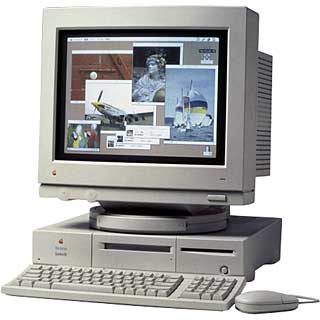 So if you have a Quadra 610 with 12 MB of memory and Mac OS 8.1, About This Macintosh says the operating system takes up 6.7 MB of RAM. When you install two 32 MB SIMMs and bring the total memory up to 68 MB, you’d think you’d see an immediate change, right? And that’s correct – you will probably see a change, but not as much as you might think.
During the system install, certain parameters are read from the ROM and PRAM (Gestalt, video, memory, etc.), and when the System says it is optimizing the system file, it is actually compiling certain parameters into a custom system file for your machine’s configuration – one of which is how to optimize memory handling.
If, when you install 68 MB of memory into your 610, you then reinstall the system software, you’ll see a big jump in the About this Macintosh numbers on bootup – simply because the installer has recompiled those new memory features in your new System file.
In my case, I originally had 16 MB of memory on my PowerCenter when I did the Mac OS 8.0 install (I had to prove this very concept to a user group, so I did the install at a meeting). Mac OS 8.0 took up 6.7 MB of memory on a normal install. We then removed the 16 MB module, installed four 64 MB DIMMs for a total of 256 MB, and rebooted. About This Macintosh then reported 12 MB in use on bootup – the system had already started uploading certain modules into RAM.
We wiped the System Folder and did another clean install – this time the System reported 22 MB in use. (With my disk cache set to 8 MB, I end up with 30 MB in use now).
Summary
- 16 MB RAM, a clean install of Mac OS 8 uses 6.7 MB at startup
- 256 MB RAM, booting the 16 MB installation Mac OS 8 now uses 12 MB at startup
- 256 MB RAM, a clean install of Mac OS 8 uses 22 MB at startup because the clean install is optimized for this precise configuration
There were no differences in the installs – they were exactly the same, from the 8.0 clean install to the immediate 8.1 update. What you’re system “grows” to is a function of how much memory you have installed on the machine – this is why I always reinstall the system software on a client’s machine when I install an enormous amount of new memory.
Note: Some may ask why I want to reinstall and take up that memory – it’s because most of the crashes involved with Macintoshes are due to timing errors – errors that could have been avoided if enough available memory had been around. Since developers often compile their programs on rather buff machines (me included), they often don’t properly handle low memory conditions very well.
If you have a low memory machine running Mac OS 8.0 (<16 MB), then having three third party extensions that require an 8 MB machine have just run out of memory, so they are being called from the hard drive whenever they’re needed. It’s this calling – where Netscape loads QuickTime conferencing on bootup, but because of low memory not all of the QuickTime functions are loaded into memory, so when you access a QuickTime page you may get a Type 1 crash – simply because the expected code didn’t answer Netscape back in a certain period of time (just an example).
You must realize – after this very long rant – that this is the reason there are base and recommended memory requirements. If you have an 8 MB machine, you can install Mac OS 8.1, but even with VM (Virtual Memory) turned off, you’ll still be running mostly off the hard drive. If you have 16 MB, that’s considered a stable install, and if you have 32 MB, you’re more performance based and have plenty of room to add more than just the base system install and still be stable. Sorry to sound so memory-centric, but that’s the kind of guy I am.
The Take Away: By doing a clean system install after upgrading system memory, more of the Mac OS will be in memory and less will loaded from the hard drive on the fly, resulting in a more stable computer.
And if anyone has questions about any of what I’ve just said, please ask. This is one of the hardest points to get across to people with Macs – that memory is the weakest link in the equation. I want to make sure that those people who want to understand do.
- Scott L. Barber <serker@earthling.net>
- Pres/CEO, SERKER Worldwide, Inc.
- Providing Hardware/Networking/Telecomm for 13 years
Scott L. Barber first posted this to Quadlist, the listserv for users of 68040-based Macs. It is reprinted with his permission.
Keywords: #systemmemory
Short link: https://goo.gl/k4HlZR
