
1998 – It sounds to me like you’re running the kinds and types of software that can create common crashes. I’ve noticed a considerable number of people on the list that don’t have crashes, but I’m not one of them. There are things you can do to shore up your system from crashes and eliminate the common mistakes, but my system routinely crashes at least once a day. Depending on what I’ve run and how hard I’ve run it, my system can continuously crash throughout the day.
In your case, I suspect that you probably have errant extensions and additional system resources that aren’t allocated exactly for your setup. As well, you’re using CodeWarrior, which by nature crashes Macintoshes much of the time.
The worst culprit, though, and I suspect that you use it a lot, is internet access. Between problems with stability with the TCP/IP stack inside Open Transport, combined with problems with Netscape and other internet programs unloading and loading resources in improper ways, you’re probably having most of your lockups and crashes when using the Internet.
This can be solved, for the most part, by fine tuning your system to your needs, but in the end, there may still be errant crashes simply because of use. When you’re reading from people that haven’t had crashes in three weeks, you need to realize that these people may not leave their machines on 24/7 or run multiple system level programs involving programming or lots of core system resources. A person who runs Microsoft Office to write letters and then checks their email before going to bed will not have the same kind or frequency of crashes as a system used for web authoring, widespread Net access, Photoshop graphic creation/manipulation, mixed in with occasional but extremely system tasking games (Doom, Quake, etc.).
Before the Apple Developer on this list that compiles Quake, runs a Web service, uses CyberDog and Netscape simultaneously, and scans in 19200 dpi photos all day jumps in and slams me for saying Macintoshes aren’t stable, I want to give you a client example.
An Example
The client has five machines: Mac IIsi, Performa 475, Quadra 610, Quadra 660AV, Mac LC II. These machines are very stable, but rarely used at 100% of processing power.
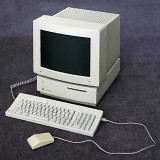 The Mac IIsi, used as an ARA (Apple Remote Access) server and modem server via Portshare Pro. It also does a nightly backup of the server. This machine has 64 MB of memory, runs Mac OS 8.1 (yes, this is supposed to be impossible), and has a wide array of appraisal software on it. This machine is always on but rarely touched, except when another terminal fails. This machine crashes about once every month – usually during backup, simply because someone else left their machine on with a server-based application running (this gives a server backup error).
LC II: 10 MB memory, 4.3 GB drive. Never crashes unless the power flickers. Running System 7.0.1 with AppleShare 3.03. Uses LaserWriter Bridge to bridge Ethernet to LocalTalk for the LaserWriter. Has no monitor, does nothing but file sharing and bridging.
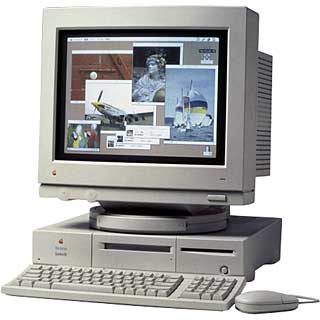 P475, Q610, Q660AV: All are maxed on memory. Each has approximately 250 MB drive. These machines are turned on in the morning and turned off at night. The 475 and the 660AV never crash. The entire complement of software installed on all three of these machines is the appraisal software and Microsoft Word 6.0.1. Oh, there is also ClarisWorks and FileMaker Pro, but they’re only there to access two database files, and maybe only once or twice a week.
The Q610 is special. It represents the only machine that accesses the Internet. It also hosts another shared port device (like the IIsi). In addition, it is the fax software machine. The secretary that uses it often controls most of the server files with this machine. Of the 6 to 8 hours that it is on daily, it uses 20 or 30 times the system resources of the other two Macs. It also crashes more, simply because of the level of use.
Check to see just how much you actually use your machine when it’s on, and consider that the average computer crash occurs when the processor is over 80% of use, memory has been fragmented more than 5%, and system resources have become tight.
The same problem occurs in a computer’s brain that occurs on a standard hard drive – when files become fragmented, access becomes slower and more complicated – the more complicated the access, and the slower the access is, the more crucial timing and processing issues become when depending on that drive for file information.
- Scott L. Barber <serker@earthling.net>
- Pres/CEO, SERKER Worldwide, Inc.
- Providing Hardware/Networking/Telecomm for 13 years
Scott L. Barber first posted this to Quadlist, the listserv for users of 68040-based Macs. It is reprinted with his permission.
Keywords: #classicmacos #systemcrashes
Short link: https://goo.gl/Wl0Z7P
