
1998 – Much of the following information has been distilled from a series of articles by Steve Gibson of SpinRite. Since these articles specifically address Click of Death (COD) tools in the Windows world, they provide excellent technical information but no Macintosh perspective. If you want to know more about COD, Gibson’s articles are the first ones listed below under Other Resources.
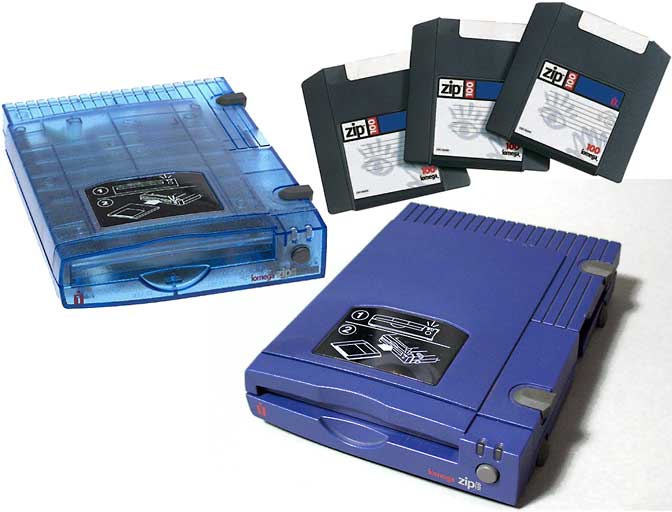 The Iomega Zip drive has practically replaced the floppy drive. Thanks to reasonable drive prices, disk prices, and disk capacity, Zip disks are being used for backup, archiving, and transporting projects too large for one or two floppy disks.
But today the Zip drives, and to a lesser but growing extent the Jaz drives, are also known for the Click of Death (COD), a problem that can result in completely unusable, unrecoverable disks.
The problem is named for the clicking sound that precedes disk death. A source tells me Iomega has known about the problem since at least August 1996.
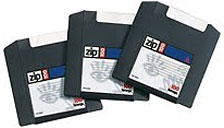 The clicking itself is not the problem, only a symptom. Iomega’s Zip and Jaz drives are designed to retract, clean, and recalibrate their heads when they sleep or have a problem reading a disk. Continued clicking is a symptom of an unreadable disk, usually one which has been damaged by a Zip or Jaz drive incorrectly writing to the disk. Too much clicking may actually damage or misalign the heads.
Although COD is usually caused by the drive, inserting a COD damaged disk into another drive will make it seem that the second drive is also afflicted with COD. This may not be the case: The second drive is clicking as it tries to read the COD damaged disk. They key is to isolate the drive causing the damage, then determine whether this was a one-time occurrence or an ongoing problem. And it is possible for a COD disk to damage a good drive, so never knowingly put a COD disk in any drive. (Disks can be damaged by being in the drive when the power goes out – a good argument for plugging Zip and Jaz drives into a UPS.)
You can visually tell if a disk is damaged by a frayed edge on the disk itself (not the hard case, but the media inside the case). Never put damaged media in a Zip drive.
- COD can also be cause by strong magnetic fields or the lubricant on the disk decomposing, leaving deposits on the drive head, which magnetizes the heads and causes them to come together early, running into the edge of the disk medium itself.
Depending on the level of damage, it may be possible to recover a COD damaged disk. The first step, if the disk can be mounted, is to copy the data to your hard drive or a server. Following this, run a disk repair program such as Norton Utilities for Macintosh, which may be able to repair damaged files. After this, files should again be copied to another drive.
Then the disk should be reformatted in a known good drive. If format fails, send the disk back to Iomega (or whoever put their name on it) for warranty replacement.

- Steve Gibson notes, “Since the true cause of Click Death is a physically, electrically, or mechanically defective Zip or Jaz drive, the only possible ‘cure’ is the replacement of that drive.” In fact, as Gibson notes in How Can I Cure Click of Death?, David Hellier of Iomega states, “whether it’s in or out of warranty, we’re going to take care of and replace the product if necessary.” (Be sure to mention Hellier if Iomega balks at replacement.)
If you buy a new Zip or Jaz drive, or have one replaced by Iomega, you should immediately test it to verify that it is working properly before entrusting it with important files.
Iomega recommends you use Tools, select the icon with two drives (not two disks), and select Push to Diagnose to test your drive and media. I don’t know what level of testing this performs, but if it fails, contact Iomega immediately.
We’ve been using Zip drives at work since April 1995, adding more as needed. I’ve had one at home since December 1995. All of these have worked reliably since the day we got them; none have experienced Click of Death. COD is not something most users can expect to see, but every Zip and Jaz user should be prepared for it.
Update: There was a class action lawsuit against Iomega regarding the click of death that was settled in April 2001. Members of the class were entitled to up to $40 in rebates on various Iomega products. Iomega was acquired by EMC Corporation in 2008. In 2013, EMC and Lenovo created a joint venture known as LenovooEMC, and all Iomega products were rebranded with the new name.
Other Resources
- What Is the Click of Death?, Steve Gibson, SpinRite
- What Can I Do to Prevent Click of Death?, Steve Gibson, SpinRite
- How Can I Cure Click of Death?, Steve Gibson, SpinRite
- Steve Gibson’s Click of Death FAQ, Steve Gibson, SpinRite
- “Click of Death” Numbers Revealed, Cnet
- The Unofficial Iomega Click of Death Home Page
- With Iomega Zip and Jaz Drives, What Is the Click of Death?, Indiana University
- Click of Death, Wikipedia
- Zip 250 Drive Repair, Siber Sonic
Keywords: #zipdriveclickofdeath #zipclickofdeath #jazclickofdeath #clickofdeath
Short link: https://goo.gl/OrQ0EA
searchword: zipclickofdeath
