Low End Mac Reader Specials
TypeStyler For Mac OS X is Now Shipping! Download The Free Fully Functional 60 Day Tryout at www.typestyler.com
OWC: Mercury On-The-Go FW800+USB2 up to 1.0TB. Bus Powered, no external power supply needed. Macworld Editors Choice, CNET Very Good Starting from $99.97, 500GB $159.99. Click here
Don't install Parallels to play poker online! Poker Mac will show you how
to download and install a native Mac poker application such as Full
Tilt Poker Mac.
Laptop Hardware Provided by TechRestore - Overnight Mac & iPod Repairs.
Compare products like desktop computers, apple laptops, apple macs, and LCD Monitors side by side! All the information and reviews to make the best purchasing decision for new mobile phones, sat nav systems, or MP3 players. The Ciao online shopping community makes searching products easy for you.
Low End Mac's Online Tech Journal
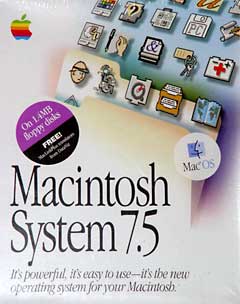
Why System 7.5.5?
Scott L. Barber
Scott L. Barber first posted this to Quadlist on 22 September 1998. It is reprinted with his permission.
As of 31 January 1999, Apple has posted System 7.5.3 for free download (19 disks!) -- and don't forget the System 7.5.5 updater.
- "If you are running the machines as servers, why do you use System 7.5.5? Won't a properly updated 7.1 perform better? are there any advantages (other than interface enhancements) that 7.5.5 has?"
I prefer the solid Open Transport 1.1.2 support in 7.5.5 and all the ethernet driver updates. I don't mind sacrificing a bit of memory over what 7.1 carried for a built-in drag and drop manager, Shrinkwrap .smi support during installs, proper 8.1 connectivity handling (since 8.1 doesn't quite read the desktop database the same way as 7.5, but 7.1 is almost foreign to it), Timbuktu runs smoother with full TCP/IP support, Speed Doubler server assists copies over the network to the server by routing through full TCP/IP connectivity rather than slower AppleTalk protocols, but only with Open Transport and 7.5.5.
I could keep going on with this list . . . OK . . . I will. SCSI Manager 4.3 support, better General Controls support, larger drive support up to 4GB, which is good, since 7.1 won't read drives this large and won't network them out correctly (7.1 is limited to 2GB partitions). Conflict Catcher is much more stable and better known to me under 7.5.5 with all the extensions. I can remove all of the PPC code from the System file and Finder to make a cleaner 68k system software that seems much more stable than 7.1. Multi Device server software such as SCSIShare and Portshare can take advantage of Open Transport benefits, ARA seems much more stable and better able to maintain connection under 7.5.5. I can upgrade the AppleShare extension for the Chooser with a very modern 3.7.4 without issue, which maintains much better and more stable connections with other machines than the v 3.05 or whatever with 7.1. LaserWriter printer support with sharing and desktop icons is more compatible with the built in manager within 7.5.
A more solid memory handling routine is found as well as improved caching with Speed Doubler support. Better FileMaker 3.0 Server support than 7.1.
I guess it boils down to Open Transport and Speed Doubler support, and better TCP/IP handling built into the OS. Of course there are other overhead issues, but really, they're not that important if you can clean up the extra extensions you don't need. As well, file support and large drive support is much greater under 7.5.5, meaning you don't have to take great amounts of time repartitioning or dealing with file copies in the future.
The last thing I can think of is Retrospect backup support, which is much easier to establish with 7.5.5 rather than 7.1, simply because of the multitasking radical. Instead of having to force users to disconnect file server support during a backup, and then wait for re-establishment, the backup unit can be attached directly to the server, and Retrospect 4.0 can back up all the connected 7.5.5 and 8.1 machines remotely. Given the option of 7.1, if any of those remote machines have drives greater than 2 GB, then they will not report file sizes correctly and will fail in transfer.
The reason I know this last issue is because I tried it. I used 7.1 on a scanner/printer server for a 5 user network of 8.1 loaded Quadra's. The file server in use was a IIsi 65 MB 4.3GB drive. I attempted to let Retrospect log into that file server and simply backup the entire drive - that failed because of weird errors. So I connected via the Chooser to the file server, and it reported 4.073GB in use on a 4.053 GB drive. Every file attempted to copy from the server to the hard drive complained that the file was too big - an additional 4.073GB needed. So, in this case, 7.1 failed. I still have it being a printer/ARA dial-in/SCSIshare scanner server, but the backup tape drive had to go to the IIsi, where it's worked flawlessly, even backing up the scanner server.
Now, I mentioned before, that SCSIshare wasn't really supported
correctly under 7.1, and it fails, whether I use the 3.0 update or not.
The problem is memory handling and protocols under classic AppleTalk.
So, when more than 6 MB is installed on the LC II, I'll be punching it
up to 7.5.5 and increasing the disk cache from minimum, just to keep
things stable and kosher with Open Transport installed.
- Scott L. Barber <serker@earthling.net>
- Pres/CEO, SERKER Worldwide, Inc.
- Providing Hardware/Networking/Telecomm for 13 years
Quadlist, the listserv for users of 68040-based Macs. FAQ at <http://lowendmac.com/lists/quadlist.shtml>
Recent Online Tech Journal Columns
- Optimized Software Builds Bring Out the Best in Your Mac, 06.30. Applications compiled for your Mac's CPU can load more quickly and run faster than ones compiled for universal use.
- Low End Mac's Safe Sleep FAQ, 06.15. What is Safe Sleep mode? Which Macs support it? How can you enable or disable it? And more.
- The Original Macintosh, 01.12. An in-depth look at the original Macintosh and how it shaped future Macs.
- The Innovative Lisa, 01.08. Apple's Lisa and how it paved the way for the Macintosh.
- More in the Online Tech Journal index.
Links for the Day
- Mac of the Day: Power Mac G5 Quad, Oct. 2005 - With two 2.5 GHz dual-core G5 CPUs, the G5 Quad was the most powerful PowerPC Mac ever and introduced PCI Express.
- Group of the Day: Mac Network deals with all aspects of Mac networking.
- November 21 in LEM history: 00: OS upgrades, downgrades - AltiVec vs. Pentium III - 01: Saved by the clones - Computer of the future - 02: Apple Education: Let's get to it - 03: Panther lets Macs and PCs work together, - Lombard SCSI bug - 05: 3 survivors from the 1970s - Real world battery life inadequate - Windows to Mac file transfer with Zip disks - $99 alternative to Microsoft Office - 06: Parallels 1.0 far more polished than beta
- Support Low End Mac
Recent Content on Low End Mac
- Apple's Tablet an End Run Beyond Netbooks, Frank Fox, Stop the Noiz, 11.20. Whatever Apple has planned will leverage existing technologies while going beyond what its competitors can offer.
- i5 iMac Benchmarked, Mac mini 'Shouldn't Be Overlooked', Twitter Client for Classic Mac OS, and More, Mac News Review, 11.20. Also why Apple leaves the low end to others, 10.6.2 fixes video playback problem in 27" iMac, 3D Leopard and Snow Leopard performance, and more.
- NASA Chemical Sensor for iPhone, Smartphone Death Match, iPhone Earrings, and More, Ian R Campbell, 11.20. Also mobile phone dangers, new apps, GPS solution for iPod touch, new iPod and iPhone cases, and more.
- Apple #4 in Reliability, Apple Tablet a Gadget for All?, HP's i7 Notebook Outdoes Mac Rivals, and More, The 'Book Review, 11.20. Also Flash 10.1 improves video on Hackintosh netbooks, thin-and-light notebooks impress, Windows XP finally on the way out, and more.
- Replacing the Hard Drive in a Clamshell iBook, John Hatchett, Recycled Computing, 11.19. Yes, it is one of the most difficult Apple notebooks to disassemble and reassemble, but a 10 GB hard drive just will not do.
- IBM Model F: A Great Old Keyboard with an Outdated Layout, Tommy Thomas, Welcome to Macintosh, 11.19. Although it used a different technology than the revered IBM Model M keyboard, the Model F was a great keyboard in its own right.
- Soft Touch Keyboards, Wireless Mouse Options, Loving SeaMonkey 2, and More, Charles W. Moore, Miscellaneous Ramblings, 11.18. Also the future of browsing with PowerPC Macs and the multiple mouse input bug introduced with OS X 10.5.8.
- More links in our archive.
Recent Deals
- Best eMac Deals, 11.18. Used 1 GHz Combo, $100; SuperDrive, $269; 1.25 GHz Combo, $119; SD, $319; 1.42 GHz Combo, $289; SD, $498.
- Best Mac OS X 10.6 and Mac Box Set Deals, 11.18. "Snow Leopard", single user, $25; 5 users, $45; Mac Box Set, single user, $139; 5 users, $180; Server, $414. Shipping included.
- Best Xserve Deals, 11.18. Used 1 GHz dual G4, $649; 2.3 dual G5, $795; 3.0 4-core Xeon, $1,899; refurb 2.26 4-core, $2,499; new, $2,888; refurb 8-core, $2,999; new, $3,449; more.
- Best 15" MacBook Pro Deals, 11.17. Used 1.83 GHz, $750; 2.16, $800; 2.33, $900; refurb 2.4, $1,299; 2.53, $1,449; 2.66, $1,699; 2.8, $1,899; new 2.53, $1,579; 2.66, $1,799; more.
- Best Power Mac G4 and AGP Video Card Deals, 11.17. Used 400 MHz, $50; 933 MHz, $80; 500 dual, $60; 867 dual, $90; 1 GHz dual, $150; 1.25 GHz dual, $225; 1.42 GHz, $499.
- Best Mac OS X 10.5 Deals, 11.17. "Leopard" upgrade, $80; single user license, $135; 5 users, $173; Mac Box Set, 5 users, $230; Server, 10 users, $340; unlimited, $850. Shipping included.
- Best Mac mini Deals, 11.16. Used 1.42 GHz G4 mini, $379; 1.66 GHz Core Solo, $419; 2.0 Core 2, $450; new 2.26 GHz nVidia, $580; 2.53 GHz, $769; Server, $990.
- Best iBook G4 Deals, 11.16. Used 12" 1.07 GHz Combo, $210; 1.33 GHz, $298; 14" 1.33 GHz, $398; 1.42 GHz, $479; SuperDrive, $498.
- Best iPod shuffle Deals, 11.16. Used 1 GB, $35; 4 GB, $65; refurb 1 GB, $39; 2 GB, $59; new 2 GB, $55, 4 GB, $75. New and refurb prices include shipping.
- More deals in our archive.
About LEM | Support | Usage | Privacy | Contacts
Navigation
Used Mac Dealers
Apple History
Video Cards
Email Lists
Favorite Sites
MacSurfer
MacMinute
MacInTouch
MyAppleMenu
InfoMac
Macs Only!
The Mac Observer
Accelerate Your Mac
RetroMacCast
PB Central
MacWindows
The Vintage Mac
Museum
DealMac
DealsOnTheWeb
Mac2Sell
ramseeker
Mac Driver Museum
JAG's House
System
6 Heaven
System 7 Today
the pickle's Low-End
Mac FAQ
Abandonware
Petition
Mac vs. PC Info
Affiliates
The Apple
Store
Mac
Connection
B&H
MacMall
TechRestore
ExperCom
Crucial
Memory
batteries.com
Advertise
MacMinute
MacInTouch
MyAppleMenu
InfoMac
Macs Only!
The Mac Observer
Accelerate Your Mac
RetroMacCast
PB Central
MacWindows
The Vintage Mac
Museum
DealMac
DealsOnTheWeb
Mac2Sell
ramseeker
Mac Driver Museum
JAG's House
System 6 Heaven
System 7 Today
the pickle's Low-End
Mac FAQ
Abandonware
Petition
Mac vs. PC Info
Mac Connection
B&H
MacMall
TechRestore
ExperCom
Crucial Memory
batteries.com