Low End Mac Reader Specials
TypeStyler For Mac OS X is Now Shipping! Download The Free Fully Functional 60 Day Tryout at www.typestyler.com
OWC: Mercury On-The-Go FW800+USB2 up to 1.0TB. Bus Powered, no external power supply needed. Macworld Editors Choice, CNET Very Good Starting from $99.97, 500GB $159.99. Click here
Don't install Parallels to play poker online! Poker Mac will show you how
to download and install a native Mac poker application such as Full
Tilt Poker Mac.
Laptop Hardware Provided by TechRestore - Overnight Mac & iPod Repairs.
Compare products like desktop computers, apple laptops, apple macs, and LCD Monitors side by side! All the information and reviews to make the best purchasing decision for new mobile phones, sat nav systems, or MP3 players. The Ciao online shopping community makes searching products easy for you.
Classic Restorations
Which System Software Is Best for My Vintage Mac?
- 2005.11.22
The choice of System software for a 68k Mac* is not so simple as deciding what software to run on a modern computer. While it's very difficult to ignore the hum of "newer, faster, better" in the modern computing world, the vintage Mac user really has the option to choose.
Every decision in vintage Mac computing has the luxury of foreknowledge. You can't ever be taken by surprise at the introduction of a new killer feature or a crippling bug.
That ultimate knowledge is one of the biggest strengths of retro computing. Once the project or job is known, the Classic Restorer gets to pick the cream of nearly 20 years of engineering crops .
Due to Apple's "never say die" attitude about MacOS during the late 80s and early 90s, many of the 68k Macs can run most System Software versions between System 6 and Mac OS 8.1. Which version is best on which system is ultimately a personal choice that depends upon the preference of the user, the user's other computers, and the task the computer will perform.
I will present the version that is best for each machine, based upon what I think the "average" user will require. If this isn't the best for you, it should at least serve as a good starting place to determine your unique needs.
What System Software really is good for my 68k Mac?
Usually, the advice sounds like this: "If your Mac has some N megabytes of RAM, then you need to use System version X.Y.z". While it's true that choosing too fat an OS for your machine will lead to discontent, this advice doesn't tell the whole story.
Vintage Mac RAM is as cheap now as it is ever going to be. Unless your Mac has hard to find RAM or a small RAM configuration is part of your project (such as getting a 2 MB Plus on the Web), there is no sense in punishing yourself with a crippled Mac with little RAM.
While extreme upgrades have a "Gosh! Wow!" factor that can't be beat, today's moderate RAM upgrades are the high-end upgrades of yesteryear, and they can often be found at no or minimal cost. For example, the Quadra 800 can take up to four 72-pin SIMMs. Using only free, junk-pile 8 MB SIMMs, that machine can be upgraded to 40 MB (the Q800 has 8 MB on the motherboard as well), enough for most tasks.
I'll categorize the 68k lineup into five categories based upon maximum RAM: Antique Macs, 4 MB Macs, 10 MB Macs, Expandable Macs, and Hard-to-find-RAM Macs.
Antique Macs
These Macs all have 68000 processors and no built-in capability for RAM expansion. As such, their use for modern tasks is much more limited than their brethren. While I personally have limited experience using these models, whispers on the breeze (actually the 68kMLA forums) say that System 2.1 is good for the 128 KB Macintosh, and System 5.1 functions comfortably on the Fat Mac, 512Ke, and Macintosh ED.
There are third-party RAM upgrades available on the collectors' market, and the addition of these cards can bump these machines into the "4 MB Macs" category and increase the tasks they can handle dramatically. The Dove MacSnap upgrade comes to mind as an example of such an upgrade.
Enterprising hackers have also upgraded the RAM in these machines by soldering new RAM chips in place, but this is not a task for the faint-of-heart.
The 4 MB
Macs
I recommend that these models all be upgraded to 4 MB of RAM for general use. A 2.5 MB Mac Plus is fun, but a 4 MB Plus is much more useful, and 1 MB 30-pin SIMMs are really, really cheap.
Many of these models may not come with a hard drive, and for those floppy-only Macs I recommend System 6.0.8, because it is the latest system designed to be realistically useable in a floppy-only environment.
For these Macs with a hard drive, I recommend System 7.0.1 for general use. For these computers it has much lower RAM and disk requirements than 7.1 or 7.5, and it supports most programs that require System 7. Your little Mac will be happier with the slim 7.0.1.
10 MB Macs
- Macintosh Classic II
- Macintosh LC
- Macintosh LC II
- Macintosh Portable (and Backlit Portable)
- PowerBook 100
- Macintosh Color Classic
- Performa 200, 250, 400, 405, 410, 430
- PowerBook 140
- PowerBook 145
- PowerBook 145b
- PowerBook 170
These Macs have a RAM ceiling of 6-10 MB. Your Mac experience will be greatly enhanced if these models are upgraded to their greatest capacity before being put into service.
For these machines, System 7.0.1 is still the best choice. If you have access to 7.1, they'll do nicely with that, too. The older System 7.0.1 gets the nod over 7.1 despite the technical advantages of the newer version because 7.0.1 is freely available from Apple's website.
System 7.0.1 does everything most people would expect from these machines anyway - browse the Web, network with modern computers, and so on - with only a few gotchas.
Expandable Macs
- Macintosh SE/30
- Macintosh Color Classic II
- Mystic Color Classic (LC 575 Motherboard in a Color Classic)
- Macintosh II series machines
- Macintosh Quadra series machines
- Macintosh Workgroup Server machines
- Macintosh LC III
- Macintosh LC III+
- Macintosh LC 400, 500, 600 series machines
- Macintosh Performa 450, 460, 466, 467
- Macintosh Performa 500 and 600 series
These Macs all have several 30-pin SIMM slots or at least one 72-pin slot and can thus be upgraded with lots of RAM very cheaply. These machines should be upgraded to at least 16 MB of RAM, and preferably to 32 MB or even more.
For all these Macs with 16 MB of RAM, System 7.5.5 takes the cake. With updates it can connect to virtually all modern computers and run almost any 68k software out there. If you have a Mac OS 7.6 CD, that's fine, but System 7.5.5 will be the best choice by far for most users.
Hard-To-Find-RAM
Macs
- Macintosh IIfx
- PowerBook 150, 160, 165, 165c, 180, 180c, 190, 190cs
- PowerBook Duo series
- PowerBook 500 series
For these computers, the old advice of "Choose your Mac OS by looking at how much RAM you have right now" is true. While all of these computers have the power and speed to run System 7.5.5 or even Mac OS 8.1 comfortably, they might not have made their way to you with enough RAM for that. If you can realistically upgrade the RAM to at least 16 MB, you really should. Otherwise, they are still wonderful Macs.
When these systems are stranded below about 16 MB of RAM, you'll be more concerned with picking a System small enough to leave room for real applications. In that case, System 7.0.1 is the best bet. 7.1 might be better in some ways, but 7.0.1 is available freely and legally.
If you're lucky enough to have one of these specimens with 16 MB
or more RAM, the door is open. System 7.5.5 is the best choice for
most users who have a moderately fast 68030 and at least 16 MB of
RAM.
* 68k Macs are those using any of the Motorola 680x0 family of CPUs.
Further Reading
- System 6 Heaven. The best resource for users considering System 6.
- 68k Mac Knowledge @ fen dot net. My personal Macintosh homepage features articles about installing and configuring a very up-to-date System 7.5.5 and 7.0.1.
- Installing OS 8 & OS 8.1 on 68030 Macs, Gamba's home page. Detailed installation instructions for getting Mac OS 8.1 on otherwise unsupported 68030-based Macs.
- Low End Mac's Computer Profiles. Low End Mac's profiles shows which System software versions are capable of running on which Macs and how much memory these old machines can handle.
Recent Classic Restorations articles
- Mac OS 8 and 8.1: Maximum Size, Maximum Convenience, 01.29. Mac OS 8 and 8.1 add some useful new features and tools, and it can even be practical on 68030-based Macs.
- System 7: Bigger, Better, More Expandable, and a Bit Slower than System 6, 01.21. The early versions of System 7 provide broader capability for modern tasks than System 6 while still being practical for even the lowliest Macs.
- The Joy of Six: Apple's Fast, Svelte, Reliable, and Still Useful System 6, 01.16. System 6 was small enough to run quickly from an 800K floppy yet powerful enough to support 2 GB partitions, 24-bit video, and the Internet.
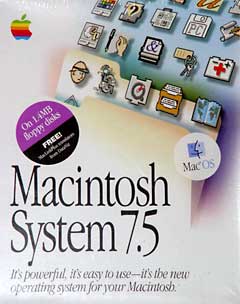
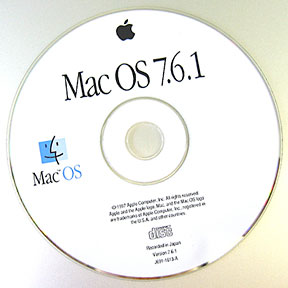
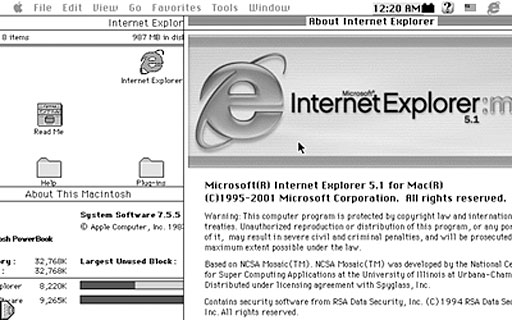
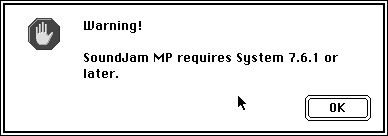
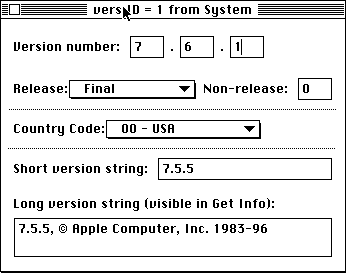
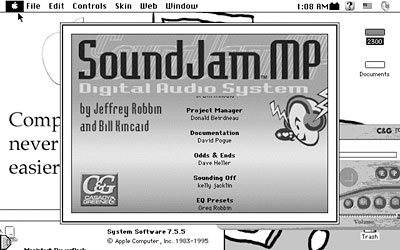
- Mac System 7.5.5 can do anything Mac OS 7.6.1 can, 06.04. Yes, it is possible to run Internet Explorer 5.1.7 and SoundJam with System 7.5.5. You just need to have all the updates - and make one modification for SoundJam.
- More in the Classic Restorations index.
Links for the Day
- Mac of the Day: Power Mac 4400, Nov. 1996 - Apple does cheap to compete with clones - and nobody is impressed.
- Group of the Day: Puma List is for anyone using Mac OS X 10.1.
- November 7 in LEM history: 00: PowerBook Lite dreams - Our first Macs - 01: OS 9, OS X, or Linux? - 02: Xserve for the classroom - 03: Panther on slot-loading iMacs - High capacity Lombard/Pismo battery - 05: Clean keyboard residue from laptop screen with ROR - SeaMonkey - 06: Dan Bricklin, inventor of the spreadsheet - Turn any Mac into a gameshow buzzer - 07: The transforming PowerBook 1400 - PowerBook 540 on Compact Flash
Recent Content on Low End Mac
- Quad-Core CPU Makes Sense in MacBook Pro, OS X 10.6 Causing Overheating, Overseas Power, and More, The 'Book Review, 11.06. Also Late 2009 MacBook reviewed, how to add RAM to new MacBook, 18.4in Acer notebook used Intel i7, and SanDisk SSD chosen for Sony VAIO X.
- Dumping Macs for Google Apps, SSD in iMac, Late 2009 iMac Performance Problems, and More, Mac News Review, 11.06. /newsrev/09mnr/1106.html
- WiFi Paranoia, iMac-O-Lantern, Magic Mouse Does Click, Free Clipboard Managers, and More, Charles W. Moore, Miscellaneous Ramblings, 11.05. Also strange time stamps, problem with ColorIt on Intel Mac, and the story behind OS X 10.5.4 install discs.
- IDE Is Dead; Long Live SATA!, Dan Knight, Mac Musings, 11.04. SATA has displaced parallel ATA. While IDE hard drives haven't disappeared, the best deals are in SATA hard drives.
- QuickTime X in Snow Leopard Imports, Trims, and Publishes Video Quickly and Easily, Alan Zisman, Zis Mac, 11.04. The long, slow process of importing video into iMovie to edit it, then render it to another format, is history as QuickTime X does that much more quickly.
- More links in our archive.
Recent Deals
- Best Mac Pro Deals, 11.03. Used 2.66 GHz 4-core, $1,300; 3.0 8-core. $2,299; refurb 2.66 4-core Nehalem, $2,149; 2.93, $2,549; 2.26 8-core, $2,799; 2.93, $4,999.
- Best iPhone Deals, 11.03. New 8 GB iPhone 3G, $$99; refurb 16 GB 3GS, $149; new, $199; 32 GB, $299.
- Best 12" PowerBook G4 Deals, 11.03. Used 867 MHz SperDrive, $348; 1 GHz, $499; 1.33 Combo, $298; SD, $559; 1.5 Combo, $448; SuperDrive, $589.
- Best Power Mac G3 and PCI Video Card Deals, 11.02. Used beige 300 MHz, $25; G4/366, $49; blue & white 350, $80; 400, $90; 450, $105; PCI video cards from $15; shipping additional.
- Best Power Mac G4 and AGP Video Card Deals, 11.02. Used 400 MHz, $50; 733 MHz, $69; 933 MHz, $209; 1.25 GHz dual, $299.
- Best 15" MacBook Pro Deals, 11.02. Used 2.0 GHz, $800; 2.2, $900; 2.4, $1,000; refurb 2.53, $1,449; 2.66, $1,699; 2.8, $1,949; 3.06, $2,169; new 2.53, $1,579; 2.66, $1,799; more.
- Best Mac mini Deals, 10.30. Used 1.33 GHz G4 mini, $379; 1.42, $389; 1.5, $419; 1.83 GHz Core Duo, $350; Core 2, $439; new 2.26 GHz nVidia, $580; 2.53 GHz, $770; Server, $990.
- Best G4 iBook Deals, 10.30. Used 12" 1.07 GHz Combo, $225; 1.33 GHz, $298; 14" 1 GHz, $349; 1.33 GHz, $398; 1.42 GHz SuperDrive, $498.
- Best Classic Mac OS Deals, 10.30. System 6.0.8 floppies, $10; 7.1, $12; 7.5, $20; 7.5 CD, $4; 7.6 $13; 8.1, $11; 8.5, $20; 8.6, $90; 9.0, $20; 9.2.2, $30.
- More deals in our archive.
About LEM | Support | Usage | Privacy | Contacts
Navigation
Used Mac Dealers
Apple History
Video Cards
Email Lists
Favorite Sites
MacSurfer
MacMinute
MacInTouch
MyAppleMenu
InfoMac
Macs Only!
The Mac Observer
Accelerate Your Mac
RetroMacCast
PB Central
MacWindows
The Vintage Mac
Museum
DealMac
DealsOnTheWeb
Mac2Sell
ramseeker
Mac Driver Museum
JAG's House
System
6 Heaven
System 7 Today
the pickle's Low-End
Mac FAQ
Abandonware
Petition
Mac vs. PC Info
Affiliates
The Apple
Store
Mac
Connection
B&H
MacMall
TechRestore
ExperCom
Crucial
Memory
batteries.com
Advertise
MacMinute
MacInTouch
MyAppleMenu
InfoMac
Macs Only!
The Mac Observer
Accelerate Your Mac
RetroMacCast
PB Central
MacWindows
The Vintage Mac
Museum
DealMac
DealsOnTheWeb
Mac2Sell
ramseeker
Mac Driver Museum
JAG's House
System 6 Heaven
System 7 Today
the pickle's Low-End
Mac FAQ
Abandonware
Petition
Mac vs. PC Info
Mac Connection
B&H
MacMall
TechRestore
ExperCom
Crucial Memory
batteries.com