Mac Fallout Shelter
Installing Mac OS X 10.4 'Tiger' on Unsupported Hardware
- 2006.01.09 - Tip Jar
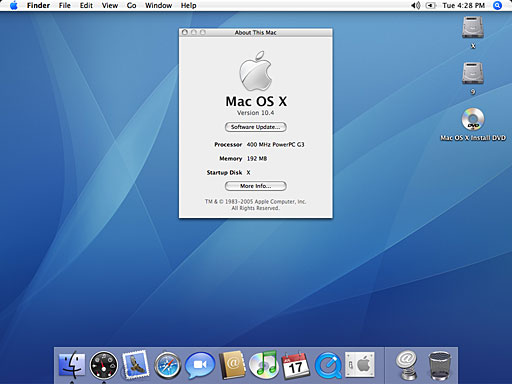
This week we're going to break the rules and be rebels. We're going to install Mac OS X 10.4 Tiger on a Lombard PowerBook G3. These instructions should work with most Macs with a G3 or later CPU or a G3 or later upgrade.
Apple officially saays it is not going to support any Mac that doesn't have built-in firewire ports and at least 256 MB of RAM. My Lombard does not have firewire and only has 192 MB of RAM, but it's pretty much the same hardware as the supported Pismo model.
Remember to backup all your data before installing anything.
What you need:
- A Mac that has at lease a G3 processor
- More than 128 MB of RAM for usable speeds - 96 MB is possible but very slow
- 6 GB hard drive or larger, split into two partitions
- Mac OS 9 installed on one partition
- XPostFacto from Other World Computing
- Mac OS X 10.4 install DVD or CDs or on a external hard drive
The first step is to have your hard drive partitioned into at least two partitions. One is going to be the Mac OS 9 partition, which only needs to be at around 1 GB or so depending whether your going to install much "classic" software or not. The second partition is for Mac OS X and needs to be at least 2 GB. I used a 40 GB drive in my Lombard and selected 10 GB for OS 9 and 30 GB for OS X. [Editor's note: My 40 GB drive is partitioned with 19 GB for OS X, 3 GB for OS 9, and 8 GB for work.]
Boot up Mac OS 9.x, install XPostFacto to you hard drive, and launch it. Remember to read the ReadMe file for the warnings and precaution before continuing.
Select the target disk partition you are installing it to.
Select the Install media that you are using, DVD or CD
Click on the install button, and then watch the machine do very strange things. It's important not to interrupt the install process.. At times it looks like your Mac will freeze up, but trust me - just leave it be.
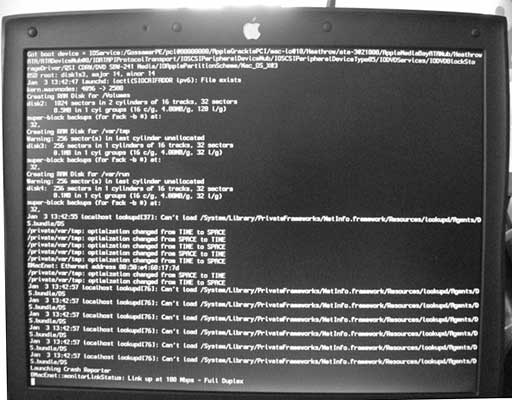
It's normal to see a bunch of text, which is called verbose mode. The Mac OS X installation screen will come up asking you what language you want to install when its finally ready to install OS X.
After that, follow normal installing procedures for OS X, and you're done.