
A Sentimental Mac Journey with a PowerBook 3400
- 2003.03.11 - Tip Jar
Low End Mac Reader Specials
Memory To Go Special: New 2008 iMac 2GB $42 / iMac Intel Core2 DUO & MacBook Pro 2GB $36 - 1GB $20. MacPro 8 Core Memory 4GB kit $154 / 2GB kit $94 -- Free shipping available.
Download Typestyler, still the Ultimate Styling Tool for Internet, Print and Video Graphics. Works great in Classic with a Native OS X Version on the way. Free Tryout: www.typestyler.com
LA Computer Company: Specials on AppleCare, iMac's, Apple Batteries and Apple A/C Adapters. Also Great prices on Used Apple Computers. Call 1-800-941-7654 Click Here.
OWC: Top Quality Memory for Faster Mac Performance 1GB/2GB/4GB Kits from $23.99/$47.99/$94.99 Expert Support, Free Installation Videos & Guides, Lifetime Advance Replacement Warranty - www.MacSales.com
Mac users can finally play Party Poker for Mac. Not only that, they can also learn how to play PokerStars for Mac.
Laptop Hardware Provided by TechRestore - Overnight Mac & iPod Repairs.
Compare products like desktop computers, laptops, and LCD TVs side by side! All the information and reviews to make the best purchasing decision for a new cell phone GPS products or MP3 players. The Ciao network makes searching products easy for you.
New MacPro Memory 800Mhz With Apple Spec Heat Sink 2GB $88 / 4GB $138 / 8GB $274 - Click to Maximize your Macs...
I do not have a "problem." I can get rid of my extra Macs anytime I want to. I just don't want to right now.
My wife has an annoying habit of regularly asking me why I need "all those computers." One can never have too many computers in general - and Macs in particular. Each one has a specific purpose, although at the moment I seem to have forgotten the purpose of some of them.
I have heard of and met many Mac "collectors." There is something about a Mac, even an older Mac, that makes you not want to part with it. I have observed no such phenomenon among Dell or Compaq owners.
At work, we have an upgraded Power Mac 6100 still happily chugging along. It has only been in the last year that I tearfully parted with my PowerBook 2300 Duo and PowerBook 540c. I am currently faced with the prospect of selling my PowerBook 3400c. With an iceBook, iMac DV, upgraded Power Mac 7500, and my wife's PowerBook G4, it really is surplus. At least from a purely practical standpoint.
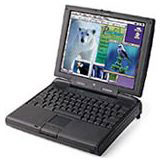
The PowerBook 3400c was the fastest portable on the planet, Mac or PC, at its introduction. In fact, it was faster than many desktops. My particular model is the mid-line, with a 200 MHz 603e processor. According to the PB 3400c profile on this website, "The PowerBook 3400 was designed as a no compromise laptop." And that it is.
It has 144 MB of RAM (which is the maximum), built-in modem and ethernet (ingeniously using the same RJ45 port), 2 GB hard drive, a great sound system (for a notebook anyway), an 800 x 600 active matrix screen, two PC card slots, IR capability, a standard VGA monitor connector, an external SCSI connector, ADB, and a standard Apple serial port.
It has spring-loaded retractable legs on the back, which allow you to tilt the PowerBook to a comfortable angle for typing. I wish my iBook had those legs; it would certainly make typing on it more comfortable.
The 3400c also has an expansion bay that accepts a floppy drive,
CD-ROM, Zip drive, or even an additional
hard
drive, among other things. I have owned this PowerBook for over three
years and only learned today, while doing some reading on Low End Mac,
that the modules that go in this bay are hot swappable.
This is a more amazing Mac than I ever knew. When first introduced just over six years ago, this PowerBook, as currently equipped, would have retailed for over $6,000.
On my PowerBook, I have installed Microsoft Office; Adobe Photoshop and PageMaker; Macromedia Dreamweaver, Fireworks, Flash and Freehand; Connectix (soon to be Microsoft, but that's another column) Virtual PC; Corel WordPerfect; ClarisWorks; Internet Explorer; Netscape; and Quark XPress. I have added a Farallon SkyLine wireless PC card, which allows me to work on my home AirPort network. Granted, most of the programs mentioned above are not the latest and greatest versions, but every one of them suits my needs.
All of this on OS 8.6. There may have been an advantage to upgrading to OS 9 at one time; however, since the 3400c will not run OS X (there is actually a utility that will allow OS X to be installed, but reports are that the PowerBook runs it so slowly as to be virtually unusable), I never bothered.
Experiencing an attack of nostalgia, I got out the 3400c today. In fact, I am typing this column on it, using ClarisWorks 4. When I starting browsing the hard drive, it was almost like opening a time capsule. My Documents folder contained work up to the last time I used the 3400c for work - on the plane returning to Atlanta from Oakland, CA, in 2001. I put the 'Book in my bag after using it during a layover in Raleigh, never suspecting that was the end of the line for my faithful companion.
The day after I got back, I found a deal too good to pass up, bought a clamshell iBook on an impulse, and copied all my files over.
That clamshell iBook gave way to my current iceBook. However, I still have no SCSI, PC card slot, ADB, serial port, or option for internal floppy or Zip. I have USB and FireWire, but I could add that to the 3400c via PC Card. Of course, I now have 1024 x 768 video, OS X, and Quartz Extreme.
When you place the two notebooks side by side, there are some features each has which the other lacks. However, when comparing a six-year old computer with a currently shipping model, to have the two come out anywhere close to even is an astounding tribute to the six-year-old model.
Perhaps that is why I have grown so attached to my PowerBook 3400c.
Am I being overly sentimental and underly (is that even a word?)
practical? What do you think? Should I hang on to my 3400c? Or should I
finally admit that all good things must pass and put it out to pasture?
Steve Watkins is the Vice President for Information Technology for a mid-sized bank and also an attorney. He has been a Mac user for about ten years. He has owned some PCs along the way - but always came back to the Mac. If you find Steve's's articles helpful, please consider making a donation to his tip jar.
Recent Practical Mac Articles
- 5 things Apple is doing right in 2008 - and 5 it could do better, 03.24. Apple has made great strides in the past five years, but there are still a few areas that need to be addressed.
- MacBook Air a compelling option for the true road warrior, 02.22. Although it's not intended as a desktop replacement and has a few shortcomings, the lightweight MacBook Air with its 13" display could be the perfect field computer.
- Mailsmith a simple, powerful, spam fighting alternative to Apple Mail, 04.23. Mailsmith is bundled with SpamSieve, integrates with Address Book, and has very flexible scripting tools combined with elegant simplicity.
- Can your spam with SpamSieve, 02.02. "Right out of the box, SpamSieve exceeded the accuracy of the Apple Mail filter I've been training for over a year."
- More in the Practical Mac index.
Links for the Day
- Mac of the Day: iMac Core2, Sep. 2006 - Apple introduced the biggest screen ever in an iMac with a 24" Core2 Duo model at 2.16 GHz.
- List of the Day: Old Mac MP covers 604-based multiprocessor Macs and clones.
- September 6 in LEM history: 99: G4 vs. Pentium III - 00: Setting up a server - 02: Norton Utilities warning - 10 greatest computer annoyances - 06: iMac Core2 Duo - Mac mini Core Duo - The iMac Core2 value equation - 07: Apple seduction - Why I really want an iPod touch - iPod history, 2005 to present - Upgrading a Power Mac G - Apple intros iPod touch, classic, and video nano
Recent Content on Low End Mac
- Anticipation: New iPods Now, New Macs Later, Kev Kitchens, Kitchens Sync, 09.05. The season of new iPods is at hand, but new Macs may wait until 2009.
- Buy a MacBook Now or Wait?, MacBook touch Patents, Samsung X360 Takes on MBA, and More, The 'Book Review, 09.05. Also 20 years of portable Macs, data backup and preservation, universal U-Charge battery charger for Mac 'Books, bargain 'Books from $150 to $2,699, and more.
- Listen to Just the Music with the V-Moda Vibe Earbuds, Tommy Thomas, Welcome to Macintosh, 09.05. Well built, the noise canceling earbuds will let you hear all the nuances of your music without letting through background noise.
- Source of iPhone 3G Problems, Army Uses iPods as Field Translators, Gains with Business, and More, iNews Review, 09.05. Also UK bans iPhone ad as 'misleading', iPhone password easy to bypass, GM to offer radios with USB in 2009 models, weather tracking software, and more.
- Macs Gain Ground in August, Consumers Most Likely to Buy Macs, LaCie USB Speakers, and More, Mac News Review, 09.05. Also migrating Time Machine to a new drive and two new keyboards from Logitech.
- Best iPod touch Deals, Low End Mac Deals, 09.05. Refurb 8 GB, $199; new, $284; refurb 16 GB, $299; new, $370; refurb 32 GB, $399; new, $453.
- Best 15" MacBook Pro Deals, Low End Mac Deals, 09.05. Used 1.83 GHz Core Duo, $999; 2.16, $1,125; new, 2.2, $1,450 after rebate; refurb 2.4, $1,699; 2.5, $1,999; 2.6 Santa Rosa, $1,849; rebates on new.
- Best iMac G4 Deals, Low End Mac Deals, 09.05. Used 15" 700 MHz CD-RW, $279; 800 Combo, $300; 1 GHz $390; 17" 800 MHz SD, $439; 1.25 GHz, $449; 20", $569.
- Overclocking a Mac mini Got Me Hooked on Souping Up Macs, Adam Geller, My First Mac, 09.04. Stories of hot rodding iBooks, G3 iMacs, and PCI Power Macs on the cheap.
- Apple Will Not Abandon Optical Drives, the Mac Drought, Purposeful Mac Acquisition, and More, Dan Knight, Low End Mac Mailbag, 09.04. Also Mac OS X 10.5 on a G4-upgraded Blue & White G3 and problems using a flat panel display with a Quadra 700.
- Only Leopard Runs Routine Maintenance Tasks after Startup or Waking from Sleep, Charles W. Moore, Miscellaneous Ramblings, 09.04. Mac OS X 10.5 runs routine system maintenance scripts as soon as possible after starting up or waking up your Mac. Earlier versions of OS X do not do this.
- Tomorrow's Solid State Drives and Notebooks, Dan Knight, Mac Musings, 09.04. Flash drives are great but have some shortcomings. Some thoughts on building better SSDs and notebooks to use them.
- Best 12" PowerBook G4 Deals, Low End Mac Deals, 09.04. Used 867 MHz Combo, no APX, $490; 1 GHz, $550; SuperDrive, $625; 1.5 GHz w/o APX, $660; w/APX, $675.
- Best Mac mini Deals, Low End Mac Deals, 09.04. Used 1.25 GHz G4 SD, $549; 1.42 Combo, $409; new 1.83 Core2 Combo, $569 after rebate; 2.0 SD, $769 after rebate.
- Best 17" PowerBook G4 Deals, Low End Mac Deals, 09.04. Used 1 GHz, $779; 1.33 GHz, $799; 1.5 GHz, $859; 1.67 GHz, $910.
- 11 Mac Browsers Compared, Simon Royal, Mac Spectrum, 09.03. The latest versions of Internet Explorer, Opera, Safari, Shiira, iCab, Radon, Firefox, Netscape Navigator, SeaMonkey, Flock, and Camino tested in Leopard.
- Save Internet Radio, USB and Hard Drives, Hardware Manufacturers vs. Linux, and More, Dan Knight, Low End Mac Mailbag, 09.03. Also Mac won't book after cleaning, newer versions of OS X improve wake from sleep, downgrading to OS 8.6, unreadable pages on Low End Mac, and more.
- Another Free POP3 Provider, Recharging a Dead PRAM Battery, Current Kanga Value, and More, Charles W. Moore, Miscellaneous Ramblings, 09.03. GMX email now available in US, Panasonic UJ-841S drive won't burn discs, restoring a dead PRAM battery in a Pismo, and thoughts on Kanga value today.
- Best eMac Deals, Low End Mac Deals, 09.03. Used 700 MHz Combo, $120; 1.25 GHz SuperDrive, $150; 1.42 GHz, $349.
- Best Mac OS X 10.5 'Leopard' Deals, Low End Mac Deals, 09.03. Mac OS X 10.5, single user, $99; 5 users, $140; 10.5 Server, 10 users, $395; unlimited, $850.
- Best MacBook Air Deals, Low End Mac Deals, 09.03. Refurb 1.6 HD, $1,499; new, $1,690 after rebate; refurb 1.8, $1,699; new, $1,919 a/r; refurb 1.6 SSD, $2,099; new, $2,294 a/r; refurb 1.8, $2,299; new, $2,400 a/r.
- Psystar Strikes Back, Countersues Apple, Frank Fox, Stop the Noiz, 09.03. Psystar is trying to paint Apple as a monopoly and force it to license the Mac OS.
- More links in our archive.
About LEM | Support | Usage | Privacy | Contacts

