

iBook-ifying Older Macs
Eric Schwarz - 2001.07.12
Well, this article was on the back burner when I went on vacation,
so I'm getting back in the swing of things. I got the idea 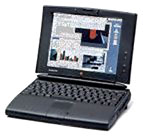 for it while traveling, since I took my trusty PowerBook 540c with me.
Of course, the PowerBook 540c I have isn't much of an attention-getter in public anymore. Its smaller screen and the overall "grayness" of the case isn't that fancy compared with the newer PeeCee laptops (ugh!) or the new iBook or TiBook. Of course, I could've painted the computer, but that would've been too much work - and I kinda liked the "gunmetal gray" (as its called in the home electronics industry), so I decided to change what was on the screen to look more modern, mainly to satisfy my new Mac envy.
First of all, you can do this with any older PowerBook, but it would be best if you were running Mac OS 7.6-8.1, because 8.5+ has its own customizations, and that typically is run on newer PowerBooks (I know it could run on my PPC-upgraded 540c, but 8.1 works for me). Here's the list of what you need:
- An Internet connection
- An older PowerBook (500s, Duos, & 5300 are best, but the 100 series are fine, too)
- ResEdit
- Optional, but nice if you have it: a color screen
- And last, but not least, a little creativity
First of all, replace all your desktop icons with better ones that look more "Aquatic" or "Titaniumish." A good source for these is the Icon Factory, and one good set is the Titanium Folders set. I use a Pismo icon from their SmoothIcon set for my hard drive. You can modify the icons with ResEdit for use with your printers, iDisk aliases, and other folders.
Secondly, get a better system font. Chicago and Charcoal are okay, but you can do better. Ask a friend who has OS 8.5 or 9 to copy Gadget, Sand, Techno, and Textile to a disk for you. Of course, you need the Appearance extension and control panel if you have an older OS, but it's free from Apple. Copy these fonts to your Fonts folder and open the Appearance control panel. Click Options and your new fonts should show up in the list of fonts. Pick one and restart your Mac.
Next, make your computer look better when it boots up. Head over to ResExcellence for some Mac OS Startup Screens. The directions vary from screen to screen, so check with the ReadMe file. There is also a section on splash screens for applications (Internet Explorer, Netscape, AIM, Photoshop, Illustration, and more).
Of course, you can change your background pattern and background picture, too, and download iMacColor (check on Google) to change the color of the Apple logo on the Apple Menu and the Trash can icon. I'm not going to tell you what you can and cannot do, because it's your Mac, and you can customize it the way you want it. ResExcellence has a lot more than just startup screens, so you can get some more ideas from there and completely make your Mac your own.
Just be sure to use backup copies of your System, Finder, and
anything else when working with ResEdit (unless you like playing with
fire). 
About LEM Support Usage Privacy Contact
Follow Low End Mac on Twitter
Join Low End Mac on Facebook
Favorite Sites
MacSurfer
Cult of Mac
Shrine of Apple
MacInTouch
MyAppleMenu
InfoMac
The Mac Observer
Accelerate Your Mac
RetroMacCast
The Vintage Mac Museum
Deal Brothers
DealMac
Mac2Sell
Mac Driver Museum
JAG's House
System 6 Heaven
System 7 Today
the pickle's Low-End Mac FAQ
Affiliates
Amazon.com
The iTunes Store
PC Connection Express
Macgo Blu-ray Player
Parallels Desktop for Mac
eBay

