PowerBooks & iBooks
Titanium PowerBook G4
code names: Mercury, TiBook
- Got a G4 PowerBook or iBook? Join our G4 'Books Group or PowerBooks and iBooks Forum.
- Got a PowerBook G4? Join the Titanium G4 email list.
- Our Mac OS 9 Group is for anyone using Mac OS 9, either natively or in Classic Mode.
- Our Puma Group is for those using Mac OS X 10.1.
- Our Jaguar Group is for those using Mac OS X 10.2.
- Panther List is for those using Mac OS X 10.3.
- Tiger List is for those using Mac OS X 10.4.
- Our Leopard Forum is for those using Mac OS X 10.5.
- Our Leopard Group is for those using Mac OS X 10.5 and 10.6.
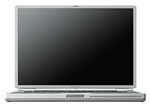 The PowerBook moved from G3 to G4 at the Macworld Expo on January 9,
2001. It was smaller and lighter than any of the G3 'Books that
preceded it, measuring just 1" thick and weighing 5.3 pounds.
Construction is titanium and carbon fiber, which should have made
for a very tough, very light computer.
The PowerBook moved from G3 to G4 at the Macworld Expo on January 9,
2001. It was smaller and lighter than any of the G3 'Books that
preceded it, measuring just 1" thick and weighing 5.3 pounds.
Construction is titanium and carbon fiber, which should have made
for a very tough, very light computer.
In the field, a fresh battery can yields 3-4 hours of use. A DVD drive was standard on the early G4 PowerBooks; over time Apple migrated to Combo drives and even had a SuperDrive version of the fastest TiBook.
These were the first PowerBooks designed without an internal floppy drive, and they had only a single PC Card slot, where most earlier PowerBooks had included two. But perhaps the biggest drawback was due to the use of titanium itself - it greatly reduced the range of Apple's AirPort networking. (Best solution: a third-party WiFi PC Card with its own antenna.)
The titanium PowerBook was replaced by a 15" aluminum PowerBook in Sept. 2003.
PowerBook G4 400 & 500 MHz
The first TiBook shipped in two versions. Both included a DVD-ROM drive, a "mega-wide" 1152 x 768 pixel display, VGA video output, ATI Rage Mobility graphics, and supported up to 1 GB of RAM on a 100 MHz bus.
The lower cost model ran at 400 MHz and included 128 MB of RAM and a 10 GB hard drive. The top end model had a 500 MHz G4, 256 MB of RAM, and a 20 GB hard drive. A 30 GB drive was a build-to-order option.
PowerBook G4 550 & 667 MHz
In October 2001, Apple moves the TiBook to the next level. The entry-level model now ran at 550 MHz on the same 100 MHz system bus, 128 MB of RAM, and a 20 GB hard drive.
The more costly 667 MHz model had a 133 MHz system bus, 512 MB of RAM, and a 30 GB hard drive.
In December, Apple replaced the DVD-ROM drive with a Combo drive, which can read DVDs and burn CDs.
PowerBook G4 667 & 800 MHz
There were bigger changes afoot with the third version of the TiBook, which was introduced in April 2002. The most evident is a higher screen resolution of 1280 x 854. This was supported by ATI Radeon 7500 graphics with 32 MB of video RAM, and the VGA port found on earlier TiBooks vanished in favor of a digital DVI video interface.
Beyond offering speeds of 667 MHz and 800 MHz, the G4 CPU found in these TiBooks have a much larger level 2 cache - 1 MB vs. 256 KB in earlier TiBooks.
PowerBook G4 867 MHz & 1 GHz
In Nov. 2002, the final revision of the TiBook boosted speeds to 867 MHz and 1 GHz. The Radeon 9000 graphics processor replaced the 7500 of the previous generation, and video RAM doubled to 64 MB on the top-end model.
The 1 GHz TiBook was the first and only titanium PowerBook to ship with a SuperDrive.
Online Resources
- Low End Mac's Compleat Guide to Titanium PowerBooks, Charles Moore, 'Book Value, 2008.04.29. Between January 2001 and November 2002, Apple went through four revisions and eight models ranging from 400 MHz to 1 GHz.
- Low End Mac's Best Titanium PowerBook G4 Deals.
- Low End Mac's best Mac OS X 10.0-10.3 deals. Best prices on Mac OS X 10.0, 10.1, 10.2, and 10.3.
- Unsupported Leopard installation, Dan Knight, 2007.10.31. How to install Mac OS X 10.5 on unsupported hardware - plus field reports.
- Low End Mac's Compleat Guide to Mac OS 9, 2008 edition, Charles Moore, Miscellaneous Ramblings, 2008.05.12. Mac OS 9 remains fast and stable, but Classic software hasn't kept up with the changing internet. Which Macs support OS 9, where to buy it, and how to update to 9.2.2.
- What's the best Mac OS for your iBook, PowerBook, or MacBook?, Charles Moore, 'Book Value, 2008.08.19. Tips on choosing the best OS for your PowerBook 500 Series or newer Mac notebook.
- $40 802.11g CardBus WiFi card for OS X 10.3 and later, Charles Moore, 'Book Value, 2009.03.10. Whether it's the Buffalo or Belkin card, it has the same Broadcom chipset as Apple's AirPort Extreme and needs no special drivers.
- WiFi CardBus adapters compatible with PowerBooks, MetaPhyzx, Mac Daniel, 2009.03.11. CardBus hardware and drivers compatible with PowerBooks running Mac OS X.
- WiFi PC Cards compatible with PowerBooks running OS X, MetaPhyzx, Mac Daniel, 2009.03.11. PCMCIA/PC Card hardware and drivers compatible with PowerBooks running Mac OS X.
- WiFi PC Cards for PowerBooks running Mac OS 9, MetaPhyzx, Mac Daniel, 2009.03.10. PCMCIA cards and drivers reported to be compatible with the Classic Mac OS.
- Adding USB 2.0 to a Titanium PowerBook G4, Simon Royal, Tech Spectrum, 2009.08.20. TiBooks have built-in USB 1.1, but with a compatible USB 2.0 CardBus card, you can go 2.0. Problem is, not all cards work.
- Checking out Safari 4 on an old PowerBook, Charles Moore, 'Book Value, 2009.06.30. Safari 4 is the fastest it's ever been, but it's not without some frustrating drawbacks.
- Optimized software builds bring out the best in your Mac, Dan Knight, Low End Mac's Online Tech Journal, 2009.06.30. Applications compiled for your Mac's CPU can load more quickly and run faster than ones compiled for universal use.
- Tips for installing or reinstalling Mac OS X 10.4 'Tiger', Adam Rosen, Adam's Apple, 2009.06.10. Mac OS X 10.4 uses less memory than Leopard, supports Classic Mode on PowerPC Macs, and, unlike Leopard, is supported on G3 Macs.
- Mac 'Book power management adventures, Charles Moore, 'Book Value, 2009.05.19. If your 'Book won't power up, shuts down while your working, or has other power issues, resetting its internal power manager may clear things up.
- 500 MHz iBook keeps going, iBook video repair, a WiFi card that costs less than AirPort, and more, Charles Moore, Miscellaneous Ramblings, 2009.05.13. Also Dell's alternative to the 12" PowerBook, WiFi hotspot insecurity, and feedback from a Eudora fan.
- Does using matched RAM make your Mac faster or more stable?, Simon Royal, Tech Spectrum, 2009.04.28. Most Macs don't need matched memory modules and seem to run just fine with mismatched brands and capacities, but matching modules may be a bit faster.
- Hacking a WiFi PC Card to work in Apple's AirPort Card slot, Simon Royal, Tech Spectrum, 2009.04.21. Apple's AirPort Card has become expensive since it was discontinued. Here's how you may be able to adapt an 802.11b PC Card to replace it.
- Is Leopard slower than Tiger on G4 Macs?, Simon Royal, Tech Spectrum, 2009.04.17. Truth be told, when you have 1 GB of RAM, Leopard benchmarks an insigificant 4% slower than Tiger.
- The 25 most important Macs, Dan Knight, Mac Musings, 2009.02.17. The 25 most significant Macs in the first 25 years of the platform, continued.
- 2 compact portable USB 2.0 hubs, Charles Moore, 'Book Value, 2009.01.12. Compact hubs from Targus and Proporta make a great complement to your notebook computer. Each accepts a third-party AC adapter to provide bus power.
- Notebooks and blackouts, Charles Moore, 'Book Value, 2008.12.23. When the power goes out, a notebook computer with long-lasting batteries lets you keep working for hours and hours.
- 4 GB RAM problem persists after firmware update, TriBook concept MacBook, DIY Mac netbook, and more, The 'Book Review, 2008.12.19. Also using third-party monitors with 'Late 2008' MacBooks, MacMagSaver protects MagSafe cord, $25 802.11g USB adapter, bargain 'Books from $500 to $2,299, and more.
- The 'better safe than sorry' guide to installing Mac OS X updates, Charles Moore, Miscellaneous Ramblings, 2008.12.16. Most users encounter no problems using Software Update, but some preflight work and using the Combo updater means far less chance of trouble.
- Why you should partition your Mac's hard drive, Dan Knight, Mac Musings, 2008.12.11. "At the very least, it makes sense to have a second partition with a bootable version of the Mac OS, so if you have problems with your work partition, you can boot from the 'emergency' partition to run Disk Utility and other diagnostics."
- Every working computer is useful to someone, Allison Payne, The Budget Mac, 2008.11.19. Whether it's a PowerBook 1400, G3 iMac, or Power Mac G4, it could be all the computer someone needs.
- The best browsers for older Macs running Tiger, Charles Moore, Miscellaneous Ramblings, 2008.09.25. A dialup user's overview of browsers for Mac OS X 10.4 puts the emphasis on reliability, downloads, and speed.
- 9 browsers for G3 and older G4 Macs compared, Simon Royal, Tech Spectrum, 2008.09.26. The latest versions of Opera, Safari, Shiira, iCab, Radon, Firefox, Demeter, Sunrise, and Camino that run on Mac OS X 10.4 "Tiger".
- TruePower AC adapter for iBooks and PowerBooks is rugged, reliable, and affordable, Charles Moore, 'Book Value, 2008.08.14. Apple's track record with AC adapters is spotty, but the TruePower adapter is tough enough to survive being run over by a truck.
- Turn your old Mac into a web server with Linux, Apache, MySQL, and PHP, Jason Packer, Macs in the Enterprise, 2008.07.09. Step-by-step instructions for installing and configuring Linux, Apache, MySQL, and PHP on an older Mac.
- SheepShaver brings Classic Mac OS to Intel Macs and Leopard, Alan Zisman, Mac2Windows, 2008.05.20. Mac OS X 10.5 doesn't support Classic Mode. Neither does Leopard. But SheepShaver lets you emulate a PowerPC Mac and run the Classic Mac OS.
- Mac value, the Hackintosh market, unsupported Leopard, and USB 2.0 for older PowerBooks, Dan Knight, Low End Mac Mailbag, 2008.04.30. High-end Macs cost less than comparable HPs and Dells, the need for a Mac minitower, a Leopard installation tip, Leopard on an 800 MHz iBook, and which PC Cards work with Mac OS X drivers.
- Outliners for word processing, Mac compatible WiFi cards, iWork disappoints, and more, Dan Knight, Low End Mac Mailbag, 2008.03.27. Also running Leopard on a maxed out Digital Audio Power Mac, Clamshell iBook hacks, Lombard external display resolutions, and collective nouns.
- Wireless FAQ for Older Apple PowerBook Computers. Resources to help you to install and maintain 802.11b/g wireless PC Cards on older PowerBook computers.
- The Complete and Utter Guide to PC Cards and Expansion Bays on the PowerBook, Insanely Great. All about the PCMCIA, PC Card, or CardBus slots used in various PowerBooks.
- Power your recycled laptop with a rebuilt battery, John Hatchett, Recycled Computing, 2008.02.20. Old notebook computers usually mean old batteries that may be dead or on their last legs. You can buy a replacement battery, or you can have your old battery rebuilt.
- Reasons for sticking with the Classic Mac OS, Tommy Thomas, Welcome to Macintosh, 2007.10.30. Whether it's the simplicity, elegance, speed, or desire not to replace lots of expensive hardware, there are lots of good reasons for sticking with Mac OS 9.
- iBook G3 quality, 802.11g for older PowerBooks, installing Tiger on a CD-ROM eMac, and more, Charles Moore, Miscellaneous Ramblings, 2007.10.29. Also FireWire webcam options for the classic Mac OS and installing Leopard on an upgraded Power Mac G4.
- 250 GB 5400 rpm notebook drive benchmarked, Apple shrinks pro MagSafe adapter, $150 Linux laptop, and more, The 'Book Review, 2007.07.27. Also touchup paint for TiBooks, Dell and Lenovo offer wireless USB, Logitech's nano mouse and receiver, and bargain 'Books from $130 to $2,199.
- Unmatched Classic Mac OS apps, TiBook reliability, Matias Tactile Pro 2.0 disappoints, and more, Charles Moore, Miscellaneous Ramblings, 2007.06.18. Also Netscape 7 and 9, MacBook causing problems with iMac's display, and graphics cards for a Power Mac G4 and an ADC display.
- Operation FlashBook: Running Tiger from flash on a PowerBook G4, John Muir, Mac Daniel, 2007.05.29. With the hard drive failing and Compact Flash prices falling, it was time to consider running the PowerBook G4 from flash. Looking back at 6 months, was it worth it?
- Format any drive for older Macs with patched Apple tools, Tyler Sable, Classic Restorations, 2007.04.25. Apple HD SC Setup and Drive Setup only work with Apple branded hard drives - until you apply the patches linked to this article.
- OS 10.4.8 making PowerBook run cooler?, Charles W. Moore, OS X Odyssey, Applelinks, 2006.10.24. "...I haven't restarted, and the 'Book is still running in the high 40°s - low 50°s most of the time. The fan has only activated sporadically while doing heavy multitasking."
- Better laptop performance: What's the best upgrade?, Andrew J Fishkin, The Mobile Mac, 2006.10.09. Memory, CPU, bus speed, and hard drives all impact performance and battery life. Which upgrades will give you the most up time in the field?
- Setting up a titanium PowerBook for video editing, Adam Robert Guha, Apple Archive, 2006.09.01. Working with a limited budget, a 867 MHz TiBook should be sufficient for basic video editing.
- Customizing Mac OS 9, Nathan Thompson, Embracing Obsolescence, 2006.08.01. Fiddling with themes, picking a browser, and making the Classic Mac OS work just the way you want it to.
- 7 tools for keeping your laptop (uh, notebook) cool, Charles Moore, Miscellaneous Ramblings, 2006.07.24. A quick look at the Podium CoolPad, ChillMat, ChillHubs, Laptop Desk, Xpad, iLap, and iBreeze - seven stands designed to keep you 'Books running cooler.
- Power strategies for using your 'Book in the field: Batteries and AC adapters, Andrew J Fishkin, The Mobile Mac, 2006.06.05. One or two extra batteries and at least one spare AC adapter can be essential when you're traveling and need to get hours and hours of use from your 'Book.
- End of G4 models points to unprecedented value for used G4 Macs, Leaman Crews, Plays Well with Others, 2006.06.02. The PowerPC G4 may no longer have a place in Apple's product line, but that's a far cry from saying G4-based Macs are obsolete. If anything, their value is going to increase.
- Replacing Lombard with a TiBook: which one is enough?, Joe Rivera, Mac Fallout Shelter, 2006.04.19. Nice as the Lombard was, it has a new owner. The new 'Book should have FireWire, G4 power, and run Tiger nicely. How much TiBook is enough?
- Dvorak adoption notice, tips for Apple's Yo-yo power supply, old iMac a good value?, and more, Charles Moore, Miscellaneous Ramblings, 2006.02.27. Also a 'Pismo up in smoke' update, Lombard up in smoke, iBook G3 logic board problems, Wangwriter appreciation, and more.
- FastMac's $190 8x dual-layer SuperDrive for PowerBooks and dual USB iBooks, Charles Moore, Miscellaneous Ramblings, 2006.01.30. For US$190-250 you can replace the CD-ROM, CD-RW, Combo, or slow old SuperDrive in most PowerBooks, white iBooks, slot-loading iMacs, and Cubes with a faster, dual-layer drive.
- Web browser tips for the classic Mac OS, Nathan Thompson, Embracing Obsolescence, 2006.01.03. Tips on getting the most out of WaMCom, Mozilla, Internet Explorer, iCab, Opera, and WannaBe using the classic Mac OS.
- The best browsers for PowerPC Macs and the classic Mac OS, Nathan Thompson, Embracing Obsolescence, 2005.12.16. Two browsers stand out from the pack: iCab 3 is modern and remains under development, and WaMCom brings Mozilla to older Macs.
- FixIt Guide: PowerBook G4 Mercury, PB FixIt. All you need to know to take apart, upgrade, repair, and put your PowerBook back together again. Online and print versions available.
- NewerTech TiBook battery provides four hours of use, Dan Knight, Mac Musings, 2004.05.24. "In the real world, I can get at least 4 hours of active use, and with the Energy Saver settings activated, a freshly charged battery usually shows over 5 hours of power."
- OWC offers $299 combo drive for TiBooks, Other World Computing, 2003.03.27. Same mechanism Apple uses, includes buffer underrun protection.
- Flash memory improves PowerBook, Dan Knight, Mac Daniel, 2002.11.14. Using Compact Flash to boot, save files, run silently, extend battery life, and as virtual memory on a PowerBook.
- Tote and Tilt Adds Handle to New iBook or TiBook, The 'Book Review, 2001.10.19. $40 and $45 handles make it easy to transport iceBook, TiBook.
- How to repair broken hinges on your PowerBook G4 Titanium for only $10, Kjartan P. Sigurdsson, 2001.10.08. It beats paying Apple $1,600 for a repair.
- BookEndz Docking Station for TiBook, Charles Moore, The 'Book Review, 2001.05.18. "With the new BookEndz docking station for TiBook, you can connect or disconnect a video monitor, ethernet network, USB devices, FireWire device, modem, and AC power adapter simultaneously."
- Guide to TiBooks, compares each PowerBook G4.
- Titanium run over by 1.7 ton car, Go2Mac.com, 2001.04.30. Screen destroyed, but TiBook still works using an external monitor.
- Shot in the foot again: Firmware update disables RAM, Dan Knight, Mac Musings, 2001.03.25. "...we should not be at risk of losing some or all of the memory in our Macs because of a firmware update."
- Why I invested in Titanium, Marc Zeedar, Mac Opinion, 2001.03.22. "When the Titanium PowerBook was unveiled at Macworld I tried to be cautious, but I knew I wanted one."
- ColorSync profile for PowerBook G4, Berg Design. Try it - your PowerBook G4's screen will look better.
- PowerBook G4, Ben Long, MacInTouch, 2001.02.19. Best comprehensive overview of the TiBook we've seen.
- TiBook Report #7: Zap!, Dan Knight, The 'Book Page, 2/16/01. Great laptop, but there's this pesky problem with static electricity....
- TiBook Report #6, Dan Knight, The 'Book Page, 2/8/01. Is the PowerBook G4 really a desktop replacement? Also, more comments on DVD playback.
- TiBook Report #5, Dan Knight, The 'Book Page, 2/6/01. Heat reduction with CoolPad, burning CDs, DVD tips, and more.
- TiBook Report #4, Dan Knight, The 'Book Page, 2/5/01. Battery life, SETI performance, and more on heat.
- TiBook: Day 2, Dan Knight, The 'Book Page, 2/2/01. Internet connection update, more on heat, brief benchmark discussion.
- TiBook: Day 1, Dan Knight, The 'Book Page, 2//01. More impressions from my first day with a PowerBook G4.
- First Impressions: TiBook, Dan Knight, The 'Book Page, 1/31/01. Stop the presses - I got my PowerBook G4 this afternoon.
- Simply the coolest piece of hardware Apple has ever built, part 2, Charles Moore, Road Warrior, Mac Opinion, 1/23/01
- How to run the PowerBook G4 with the lid down, Apple TIL, 1/18/01
- Benchmarks: Titanium G4/500 vs. Pismo G3/500, Bare Feats, 1/19/01
- The PowerBook G4, John Siracusa, arstechnica. "...the PowerBook G4 is all that you could ask for in a portable Macintosh."
- Buying a PowerBook G4, Dan Knight, The 'Book Page, 1/18/01. Here's why I'm ordering one, and how I'm configuring it.
- Titanium G4 email list, The Macintosh Guy. New list for PowerBook G4 users - count me in!
- Titanium PowerBook: Simply the coolest piece of hardware Apple has ever built, Charles Moore, Road Warrior, Mac Opinion, 1/16/01
- My problem with the titanium PowerBook, David Schultz, Applelust, 1/15/01
- The PowerBook titanium's Achilles heel, Joud Kous, Right On Mac, 1/15/01