
In 1995, Microsoft was busy promoting the latest release of Windows, Windows 95. Apple was confident that users would still be attracted to the Mac because of its interface – but also worried that Windows’ multitasking environment would put Mac OS 7.5 to shame.
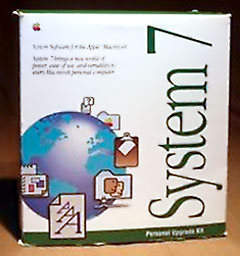 Like all versions of the Mac OS prior to Mac OS X, System 7 didn’t have preemptive multitasking. With preemptive multitasking, the operating system controls how much processor time is allocated to each program. Instead, the Mac OS used cooperative multitasking. With cooperative multitasking, each program controls how much processor time it uses before handing off control to the next program. Adding multitasking to the single-tasking Mac OS was a clever hack devised by Andy Hertzfeld in 1985, and it had been fully integrated into System 7.
Another difference between Windows and the Mac OS is that the Mac used static memory allocation. Each program would request a fixed amount of memory when it was launched, and the OS would dedicate all of the resources the program requested. The computer could only allocate contiguous portions of memory to a program, and memory could eventually become fragmented (like a hard drive).
By contrast, Windows 95 supported dynamic memory allocation, which didn’t require contiguous blocks of memory and allowed the OS to allocate more memory to a program as it needed it.
OS Instability
Adding multitasking to the Mac OS in this way made it much less stable. When a single program crashed, so did the whole operating system. This was no worse than Windows 3.1, but Windows 95 trumped it.
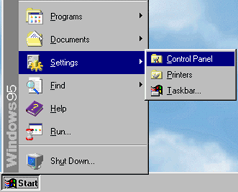
Windows 95 was different. It was essentially a combined DOS and Windows. It was backwards compatible with most DOS and 16-bit Windows programs, but it used preemptive multitasking for 32-bit Windows programs. The computer would dynamically assign resources and RAM to each program. It determined which tasks had priority and assigned resources to them. All this made Windows 95 more responsive and more stable than Windows 3.1.
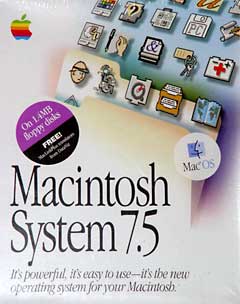 Apple had tried several times to create a new operating system to replace the outdated Mac OS, but all of them had ended in failure.
In the early 90s, Apple teamed up with IBM to create Star Trek, a version of System 7 for the IBM PC. That project eventually became Taligent, which was to be a multiplatform, object oriented operating system. Apple and IBM had a falling out, although Taligent did eventually ship.
The Copland Project
Realizing that the existing Mac OS has run its course, Apple started the Copland project, named after Aaron Copland, the American composer, in March 1994. The OS was supposed to be released as System 8 in mid-to-late 1996.
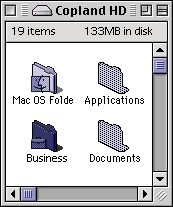
Copland was to be an entirely new operating system. Leveraging its experience with the GUI, Apple designed a brand new theme for the operating system, dubbed Platinum. All interface elements now had 3D shading and color, unlike the earlier versions of Mac OS, which were largely black and white.
The Finder would receive the largest improvement – its interface was streamlined, and it finally included preemptive multitasking. Users could start more than one copy job at a time, for instance, and it was more responsive in general. It would also have spring loaded folders (when a user drags a file over a folder, the folder automatically opens) and a brand new help system.
Another big update to the Finder was the ability to drag windows to the bottom of the screen and turn them into tabs. You could pop them open or closed, and this an easy way to keep commonly used files handy without having them on a desktop or an always open window.
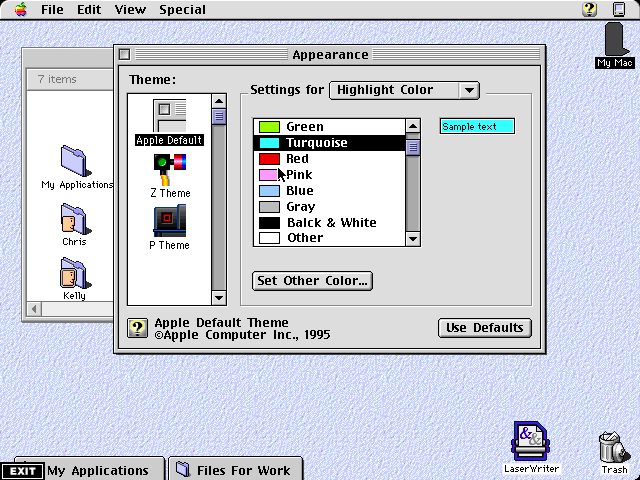
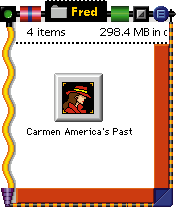
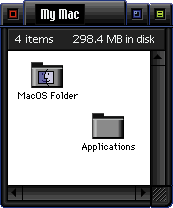 Copland was to be fully theme-able, and it was previewed with two themes in addition to Platinum: Z Theme (left) was designed for kids and P Theme (right) had a dark futuristic look. Software developers could create their own themes.
PowerPC Native
More important than the new look, the architecture of the new operating system was to be very advanced. Earlier versions of the Mac OS were not PowerPC native. Like Virtual PC, which allowed DOS and Windows to run on Macs, Apple created a 680×0 emulator to run much of the operating system and most pre-PowerPC software on PowerPC Macs. This made the system almost completely compatible with older programs and utilities, but it was also slower than native PPC software.
Copland was to be completely PowerPC native, though it would include the emulator to run older programs. To run better on the PowerPC, Apple made Copland into a nanokernel OS, which meant that everything ran on top of a kernel that did nothing but manage jobs for the CPU. Everything else would be managed in separate modules.
Copland would also integrate preemptive multitasking. Unfortunately, this meant that it would need an entirely new system core. Though this prolonged the development of the operating system, it allowed Apple to make other changes.
Copland was also to be a multi-user OS. Like At Ease, a user would be prompted to log in at startup and would log in to a personal account. Once logged in, the user could only do what the computer’s administrator had authorized using a control panel.
It seems trivial, but it was very useful for families and work environments. Windows would not get this feature until Windows 98 – and the Mac would not see it until Mac OS 9.
Apple Innovations
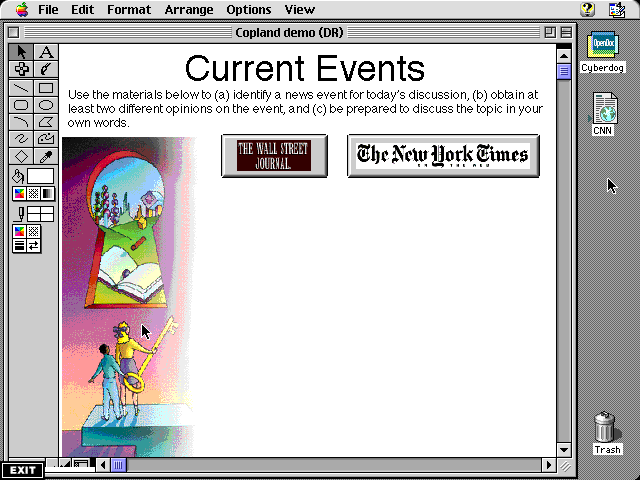
Besides the new features in Copland’s core architecture, Apple was determined to integrate as much of its own technology into the OS as possible. QuickDraw, QuickDraw GX, QuickDraw 32, Java, and a new network stack were all slated for inclusion in Copland.
Most importantly, OpenDoc was to be included. OpenDoc allowed programmers and users to put snippets of other programs into their files or programs. Programmers could put a web browser into their word processor – or anywhere else. The architecture was like Microsoft’s OLE on steroids.
A Forward Looking OS
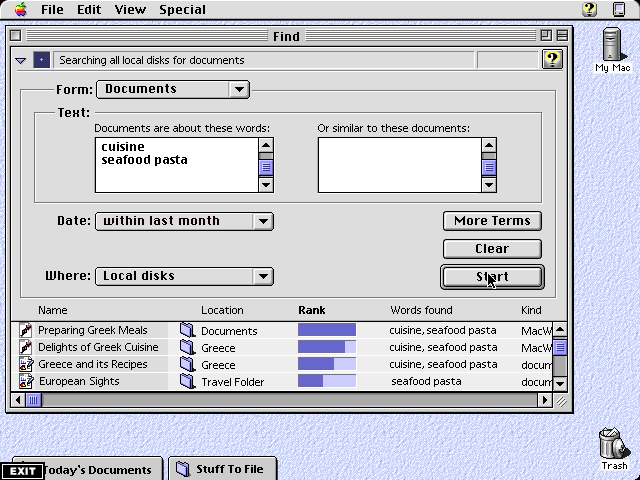
During its promotion of Mac OS X 10.4 Tiger, Apple touted Spotlight as the first truly mature search tool integrated into an operating system. Had Copland been released, it would have been the first OS to provide live searches in the toolbar.
In the patent application for Spotlight, Apple appears to have used diagrams from Copland’s interface. The Copland search tool indexed all files on the computer and allowed users to search for a specific string of text. It would display the results and even determine the relevancy according to the number of times the string appeared in the document.
Apple released the first beta version of Copland to developers in November 1995. Although Apple released several betas and some engineers at Apple used it as their primary OS, Gil Amelio decided that it would never be ready for release and canceled the project in late 1996. Instead, Apple decided to buy their next generation operating system rather than create it themselves. This lead to Apple’s acquisition of NeXT and the return of Steve Jobs.
Apple had promised that it would have a System 8, so it integrated many of the superficial changes into a new revision of the old operating system called Mac OS 8. It was not until Mac OS X that most of the features promised in Copland would be fully realized.
Further Reading
- Copland, Wikipedia
- Multitasking, Webopedia
- Pink: Apple’s First Stab at a Modern Operating System
- Star Trek: Apple’s First Mac OS on Intel Project
Bibliography
Some of the sources used in writing this article.
- Apple: The Inside Story of Intrigue, Egomania, and Business Blunders, Jim Carlton
- Infinite Loop, Michael Malone
- The Second Coming of Steve Jobs, Alan Deutschman
- Apple Confidential 2.0, Owen Linzmayer
- Odyssey: Pepsi to Apple . . . a Journey of Adventure, Ideas & the Future, John Sculley
- Wikipedia
Keywords: #copland
Short link: http://goo.gl/yyW6mG
searchword: coplandproject

they should have continued copeland and made the new os, and started on an upgrade with totally new like they did with os X…but the os was so out of date something was needed to compete with windows 95…