
My occupation requires that I work in many parts of the world for extended periods of time. Due to this, I meet and associate with a very diverse cross-section of society. The one interest that transcends language, social status, and background is the vibrant desire to learn about computers and the Internet.
In my travels, I have been fortunate enough to assist over fifty people in their introduction to the world of computing and the World Wide Web. Naturally, I sway them towards the machines with the Apple logo branded on them. Each of these encounters is truly unique and, at times, somewhat humorous for everyone involved.
Most of my experiences begin at work when the “non-digital” generation notices that I am constantly banging away at the keyboard of my laptop sending email, working on spreadsheets, updating schedules, etc. I have been approached by all levels in many professions in their attempts to learn of this mysterious “Internet.”
They question the constant use of my laptop and what I am accomplishing with it, sometimes criticizing its usefulness. I explain to them that this is all about the transfer of information very quickly. I cannot describe the blank looks on the faces of those who just don’t get it. I must be using the wrong approach.
I have tried to explain to them that the Internet is comparable to having a television, library, newspaper, radio, postal service, telephone, fax machine,yellow pages, weather channel, and magazines, all rolled into one. Information can be transferred almost immediately for very little expense.
At this point, the vast majority of people are intrigued. Subconsciously, they know that this is the future; it is staring them in the face. Most want to hitch a ride, but a few are content to stay in their comfort zone until they are forced to change.
After one or two visits to a website about something that they can relate to, most are hooked. I have had the more affluent ones offer me thousands of dollars to go shopping with them and show them what computer hardware to purchase. On many occasions I have put together a system on my own time. I usually get them going for a few hundred dollars with a 68k Mac. That is the beauty of eBay and UPS – you can set up a Mac system anywhere in the world.
Still others come to me with their hat in their hand and a sad look in their eyes, hesitant to display their vulnerability. It is not easy for them to openly admit that they are ignorant of the changes that are taking place in society. They are seeking help so that their children will not be at a disadvantage. They want to better themselves and their families.
Truly humble conversations usually take place. Words like “earnest” and “sincere” don’t even come close. To truly comprehend the meaning of the word “appreciation,” I suggest that you spend time educating someone about the digital world. They feel as if you have given them a very special gift.
We fortunate members of the wired (and soon to be wireless) world sometimes forget that there is a vast majority of the world that has no clue what this is all about. Many are too embarrassed to ask, and I applaud the ones that do.
Questions are often asked, phrases are often butchered, and both are confused during the learning process, which upon reflection, is somewhat humorous. I have been asked the following questions:
- How does email know where to go?
- This Internet and email are nice, but can I fax to another computer?
- Do you have to have a special phone line?
- How does the computer remember all of this stuff?
- Do I need more RAM for my modem?
- If I send something to someone, does it look the same?
- Do I need to call them to let them know that I sent them an email?
- How does all of this information keep from getting mixed up in the phone line?
- Does it have to be turned on for it to work?
- What is the World Wide Internet?
- What do you mean, my computer is talking to another computer. I didn’t know it could talk. Can I talk to another computer on my phone instead off using this computer?
I often get asked to help with problem machines as well. One particular experience sticks in my memory.
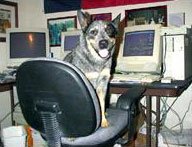
Cyberdawg and his Quadra 700
During the Christmas season last year, America Online was mailing everyone and their dog a CD for installing 250 hours of free AOL service. Several users with older Macs gathered up as many copies of these AOL CDs as they could find. The logic was to accumulate as many free minutes as possible to avoid paying for the service. I am not certain how they did it, but after six full installs of AOL, these old Macs finally froze. I booted the machines from a utility disk and found copy after copy of AOL in the System Folder. Truly amazing what these machines will do, even with six installs of AOL.
I even saw several instances where a full blown Windows 98 software installation was attempted on a Mac. I have never been able to perform such a feat, but somehow one of the new users did – partially, at least. New machine, a trip to the computer store, and it was time to install a version of Barbie™ software for the kids that required a 700 MHz Pentium processor, a 3D video card, and 128 MB of RAM on the old Mac. I saw some of the weirdest stuff I have ever seen when the Finder was finally displayed, just as it froze the machine. Truly amazing.
New users can typically be grouped into one of three categories:
- Those who install new software that they know nothing about and change every control panel and extension along the way.
- Those who remove the installed software and change every control panel and extension along the way.
- Those who are afraid to touch anything.
I can only imagine bringing a new car home and removing the engine the first weekend, never having owned a car before. I guess that these are all part of the learning experiences in our new cyber society. Curiosity engulfed them to learn all about the cyber world, so they began their journey by overhauling their new computer. Makes sense to me.
But my favorite has to be one that I overhead one evening at work. A new user was talking to someone regarding the Internet. I caught the last part of the sentence, “Go see John, he knows all about the World Wide Intercom”.
The World Wide Intercom. You gotta love it!
Keywords: #humor worldwideintercom #johncfoster #johnfoster
Short link: http://goo.gl/79PjQ9
