
Classic Macs in the Intel Age
Bringing a PowerBook 100 Back from Nearly Dead
- 2008.04.09 - Tip Jar
My Turn is Low End Mac's column for reader-submitted articles. It's your turn to share your thoughts on all things Mac (or iPhone, iPod, etc.) and write for the Mac web. Email your submission to Dan Knight .
If you read my article about my vintage Mac network, you probably know that my PowerBook 100s won't work well.
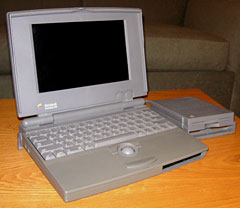
Low End Mac's PowerBook 100
Well, I've come a long way. It seemed that if the battery was in, a little switch was pressed and the screen started flickering to later crash. I simply took out the battery, and the unit powered up and booted from a System 6.08L floppy. A funny thing about 6.08L is that it identifies the 100 as a Macintosh Portable! System 7.0.1 wouldn't do that.
When I opened HD SC Utility, the program told me that it "Could not access the disk because the disk refused to respond." Weird.
I now turned the 100 off and plugged in the other PowerBook 100. The computer made some clicking noises and then stopped. The previous owner told me that one didn't work; he suspected an internal power failure. After plugging it in again and pressing Space a few times, the "Bong" actually came, only to be followed by a Sad Mac a few seconds later. It hasn't powered on since.
I figured the problem on the working 100 had to be the hard drive, so I took the drive from the broken PowerBook and put it in the working one. Same issue. I couldn't swap logic boards, because the other one obviously had a problem.
I then took the drive out and put it in a PowerBook 165c. It booted System 7.1 just fine.
Luckily there was lots of space left on the 6.08L startup disk. About 400 KB. So I put TeachText in there and got a great idea.
My PB 100 now loads 6.08L (with TeachText) into a RAM Disk, so I can take the floppy out and put another one in. There's lots of space left in the RAM, since I have a whopping 4 MB! I also managed to hook it up over LocalTalk to the printer and the other Macs on my network, and it can now access the Quadra 610's "huge" 450 MB drive (plus the 200 MB system disk)!
I emailed the guy who gave me the Macs, and he said he'd make a list of all his Mac stuff and send it to me. He's just happy they will get a good home! He also had an external SCSI drive and an adapter to make it work with the PowerBook.
This PowerBook is really silent now. The only noise is when the floppy reads into RAM. Afterwards, completely silent. Like the good old Compaq thin clients at school - except that this is actually a good machine!
Conclusion: a PowerBook without a hard drive can be as good as a PowerBook with a hard drive, if you spend a little time working on it.
But this isn't the end of my work on the Vintage Mac Network. Next time: Getting Ethernet on the Classic II and trying to connect it to my network of G4s and G3s.
Go to the index of articles by Carl Nygren.
Share your perspective on the Mac by emailing with "My Turn" as your subject.
Join us on Facebook, follow us on Twitter or Google+, or subscribe to our RSS news feed
Today's Links
- Mac of the Day: PowerBook 5300, introduced 1995.08.25. The first PowerPC PowerBook was known for 'flaming' performance.
- Support Low End Mac
Recent Content
About LEM Support Usage Privacy Contact
Follow Low End Mac on Twitter
Join Low End Mac on Facebook
Favorite Sites
MacSurfer
Cult of Mac
Shrine of Apple
MacInTouch
MyAppleMenu
InfoMac
The Mac Observer
Accelerate Your Mac
RetroMacCast
The Vintage Mac Museum
Deal Brothers
DealMac
Mac2Sell
Mac Driver Museum
JAG's House
System 6 Heaven
System 7 Today
the pickle's Low-End Mac FAQ
Affiliates
Amazon.com
The iTunes Store
PC Connection Express
Macgo Blu-ray Player
Parallels Desktop for Mac
eBay

